7-16
Next page
4
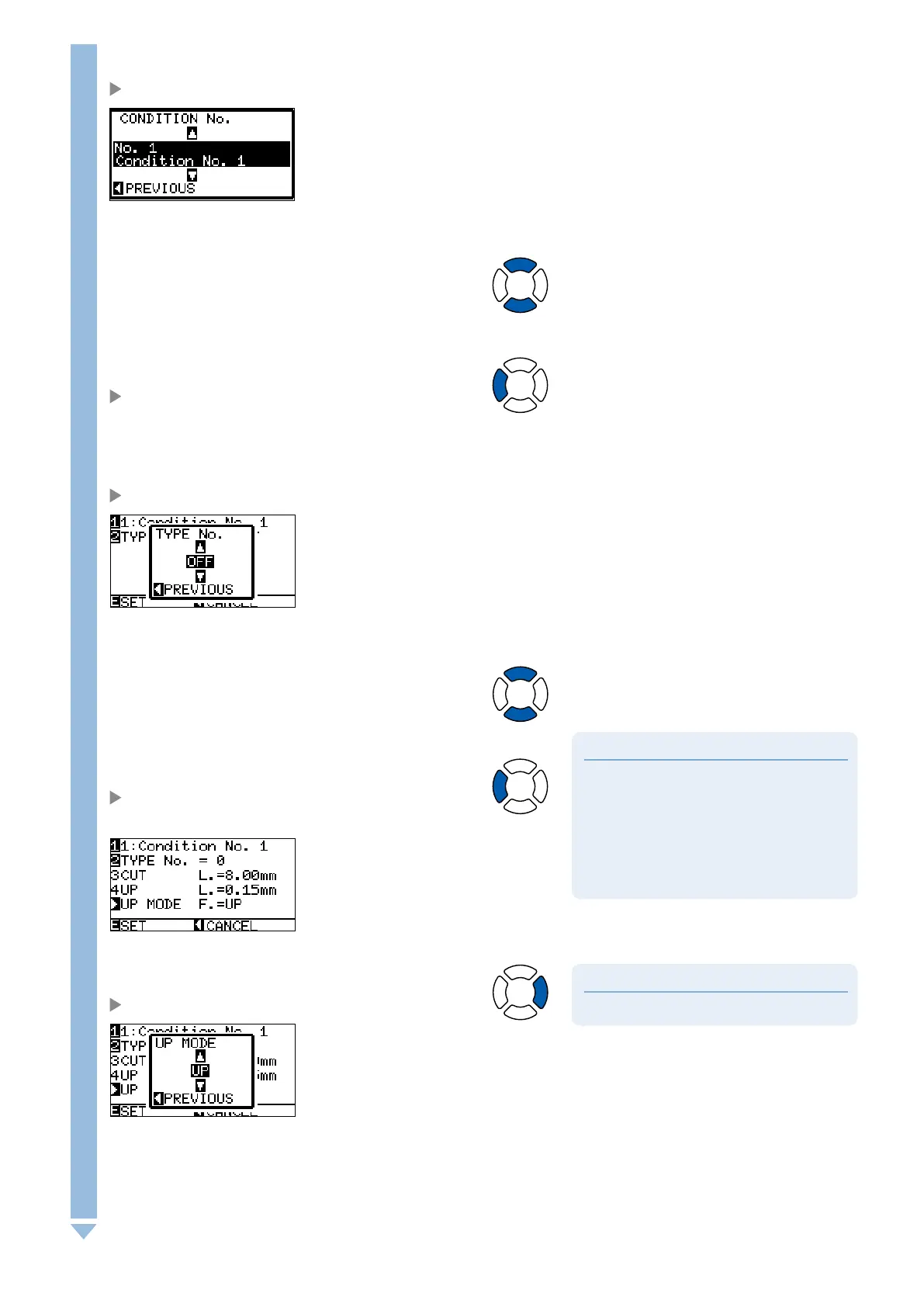
Press the [1] key.
CONDITION No. selection screen is displayed.
5
Press the POSITION (
▲▼
) key and select the CONDITION No.
6
Confirm the setting value, and press the POSITION (
◄
) key
(PREVIOUS).
CONDITION No. is selected and return to CUT LINE PATTERN
setting screen.
7
Press the [2] key (TYPE No.).
TYPE No. setting screen is displayed.
8
Press the POSITION (
▲▼
) key and select the TYPE No. .
Supplement
CUT L and UP L is displayed when the TYPE
No. 0-7 is selected. Also, you will be able to set
the UP MODE.
Setting for all becomes enabled when USER is
selected.
Nothing will be displayed when OFF is selected.
l
l
l
9
Confirm the setting value, and press the POSITION (
◄
) key
(PREVIOUS).
TYPE No. is selected and return to CUT LINE PATTERN setting
screen.
Supplement
Setting range is from 1 to 48, and "UP".
10
Press the POSITION (
►
) key (UP MODE).
UP MODE setting screen is displayed.











 To Next Page