9-7
5
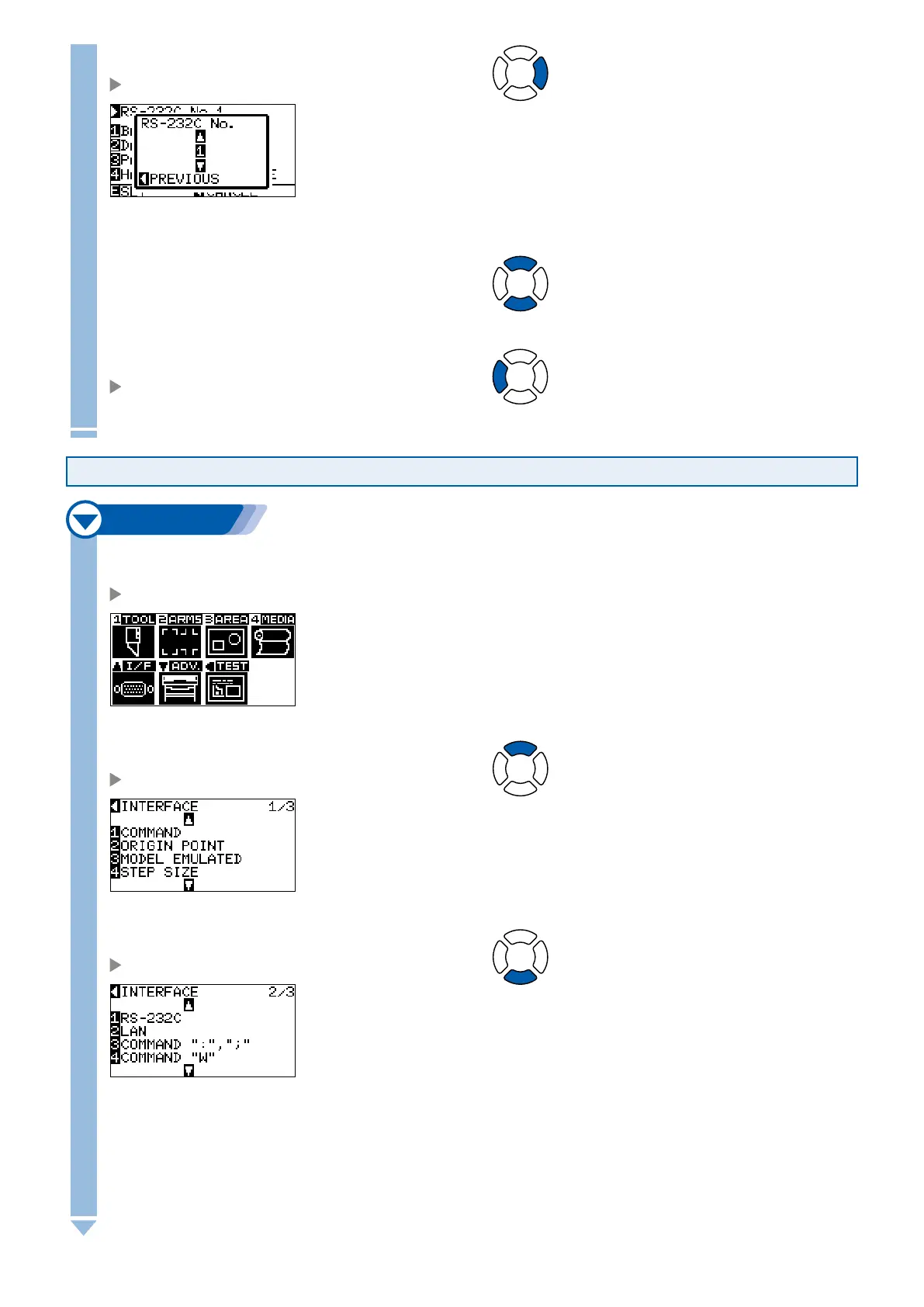
Press the POSITION (
►
) key (RS-232C).
RS-232C setting selection screen is displayed.
6
Press the POSITION (
▲▼
) key, and select the settings number.
7
Confirm the setting and press the POSITION (
◄
) key
(PREVIOUS).
Setting will be set, and it will return to RS-232C setting screen
(2/3).
Changing and Storing RS-232C Settings
Next page
1
Press the [MENU] key in the default screen.
MENU screen is displayed.
2
Press the POSITION (
▲
) key (I/F).
INTERFACE setting screen (1/3) is displayed.
3
Press the POSITION (
▼
) key.
INTERFACE setting screen (2/3) is displayed.











 To Next Page