115
Program description:
Mixers
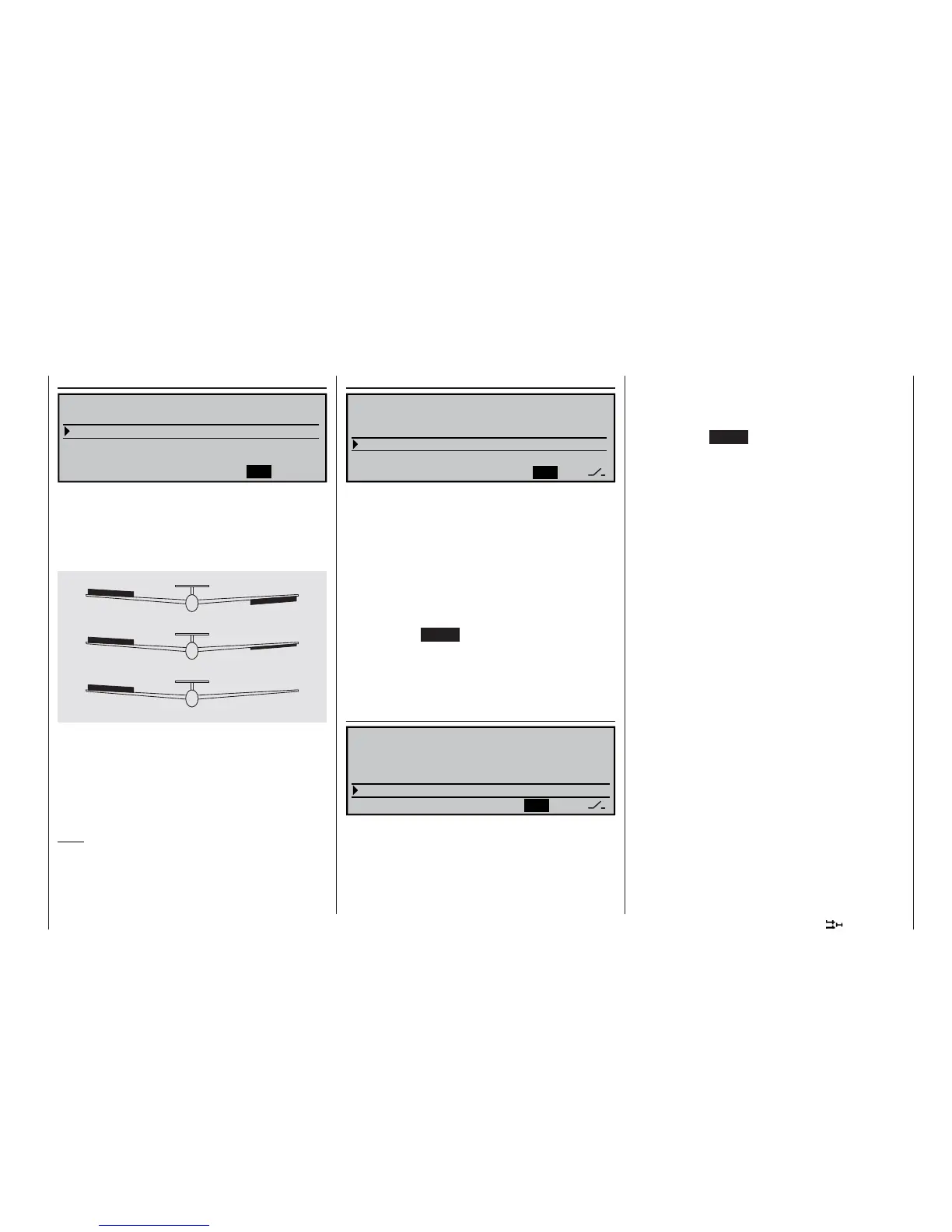
Aileron differential
SEL
Brake settings
Aileron
=>
2–
>
4 rudder
0%
0% 0%
Aileron differential
0%
3–
>
5Elevator
aileron
WING MIXERS
The adjustment range of -100% to +100% makes it
possible to set the correct direction of differential re-
gardless of the direction of rotation of the aileron ser-
vos. “0%” corresponds to a normal linkage, i. e. no dif-
ferential, while “-100%” or “+100%” represents the
“split” function.
For aerobatic fl ying low absolute values are required,
to ensure that the model rotates exactly along its lon-
gitudinal axis when an aileron command is given. Mo-
derate values around -50% or +50% are typical for
making thermal turns easier to fl y. The split setting
(-100%, +100%) is popular with slope fl yers, when ai-
lerons alone are often used for turning the model.
Note:
Although negative values can be programmed to re-
verse the direction of servo rotation, this is not usually
necessary if the correct channels are used.
0% (Normal)
50% (Differential)
100% (Split)
Aileron 2 4 rudder
SEL
Brake settings
Aileron
=>
2–
>
4 rudder
0%
0% 0%
Aileron differential
0%
3–
>
5Elevator
aileron
WING MIXERS
This mixer causes the rudder to “follow” automatically
when an aileron command is given.
Select the SEL fi eld, and give the rotary control a
brief press. You can now set the desired value for this
function using the rotary control. The mixer direction
must be selected to ensure that the rudder moves in
the same direction as the up-going aileron.
If you assign a switch to this function in the right-hand
column, the mixer can be switched on and off in fl ight.
The available range of values is -150% to +150%,
while pressing CLEAR resets the value to 0%.
This setting can only be carried out symmetrically re-
lative to the neutral point of the aileron stick.
A value of around 50% is generally an excellent star-
ting point.
Elevator 3 5 aileron
SYM
ASY
Brake settings
Aileron
=>
2–
>
4
rudder 0%
0% 0%
Aileron differential
0%
3–
>
5Elevator
aileron
WING MIXERS
This mixer causes both ailerons to defl ect when an
elevator command is given.
The mixer direction must be selected to ensure that
up-elevator causes a down-aileron defl ection, and
down-elevator causes up-aileron. Set up in this way,
the ailerons support the effect of the elevator, making
the model more agile around the lateral (pitch) axis.
Select SYM in order to set symmetrical travels for up-
and down-elevator, or ASY for different travels either
side of neutral.
The available range of values is -150% to +150%,
while pressing CLEAR resets the value to 0%.
If you assign a switch to this function in the right-hand
column, the mixer can be switched on and off in fl ight.
The “usual” values for this mixer are in the low two-di-
git range.















 To Next Page