116116
Program description:
Mixers
Model type: “2 AIL 1 / 2 / 4 FL”
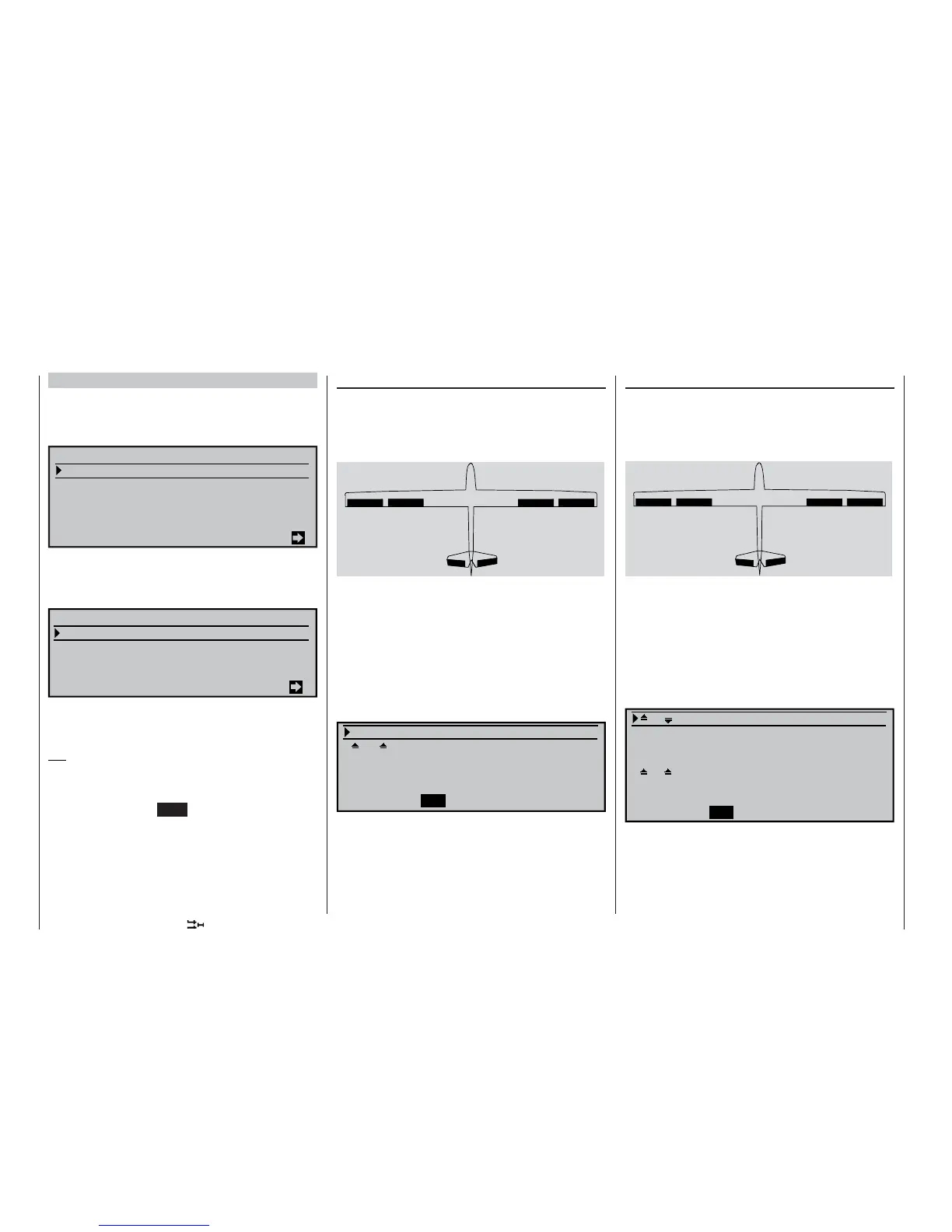
If you enter “2 AIL 1 FL” in the “Ailerons / fl aps”
line of the »Model type« menu (see page 70), the
transmitter’s “Wing mixer menu” will look similar to the
screen-shot printed below:
0%
0%
0%
0%
Multi-flap menu
Brake settings
Aileron
Flaps
=>
=>
2–
>
4 rudder
6–
>
3 elevator
Aileron differential
WING MIXERS
If you enter “2 AIL 2 FL” or “2 AIL 4 FL” in the “Ai-
lerons / fl aps” line of the »Model type« menu (see
page 70), the transmitter’s “Wing mixer menu” will
look similar to the screen-shot below:
Multi-flap menu
Brake settings
Aileron
Flaps
«Normal »
=>
=>
2–
>
4 rudder 0%
6–
>
3 elevator 0% 0%
WING MIXERS
All the available parameters can be adjusted separa-
tely for each fl ight phase, regardless of the combinati-
on of aileron and fl ap servos you have selected.
Tip:
We recommend that you make use of the Servo Dis-
play facility, where you can check the results of your
settings. This is available from virtually any menu po-
sition by pressing the HELP button with the rotary
control pressed in.
Before we address the details of this menu we would
like to provide a brief explanation of the different ap-
pearances of the multi-fl ap menu:
Model type: “2 AIL 1 FL”
If you have connected the servos to the receiver in
the order described in the section starting on page
37, and have selected them as shown in the »Model
type« menu (see page 70), then the abbreviations
“AIL” and “FL” refer to the wing fl aps as shown below:
AIL
left
FL FL AIL
right
Since the options available in the wing mixer menu
and its sub-menus vary according to the number of
fl ap servos which you have entered in the »Model
type« menu (see page 70), the list only contains tho-
se set-up options which are possible for your model
confi guration.
For this reason, if you have pre-selected “2 AIL 1 FL”,
both the options for superimposing the aileron func-
tion on the fl aps are suppressed, as are all the set-up
options in the (right-hand) column “FL2”.
Fl.pos
0% 0%
FL 0% 0% +100% +100%
El–
>
Fl 0% 0% 0% 0%
AILE
SEL SEL
FLAP
A further difference is that the settings for “Aileron dif-
ferential” are not found in the “multi-fl ap menu”, as
with “2 AIL 2/4 FL”, but one level higher in the »Wing
mixers« menu – see the screen-shot at top left.
Model type: “2 AIL 2 FL”
If you have connected the servos to the receiver in
the order described in the section starting on page
37, and have selected them as shown in the »Model
type« menu (see page 70), then the abbreviations
“AIL” and “FL” refer to the wing fl aps as shown below:
AIL
left
FL FL
right
AIL
Since the options available in the wing mixer menu
and its sub-menus vary according to the number of
fl ap servos which you have entered in the »Model
type« menu (see page 70), the list only contains tho-
se set-up options which are possible for your model
confi guration.
For this reason, if you have pre-selected “2 AIL 2 FL”,
all the set-up options for the second pair of fl aps are
suppressed in the (right-hand) column “FL2”.
AI
+100% 0%
Ail–tr 0%
Diff. 0% 0%
Fl.pos 0% 0%
FL 0% 0% +100% +100%
El–
>
Fl 0% 0% 0% 0%
AILE
SEL
SEL
+100%
FLAP















 To Next Page