156
Program description:
Global functions
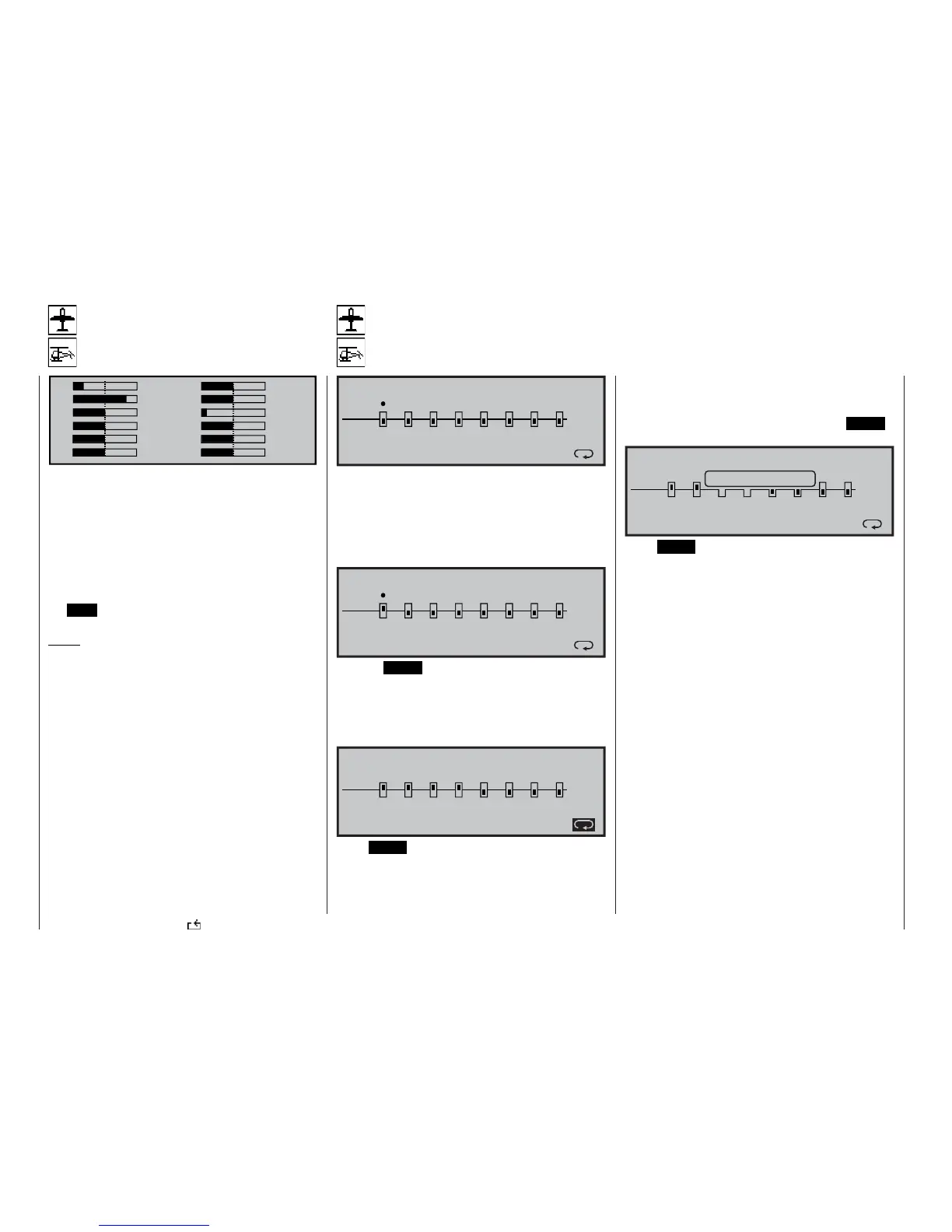
Servo display
Display of servo positions
1 -100% 2 0%
3 +100% 4 0%
5 0% 6 -125%
70%80%
90%100%
11 0% 12 0%
In this display the current position of each servo is
shown accurately in bar diagram form, covering the
range -150% to +150% of normal travel. The display
takes into account the transmitter control settings, the
servo settings, the Dual Rate / Expo functions etc.. A
setting of 0% corresponds to the exact servo centre
point.
You can move to the »Servo display« by selecting
this menu, but you can also call it up directly from the
basic display and from virtually any menu by pressing
the HELP button with the rotary control held pressed
in.
Notes:
• To avoid programming errors, any changes you
make to the receiver output sequence in the »Re-
ceiver output swap« menu are not included in
this display, as the programming always refers to
the original default receiver assignment.
• The number of channels shown in this menu re-
fl ects the twelve control channels available when
you are using the mx-24s transmitter. However,
the actual number of channels varies according to
the type of receiver you are using, and the num-
ber of servos connected to it. The effective number
may therefore be much smaller.
• We recommend that you use this display constant-
ly when programming a model, as you can then
immediately check all the settings at the transmit-
ter. However, although this facility is useful, it does
not relieve you of the need to test all the program-
ming steps carefully before you operate the model
for the fi rst time. Thorough checking is essential to
eliminate the danger of programming errors!
Servo test
Checking the function of servos 1 … 8
SERVOTEST
activ
off
1
2
3
45
6
78
0.5s
This function provides a means of automatically tes-
ting servos, using any of the inputs 1 … 8. These can
be selected individually using the rotary control, and
activated or disabled with a brief press on the rota-
ry control. As soon as you have “activated” just one of
the inputs 1 … 8, the following message appears at
the bottom edge of the screen:
activ
off
1
2
3
45
6
78
0.5s
ENTER=activate
SERVOTEST
Pressing ENTER would now start the servo test at in-
put “1” with a cycle time of 0.5 seconds.
To change the cycle time, select the symbol below the
time using the rotary control. Each brief press on the
rotary control changes the movement cycle by 0.5 se-
conds within the range 0.5 to 3.0 seconds.
1
2
3
45
6
78
2.0s
activ
off
ENTER=activate
SERVOTEST
Press ENTER to start the “Servo test” function: the
servos now move automatically as if the associated
transmitter controls were constantly being moved bet-
ween -100% and +100% within the selected time fra-
me. The test takes into account all the active mixer
and coupling functions in the current model memory,
and the servos move within the set servo travel and
any servo travel limits you have selected.
When you initiate the servo test by pressing ENTER,
the following window is superimposed on the screen:
1
2
3
45
6
78
2.0s
Servo test act.
activ
off
ENTER=activate
SERVOTEST
Press ENTER or the rotary control to halt the test
again.















 To Next Page