IS200 TX machine . 28
First contact
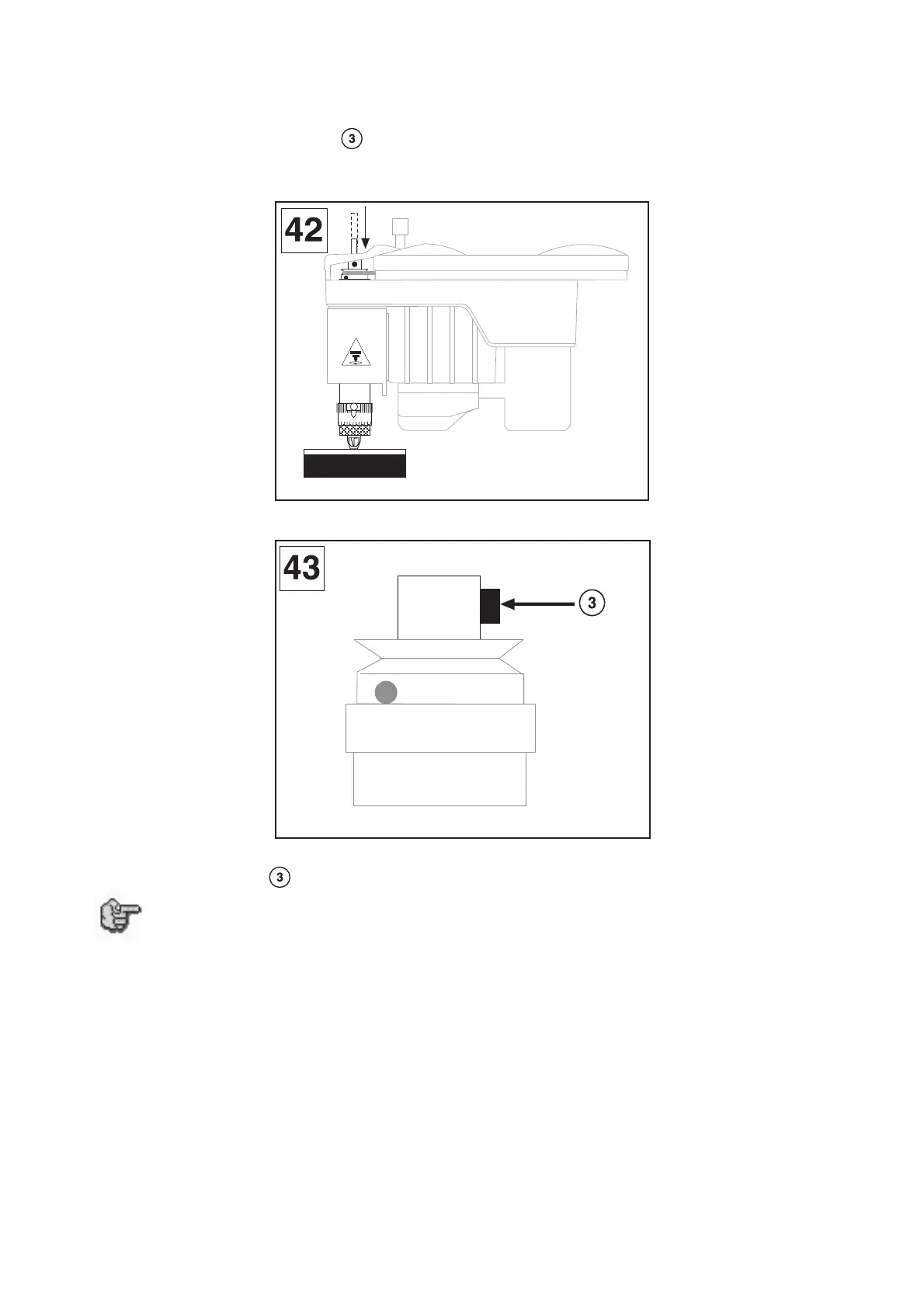
17. Insert the cutter into the button until it is touching slightly (carbide cutters are not very
shock resistant) the engraving material (diagram 42). To facilitate the insertion of the cutter,
slightly unscrew the screw located on the spindle knob (diagram 43).
Remember to program 0.5 to 1 mm depth to compensate possible flatness faults of the plate.
18. Tighten the screw of the cutter button to lock it into place.
For greater convenience, we advise that you have as many cutter knobs as you
have cutters, so you can leave them together and keep the settings for possible
jobs to be carried out in the same conditions in the future (same thickness of
materials).
For this, you will need to request "the machine configuration save with ZREF" (see
"Saving the machine configuration" paragraph of chapter "Basic techniques" in
the user manual "IS200 Program").
05
2



 To Next Page