910FS Splicer
Greenlee / A Textron Company 4455 Boeing Dr. • Rockford, IL 61109-2988 USA • 815-397-7070
28
Cleaning the Electrodes
It may be necessary to clean the electrodes if the arc calibration fails or if the 910FS is
not splicing properly.
1. Remove the electrodes and clean the electrodes using the electrode polisher.
2. Insert the electrode tip into the hole of the electrode polisher and gently rotate the
electrode.
3. Wipe the electrodes with 99% pure IPA. Do not touch the electrode surface with
your ngers. Now is a good time to clean the objective lens while the electrodes are
not in the way.
4. Re-install the electrodes into the splicer.
5. Perform an arc calibration to calibrate the power to the electrodes.
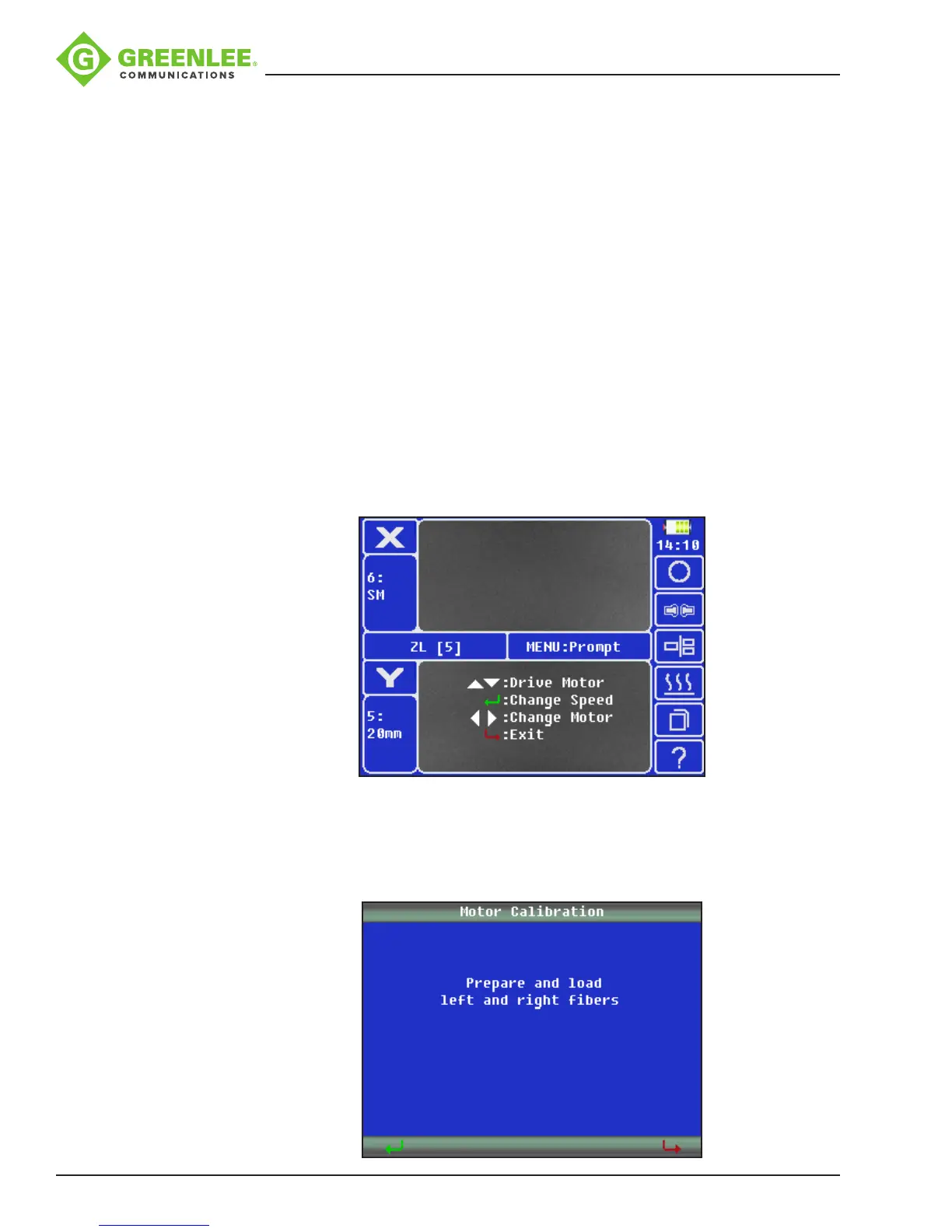
Motor Drive
Used to manually control the motors.
1. Press p or q to move to the selected drive motor.
2. Press
8
to change the speed of the motor.
3. Press t or u to select the motor.
4. Press
9
to exit.
Motor Calibration
Used to auto adjust the motor’s position.
1. Prepare and load left and right bers.
2. Press
8
and wait for the splicer to automatically calibrate the motor positions.


 To Next Page