25
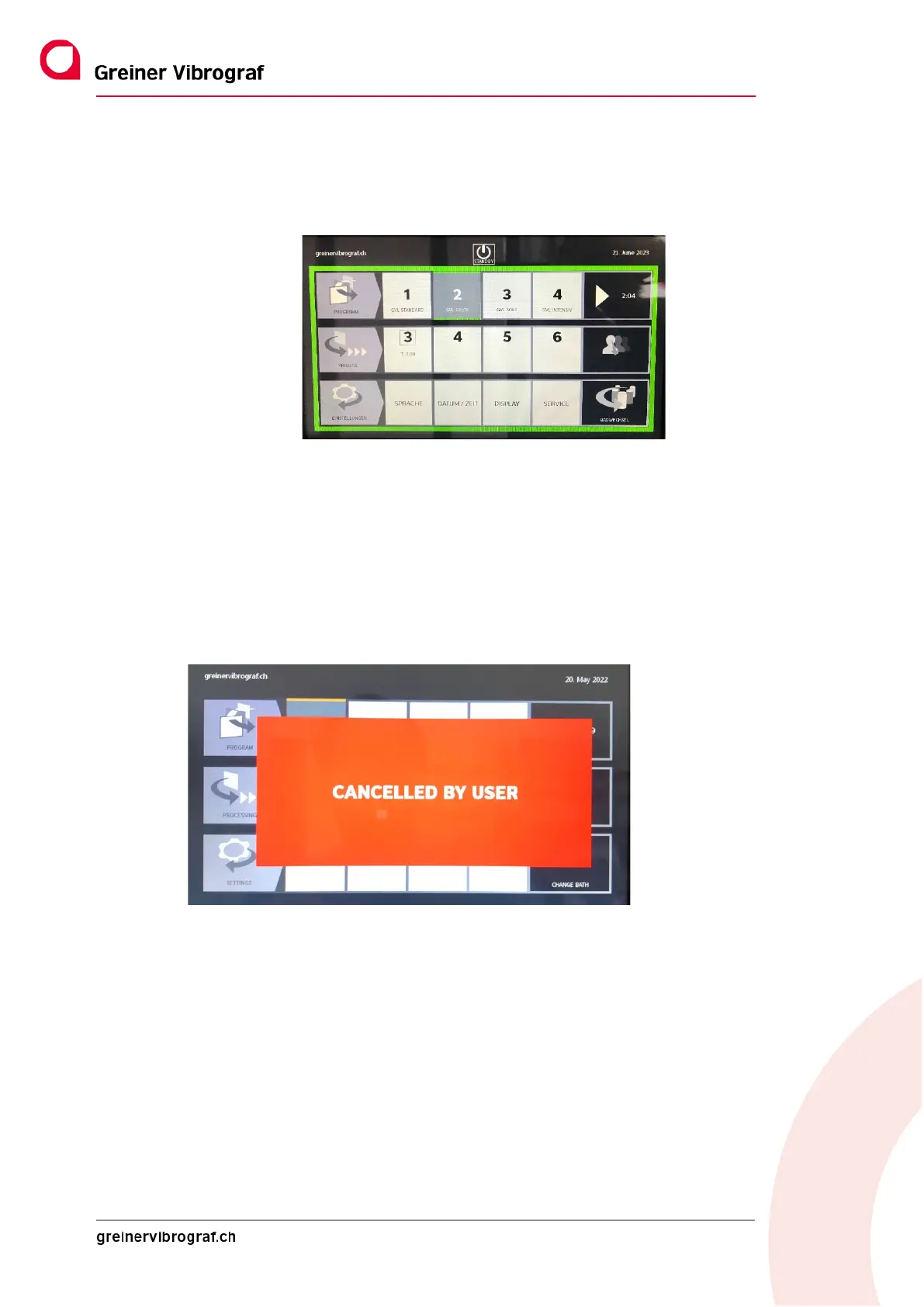
The selected program appears in grey with a yellow border.
The end of the program is visually marked by a green frame. This disappears as soon as the door is opened.
4.3.4 Quit a program.
The user can quit a program that has been started at any time.
To do this, the Start button must be pressed again for more than two seconds.
The following message appears on the display: “CANCELLED BY USER” and the current process is
stopped. The basket is now simply wound out, so the device may take a moment to return to the start-
ing position.
4.3.5 Linking programs
If required, two programs can be linked together. To do this, select the first program, then select the
second program, holding down the button for at least two seconds. Now the two selected programs
are linked. In this example Programme 1 and 3



 To Next Page