31
4.3.10 BATH CHANGE
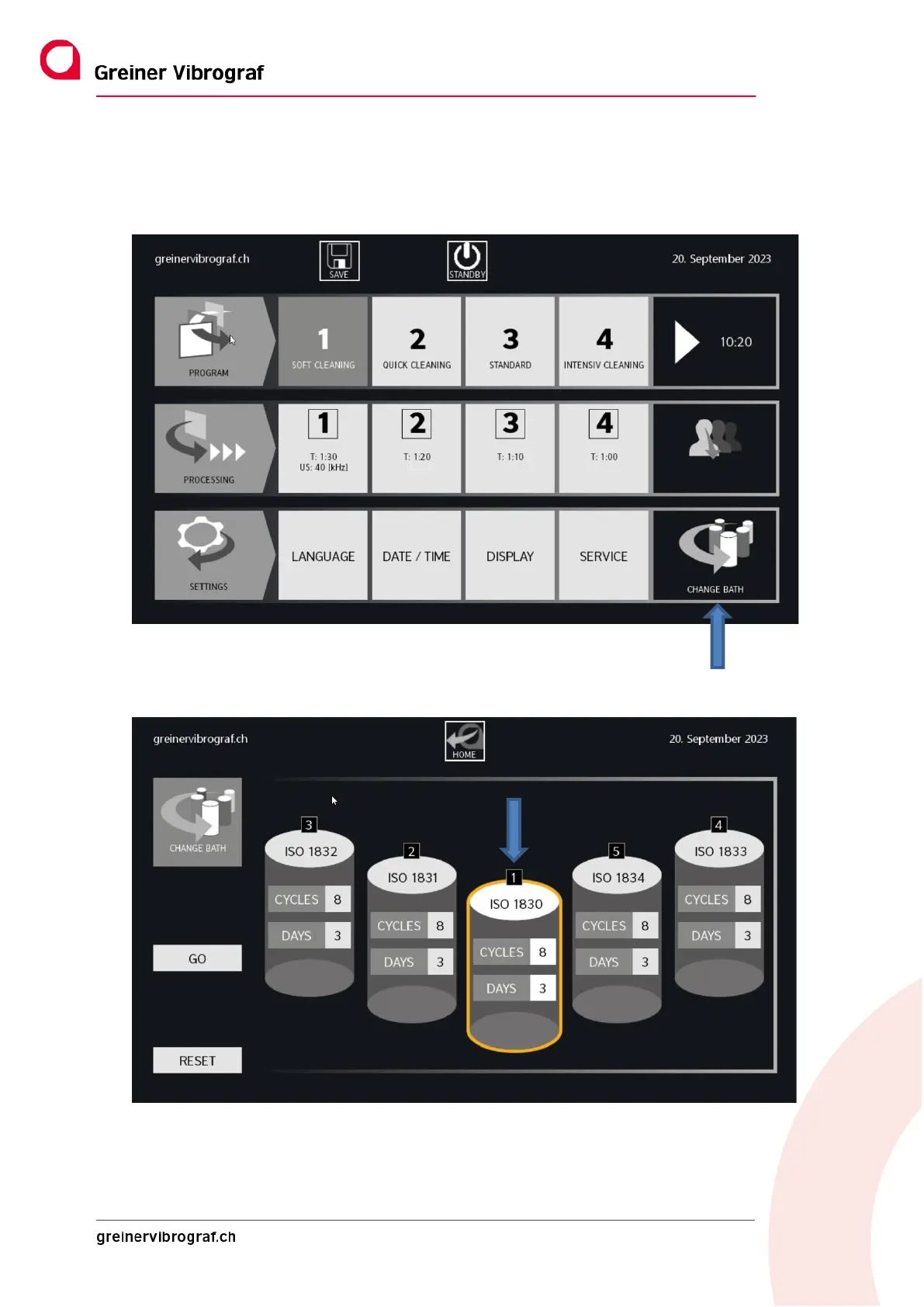
Button at the bottom right of the main menu. If it flashes, one or more of the baths must be changed.
If the BATH CHANGE button is pressed for more than two seconds, the following screen appears:
The five baths that can be individually configured are now shown, whereby Bath 1 is always the ultrasound
bath. Each one shows which liquid is present (e.g. WF5). The name of the cleaning fluid can be changed by tap-
ping the bath number.



 To Next Page