32
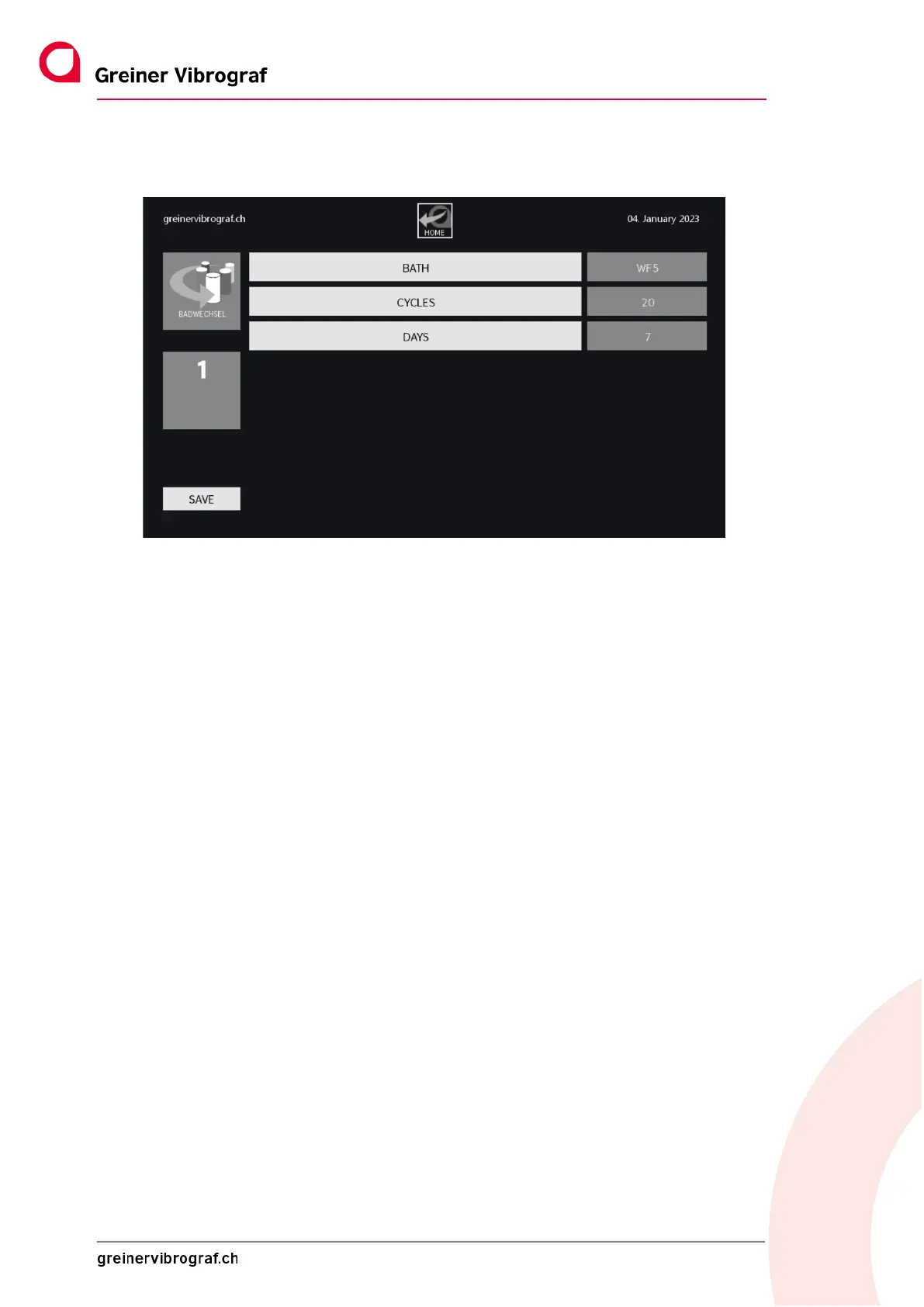
The following image appears: These are now the settings for Bath 1
BATH shows which fluid is currently being used. This can be overwritten by tapping (two seconds).
Press the SAVE button to save the changed settings.
CYCLES and DAYS: This means that the bath should be changed no later than after 20 cycles or seven
days.
If no bath change is carried out, minus figures are displayed in relation to the setting.
In order to change a bath, select the bath number and press GO. The turntable brings the container to
the front position. The door has to be closed for this procedure. Then open the door, remove the con-
tainer, dispose of the old liquid properly and refill it. After this, re-insert the container and press RE-
SET. Select the next bath number, press GO and repeat the process until all baths have been changed
(if necessary).



 To Next Page