34
4.3.12 Using the USB connector socket
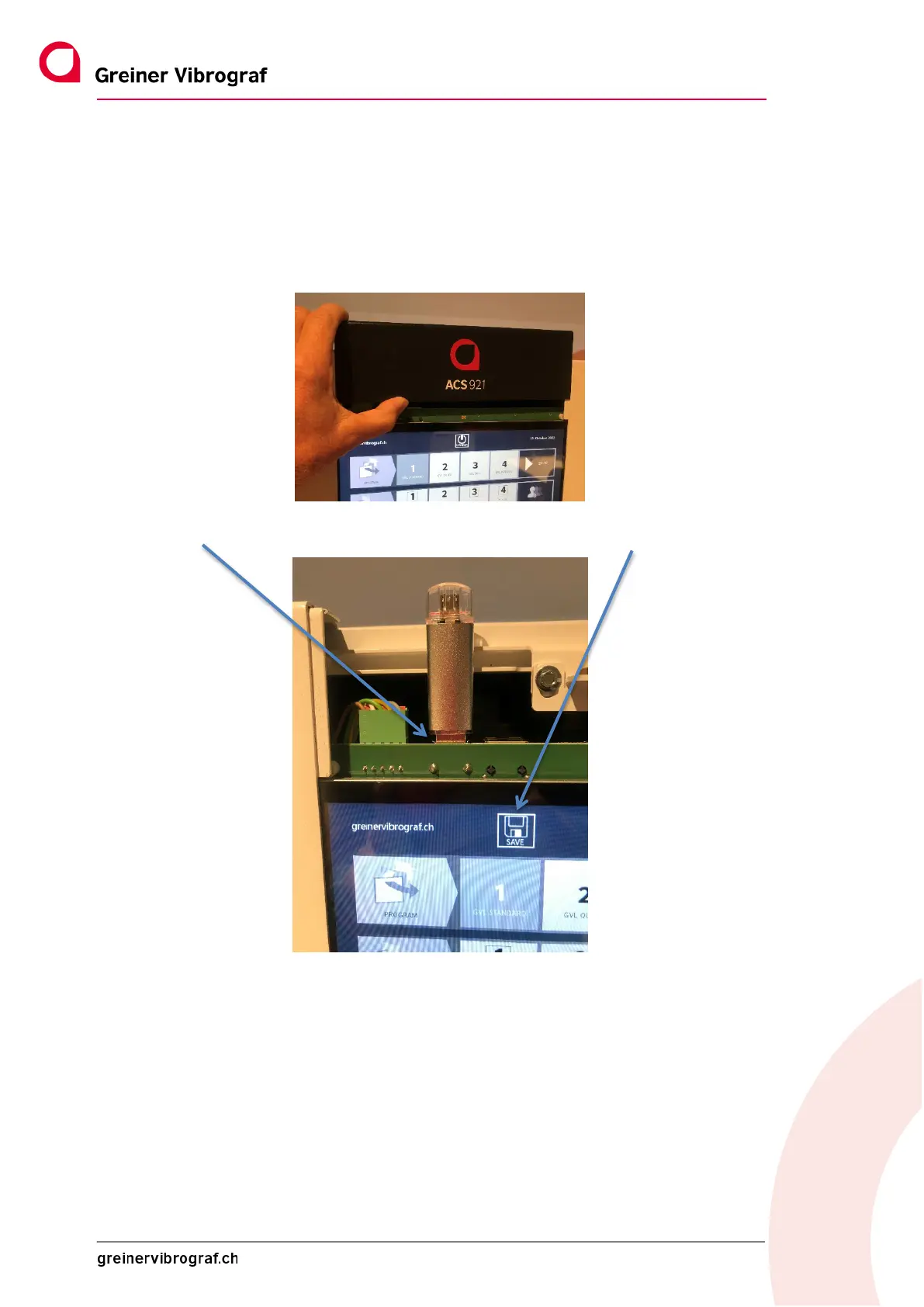
The device has a USB connector socket. It is located under the cover directly above the display. The black cover
must be removed before the connector socket can be used.
To do this, it has to be moved upwards/extended vertically.
Then insert the USB stick from above and the SAVE icon appears on the display.
Now press SAVE and the following functions are available on the display:
SW update MMI: To do this, an up-to-date SW version must first be loaded onto the stick.
Back-up of all data: Backs up all device settings.
Load formulas: If formulas (programmes) already exist, they can be uploaded to the device.
Load users: Known users can be uploaded.



 To Next Page