Model G0938 (Mfd. Since 03/21)
-35-
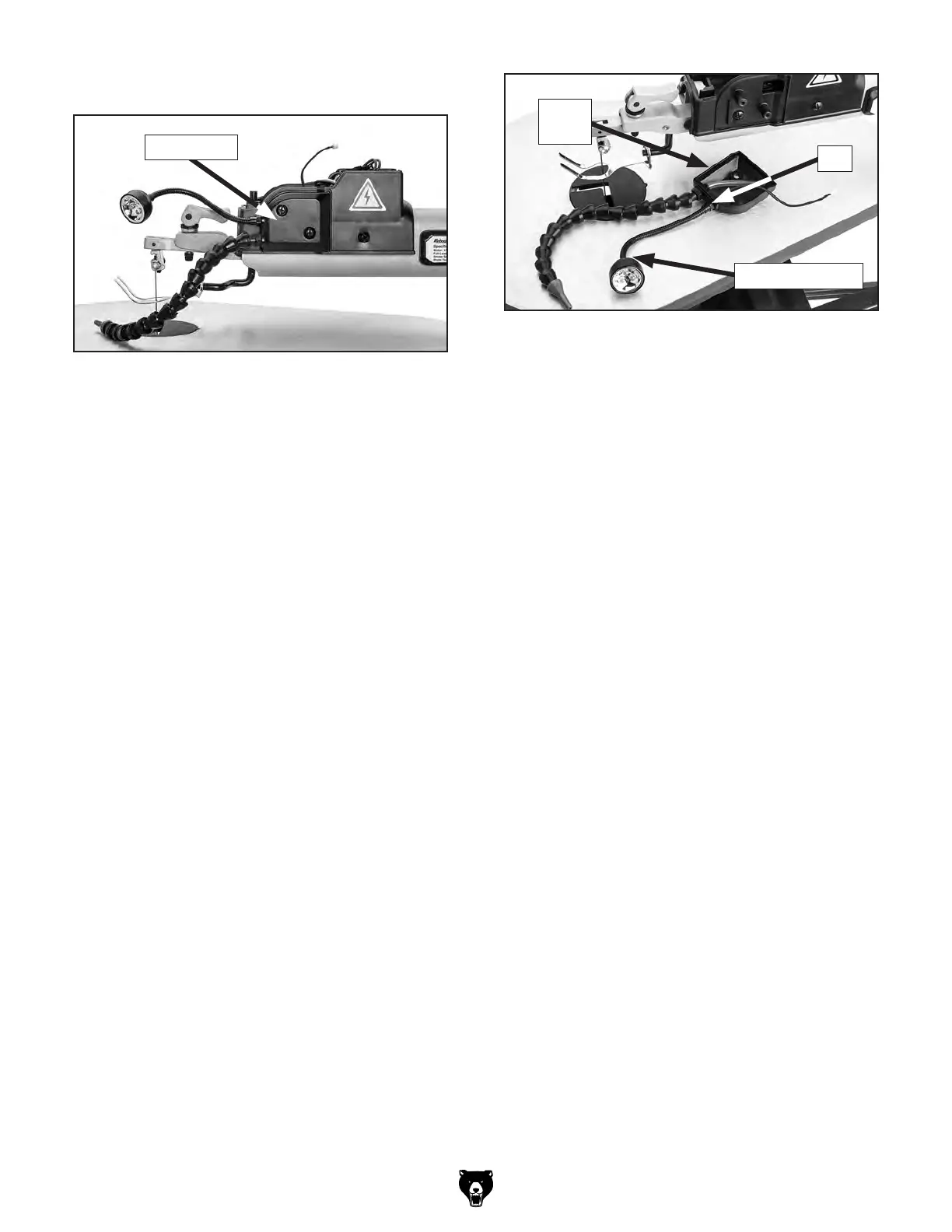
3. Remove side cover (see Figure 40).
Figure 40. Location of side cover.
Side Cover
4. Remove LED work light from side cover
(see Figure 41).
5.
Loosen and remove nut to remove wire har-
ness from side cover (see Figure 41).
6.
To install new LED work light, thread wire
harness into side panel and tighten inside nut
(see Figure 41).
Figure 41. LED work light removal.
Side
Cover
LED Work Light
Nut
7. Route wire harness/connector though hole
in control panel and connect to circuit board
(see Figure 39 on Page 34).
8.
Before installing control panel, connect
machine to power and press light switch to
test light.
— If light functions, install control panel.
—
If light does not function, check connec-
tions and retry lighting. Contact Grizzly
Tech if problem persists.


 To Next Page