Alle Rechte vorbehalten! -18- © Groeneveld-BEKA GmbH 2023
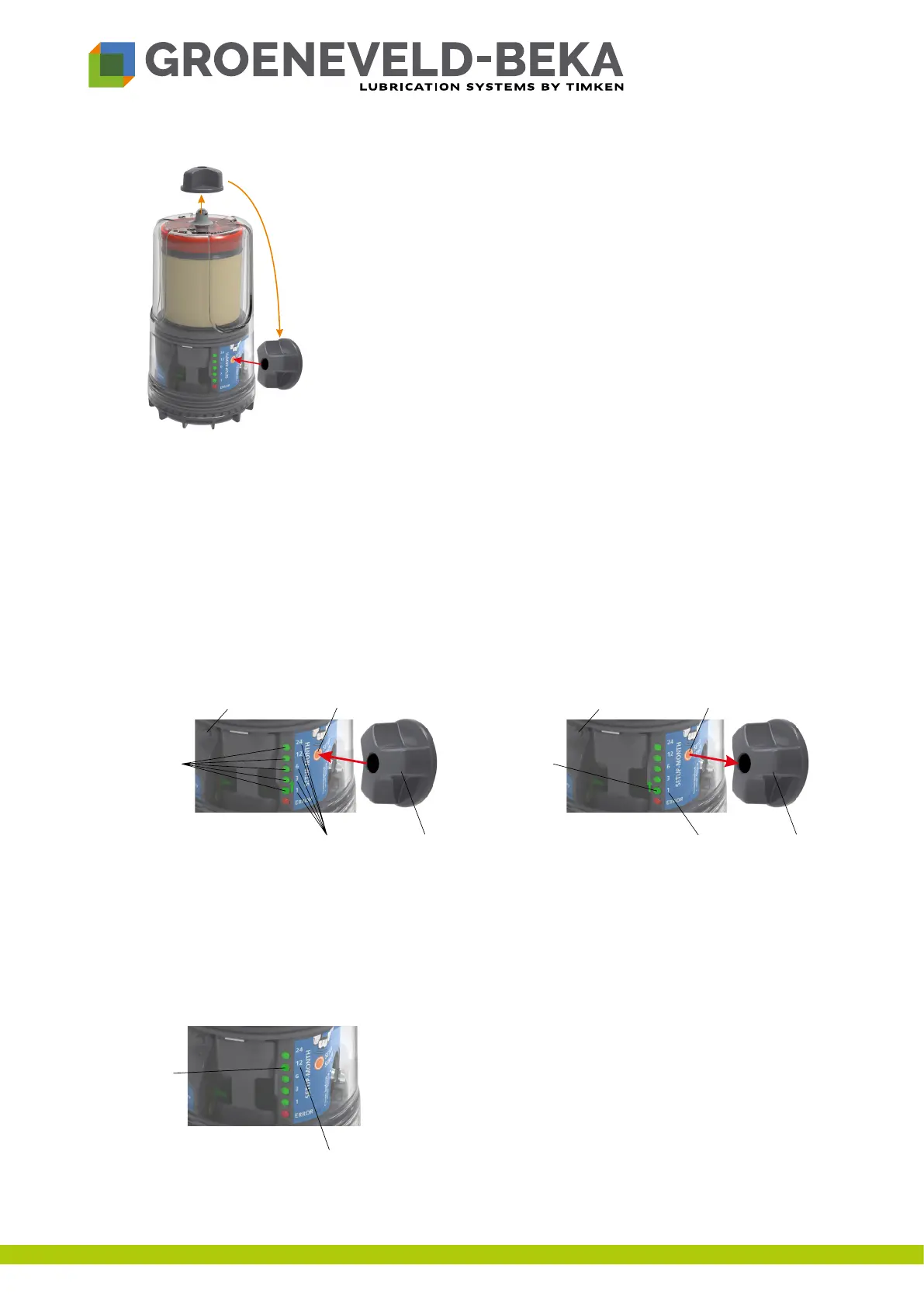
Fig.9:
• Placetheactivationmagnetonthereddot(activationzone,g.9)
andholditthereuntiltheredandtheorangeLEDshaveashed
alternately10x.Asanalternativeyoucanalsokeepthesettings
button pressed.
• FlashingofallLEDssignalsyoutoremovethereleasethebuttonor
toremovetheactivationmagnet.
9.6 Set the month setting
Youcananytimechangethemonthsettingwhenthedeviceisswitchedon.
• Placetheactivationmagnetontheactivationzone(Abb.10)andholditthereuntiltheredandthe
orangeLEDhaveashedalternately5x.Asanalternativeyoucanalsokeepthesettingsbutton
pressed.
• Flashingofthecurrentmonthsettingsignalsyoutoreleasethebuttonorremovetheactivation
magnet.
• Ifyouhavereleasedthebuttonorremovedthemagnetattherighttime,thecurrentlysetmonth
settingwillashpermanently.
Fig.10:
• Placetheactivationmagnetontheactivationzoneagainorkeepthesettingsbuttonpressedagain.
• ThegreenLEDswillnowcontinuouslylightupinsequence.Removetheactivationmagnetor
releasethesettingsbuttonwhenthedesiredsettingisreached(e.g.12months)(g.10).
• Thedeviceissetandimmediatelystartslubrication.TheLEDoftheselectedmonthsettingwilllight
upgreen(g.11).
Fig.11:
Activation
magnet
LED
Month setting
Activation
magnet
LED
Month setting
LED


 To Next Page