7.1.2. MANUAL OPERATING MODE
7.1.1. AUTOMATIC OPERATING MODE
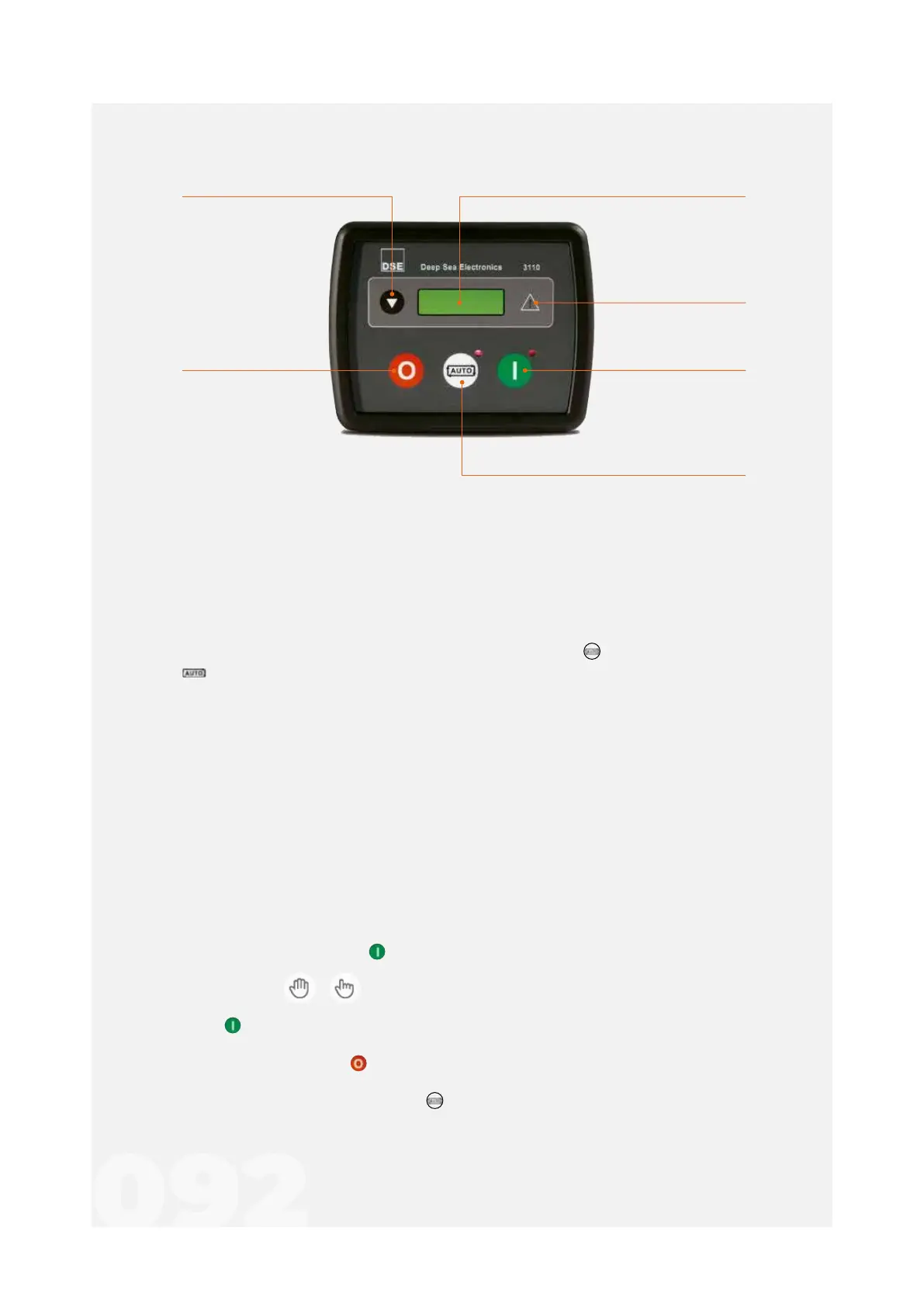
Alarm Indicator
On Mode selection
allows the generator to start
Auto mode selection
sets the group to auto mode
Off mode selection
llows the generator to
stop and reset
Instrumentation and control screenNavigation key
navigation between information
such as instrumentation
values of the generator,
network, etc
Figure 21 - DSE 3110
The Generator Set starts with an external signal when the button is pressed. The symbol
appears on the screen when this mode is active.
At the time the startup is requested, the machine starts its startup sequence.
The group starts up to its normal operating conditions.
If after 5 seconds, there is no fault signal, the circuit breaker closes and the group takes over
the load.
As soon as the boot requests disappear, the stop sequence will start.
If the three attempts fail, the Generator starts its stop sequence.
Below we will give an overview of the commands located on the DSE 3110 controller panel.
It is used to start and stop the group depending on the operator’s wishes.
The Genset will stop and start according to orders issued by the operator.
To activate the Genset, press .
• If the symbols / appear on the screen, the manual mode LED is intermittent
and the group doesn’t start, it means that the “startup is protected”. To unlock, pressonce
more .
• To stop the genset press , this way the system stops immediately.
• To return to automatic mode press . The controller itself checks the status of boot
requests.



 To Next Page