7.4.2. MANUAL OPERATING MODE
It is used to start and stop the group depending on the operator’s wishes.
This mode is activated by pressing / , nevertheless to start the starting sequence
it is necessary to press . The load will not be transferred to the generator until you
press .
To restore the load to the mains supply, press the button or the button to return to
automatic mode.
To stop the generator you will have to press and the system will stop immediately.
7.4.3. AUTOMATIC OPERATING MODE
The generator starts by an external signal or by a voltage failure.
The generator starts by external signal or by voltage failure. The genset will be coupled to
the load immediately after the start order. If there is no fault signal after 5 seconds, the
group starts up under normal operating conditions.
This mode is activated by pressing .
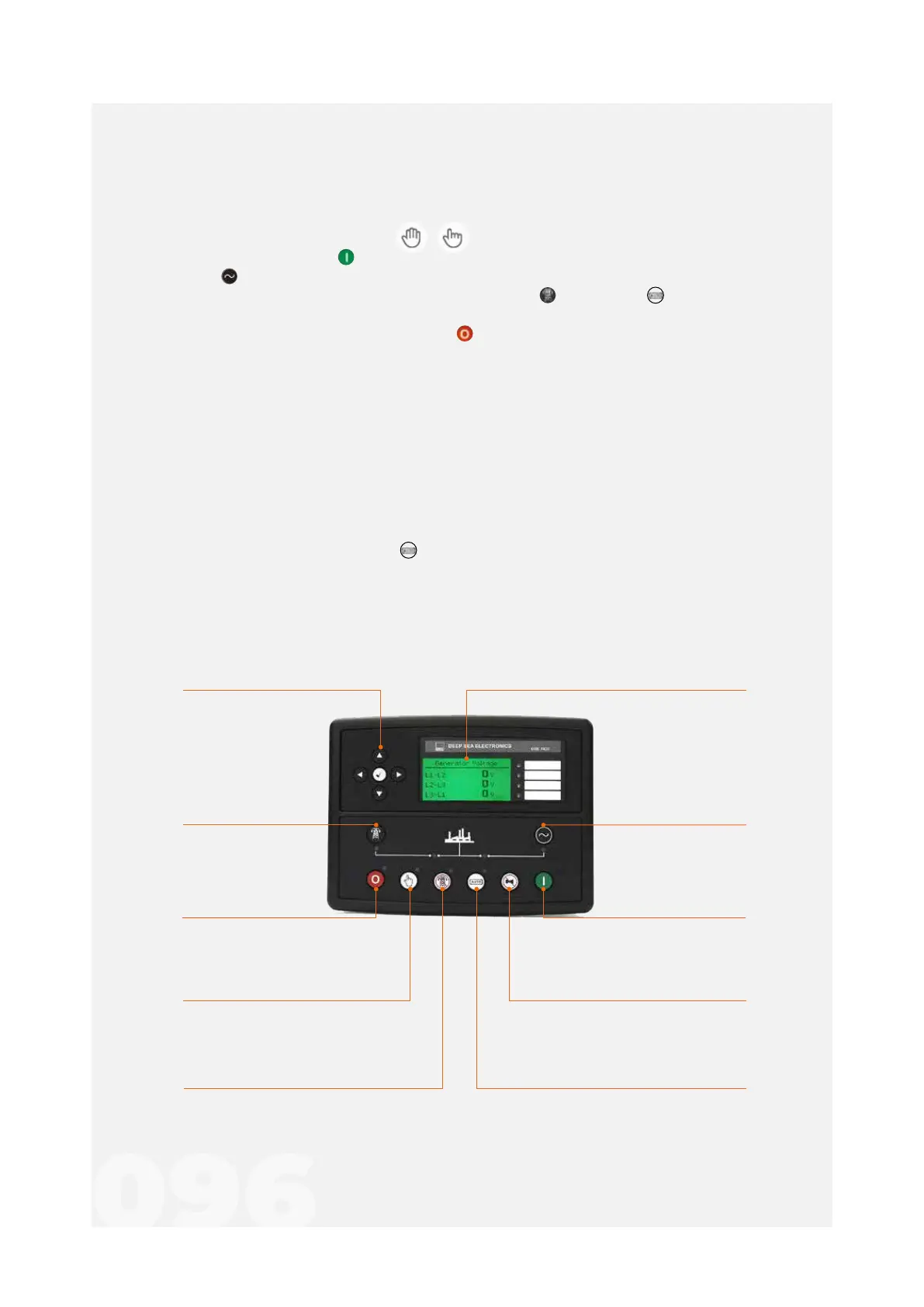
Charge to the
generator transferency
(Manual)
allows generator charging
Mute Siren / Lamps Test
mute the audible alarms and
turn on all the LEDs as a test
Auto mode selection
sets the group to auto mode
Charge to the network
transferency
(Manual)
allows charging
through thenetwork
Instrumentation and control screenNavigation keys
navigation between information
such as instrumentation
values of the generator,
network, etc
Manual Mode Selection
allows manual start
Off mode selection
llows the generator to
stop and reset
Test mode selection
allows test mode activation
On Mode selection
allows the generator to start
Figure 25 - DSE 7420
7.5. DSE 7420



 To Next Page