7.3.2. AUTOMATIC OPERATING MODE
At the time that the startup is requested, the machine starts its startup sequence.
The genset starts up to its normal operating conditions. If after 5 seconds, there is no fault
signal, the circuit breaker closes and the group takes over the load.
This mode is activated by pressing .
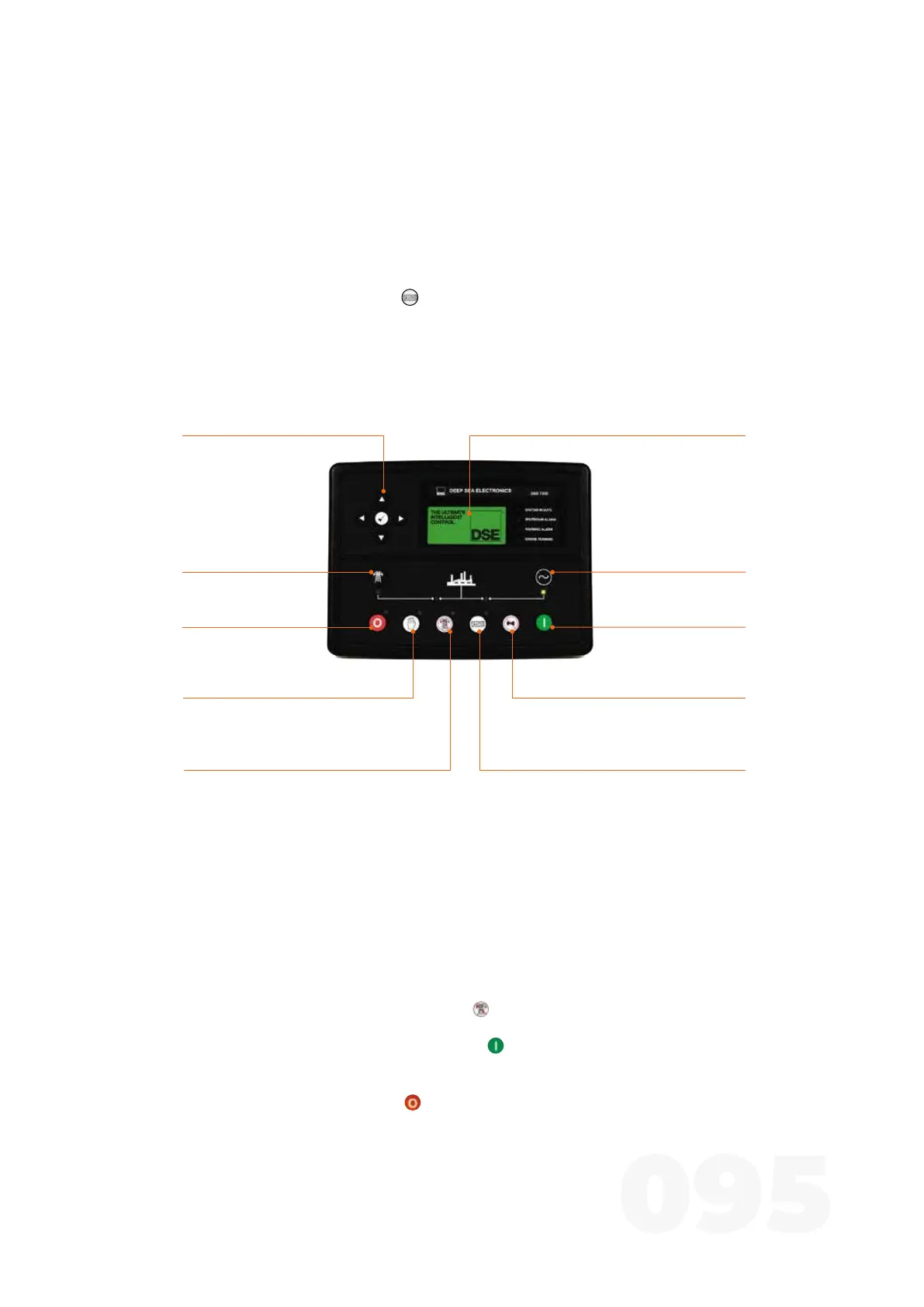
7.4. DSE 7320
Charge to the
generator transferency
(Manual)
allows generator charging
On Mode selection
allows the generator to start
Mute Siren / Lamps Test
mute the audible alarms and
turn on all the LEDs as a test
Auto mode selection
sets the group to auto mode
Charge to the network
transferency
(Manual)
allows charging
through thenetwork
Off mode selection
llows the generator to
stop and reset
Instrumentation and control screenNavigation keys
navigation between information
such as instrumentation
values of the generator,
network, etc
Manual Mode Selection
allows manual start
Test mode selection
allows test mode activation
Figure 24 - DSE 7320
The generator will have 3 operating modes: manual, automatic and test. For more informa-
tion, refer to the DSE 7320 driver documentation attached to this manual.
7.4.1. TEST OPERATING MODE
This operating mode is activated by pressing . A led next to the button confirms this
action.
To start the generator in test mode, simply press .
At this moment, the start sequence begins, it starts the group, transferring the load to the
generator. To stop the group, press , then the system will stop immediately.



 To Next Page