13ENG - Version 2.2 - P/N 04131.02
Diagnostic ECG
Diagnostic ECG
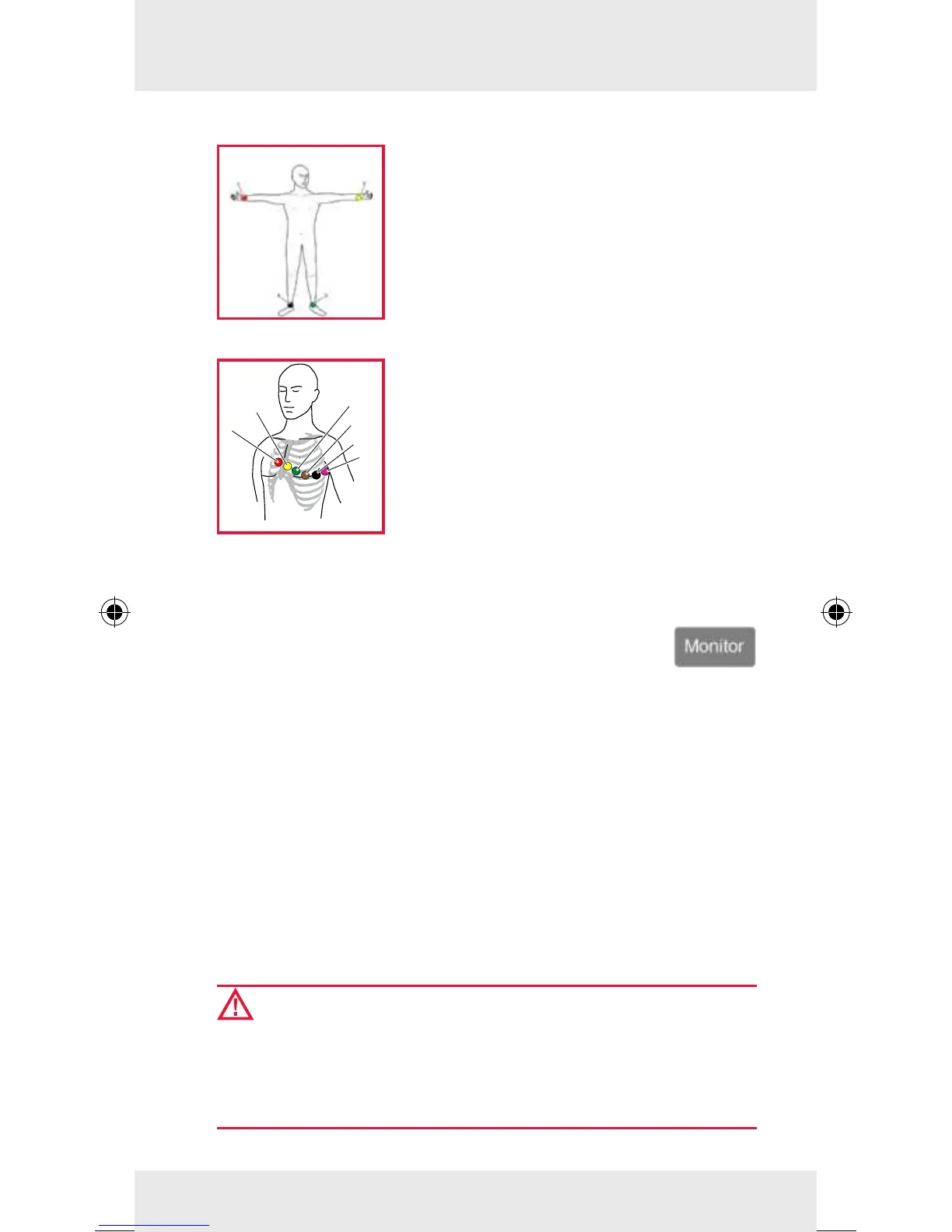
To monitor the heart rhythm and heart
rate, place all 4 ECG electrodes of the
4-pole ECG monitoring cable on the
patient:
• Red ECG electrode: right arm (item 1)
• Yellow ECG electrode: left arm (item 2)
• Green ECG electrode: left leg (item 3)
• Black ECG electrode: right leg (item 4)
For a full diagnostic ECG, additionally
place all 6 ECG electrodes of the ECG
diagnostic cable on the patient’s thorax:
• Red V1 ECG electrode (item 1)
• Yellow V2 ECG electrode (item 2)
• Green V3 ECG electrode (item 3)
• Brown V4 ECG electrode (item 4)
• Black V5 ECG electrode (item 5)
• Violet V6 ECG electrode (item 6)
Performing a Diagnostic ECG
1. Press the Monitor key.
2. Softkey [D-ECG]: A preview of all ECG leads is
displayed on the screen.
3. Message "Ready for D-ECG": Press the softkey [Start].
The displayed derivations are saved automatically.
4. To print out the curves, press the softkey [Print].
5. Softkey [Cancel]: Switch-over from preview to monitoring
mode.
Note
If the signal quality of one or several leads is poor or missing,
check electrode contact and electrode positioning.
WARNING:
Changing the factory lter settings can aect the represen-
tation of the ECG. As a consequence, wrong interpretation
of the ECG is possible, which can result in inadequate
treatment.



 To Next Page