8 ENG - Version 2.2 - P/N 04131.02
Radio Connection Patient Box
In case of malfunctions of the radio connection, take the
following measures:
The distance between the modules is not greater than 10
meters.
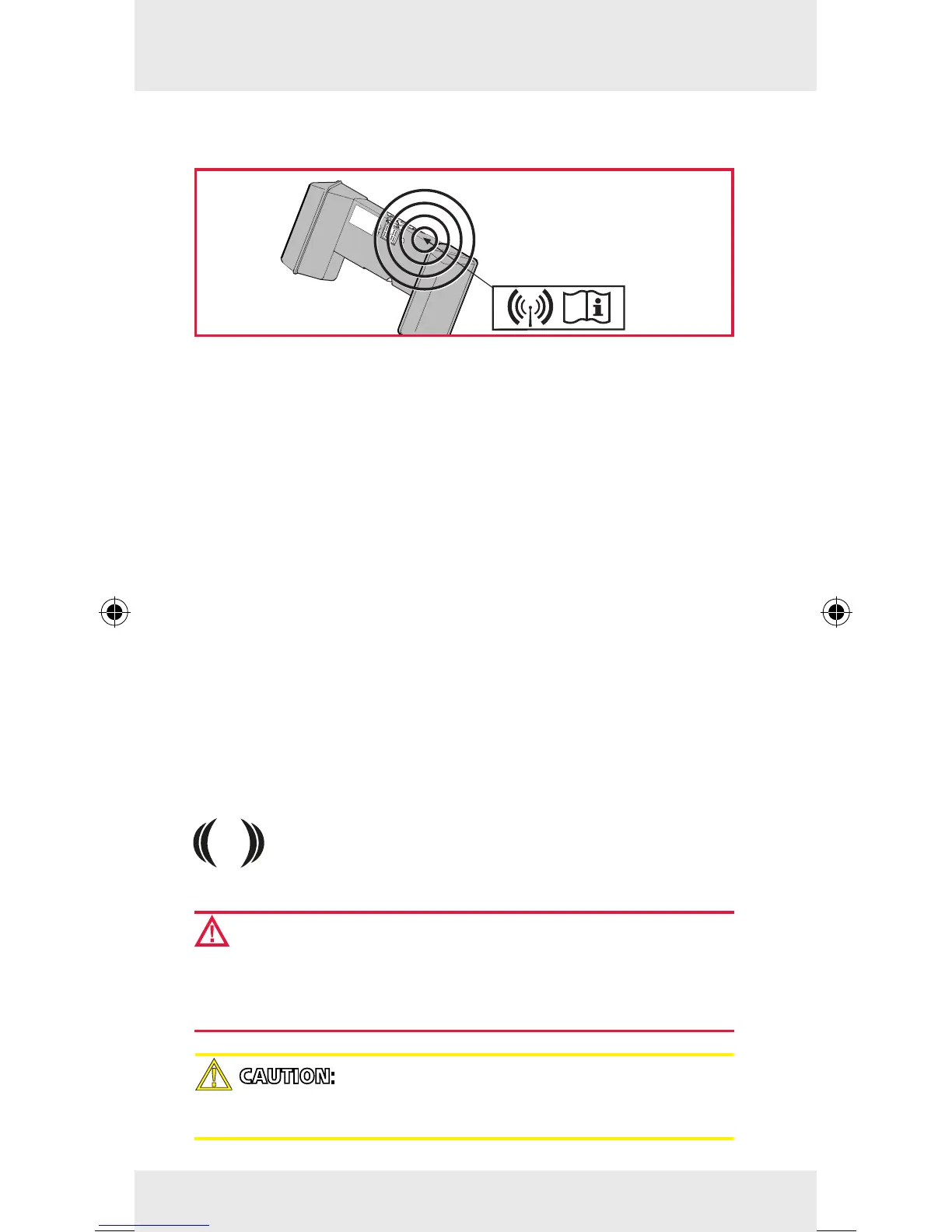
1. The antenna of the radio unit is located at the top of the
patient box (see symbol). To enable an optimal connection,
choose a position for the patient box that allows unimpeded
view to the other modules.
2. Make sure that the antenna in the patient box is not shado-
wed by metallic or metallised objects.
3. If a radio connection is not possible, connect the modules
mechanically.
4. For further instructions see the User Manual.
Note
All data are saved in the patient box. An interruption of the radio
connection does not cause loss of monitoring data.
Pairing/Ad-hoc Connection
For a pairing the hardware version of the radio modules and
the software version have to be identical. Modules
with dierent radio modules (see number symbol) can
nevertheless have a mechanical ad-hoc connection.
WARNING: If two modules connected by an ad-hoc con-
nection are separated, the device attempts automatically
to re-establish the radio connection to the original patient
box and debrillator/pacer.
CAUTION: During an ad-hoc connection a wireless con-
nection to other modules is not possible.



 To Next Page