2 ENG - Version 2.2 - P/N 04131.02
Charging the Battery
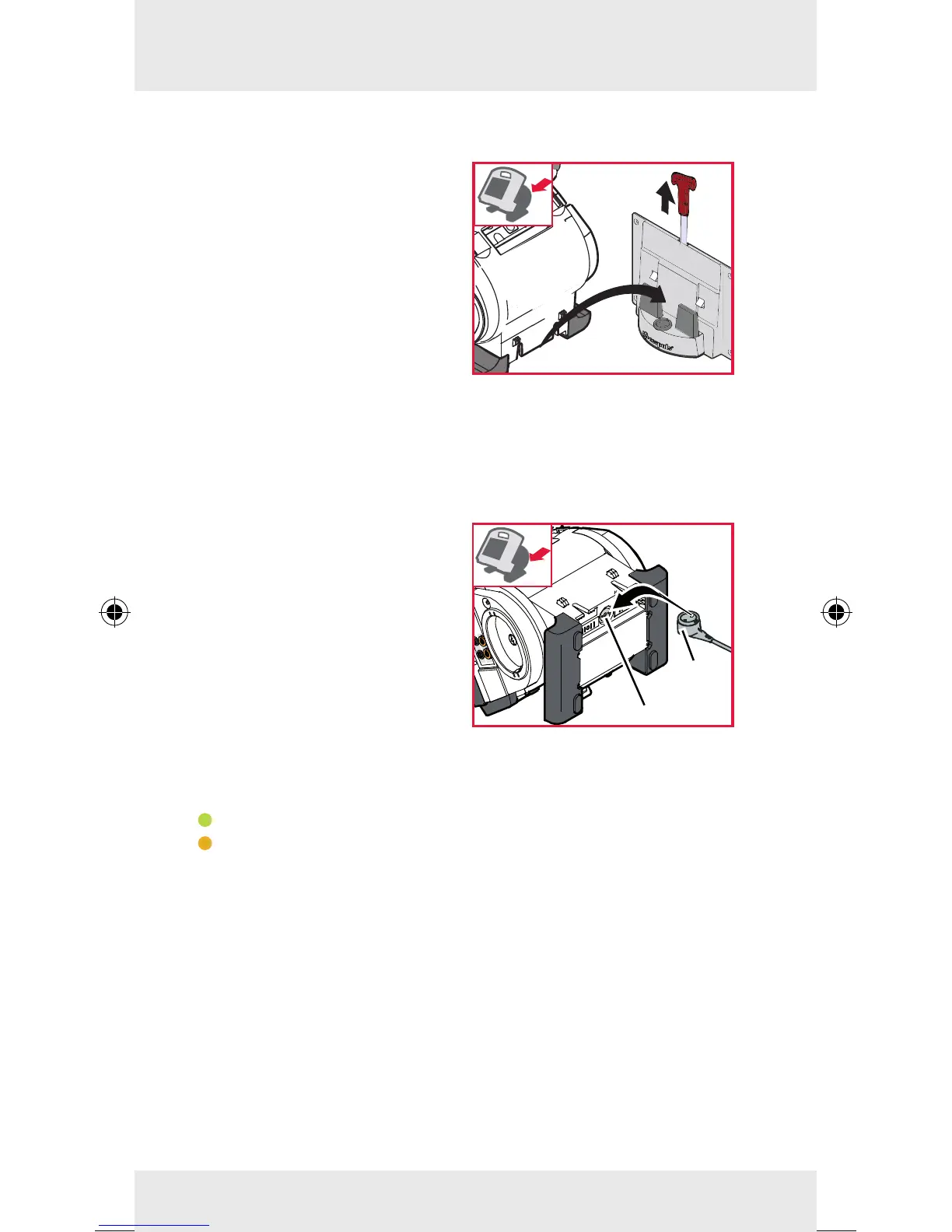
Charging compact device via charging bracket
Inserting compact device
into charging bracket
Fit the recesses at the bottom
of the debrillator onto the pins
of the charging bracket (item
A). The device will be locked
automatically and the modules
will be charged.
Removing device from charging bracket
Pull the red handle upwards (item B) and remove the compact
device from the bracket.
Charging the compact de-
vice via AC adapter
The charging process starts
when the the magnetic clip
(item 1) is tted with the
groove onto the magnetic
contact eld (item 2).
The state of charge-LEDs of the three modules indicate the
state of charge of the batteries:
green = device fully charged
orange = device is being charged
If the compact device is switched on, the charging status is
shown in percent (%) on the screen.
The current state of charge of the individual modules can be
viewed via the system info.
2
1



 To Next Page