4
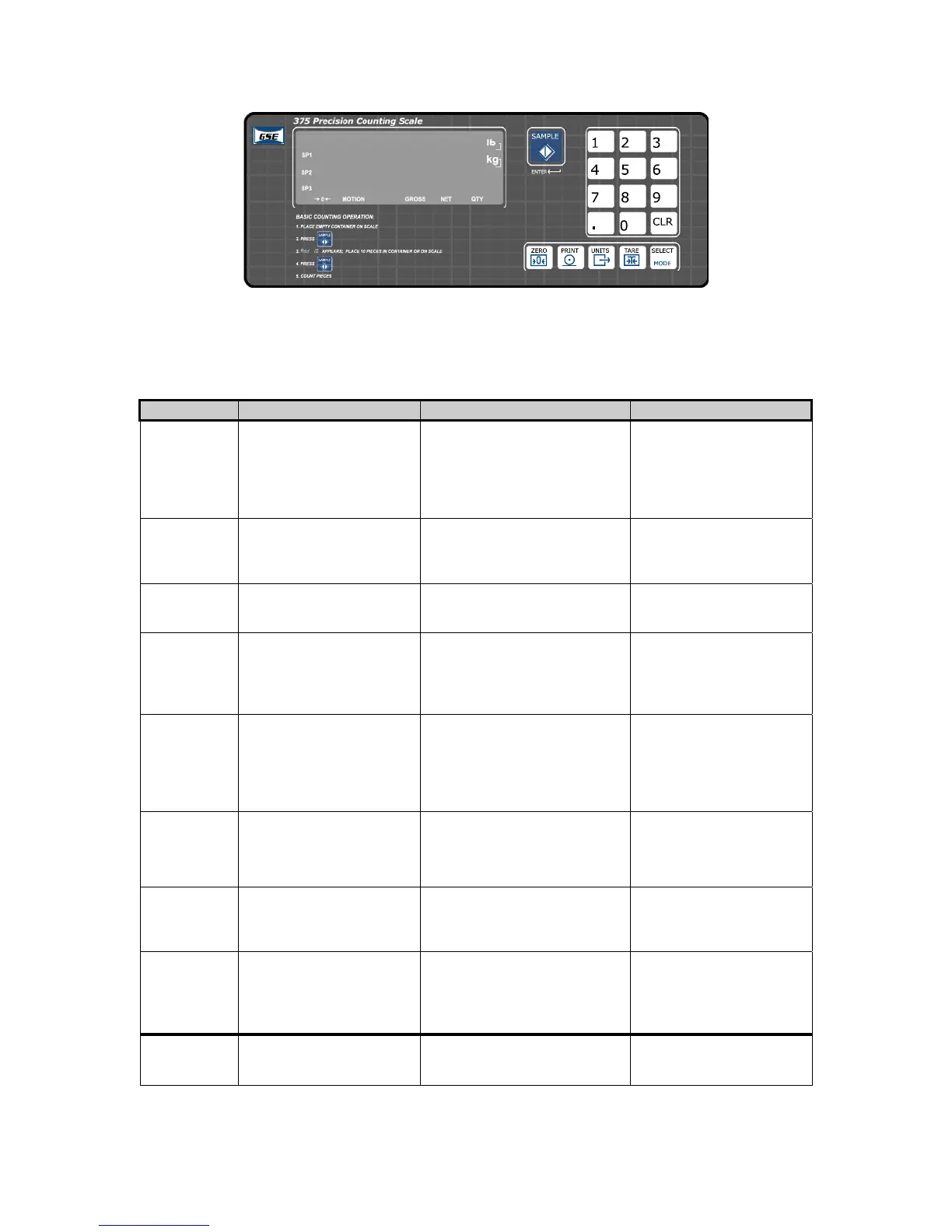
Figure 1-5: Model 375 Keypad
Functions
All of the keys perform different functions. Some keys have more than one function.
Key Press Weigh Mode Count Mode Setup Mode
<
Performs a gross zero
function and/or clears an
entry in progress. Hold
this key on power-up to
turn on the display
regardless of P420.
Performs a quantity zero
function and/or clears an entry
in progress.
Exits the Setup Mode
and/or answers “NO” to
query prompts and/or
clears an entry in
progress.
=
Performs a print function
and/or ‘scrolls’ through
digits during setpoint or
time/date entry.
Performs a print function.
Return to the previous
setup parameter.
Toggles between ‘lb’, ‘kg’
or third unit (if enabled).
Toggles through standard
sample sizes.
Shows the current
parameter number
:
Performs an auto-tare
function (if enabled).
Performs an auto-tare function
and requests a piece sample
and/or accepts an entry in
progress.
Accepts an entry in
progress and/or ‘scrolls’
through parameter sub-set
selections and/or answers
‘YES’ to query prompts.
>
Toggles between display
modes and/or restores
power to the Model
370/375 (if auto-shutoff
enabled).
Toggles between display
modes and/or restores power
to the Model 370/375 (if auto-
shutoff enabled) and/or toggles
through standard sample sizes
during a sample.
Advances to the next
setup parameter.
J-H,
I
Numeric keys used to
manually enter a value for
tare weight or target
value.
Numeric keys used to
manually enter a value for tare
weight, average piece weight,
sample size etc.
Numeric keys used to
manually enter a value.
K
Absolute clear – clears an
entry in progress and/or
clears the value of a
parameter.
Clears any entry in progress or
abort a sample.
Clears any entry in
progress.
9
Enters the counting mode
and/or accepts an entry in
progress.
Performs a sample for an
accurate part count and
calculates an average piece
weight and/or accepts an entry
in progress.
Accepts an entry in
progress and/or ‘scrolls’
through parameter sub-set
selections and/or answers
‘YES’ to query prompts.
<>
Access Setup Mode.
Break out of remote
display mode.
Access Setup Mode. Break
out of remote display mode.
No function.



 To Next Page