32
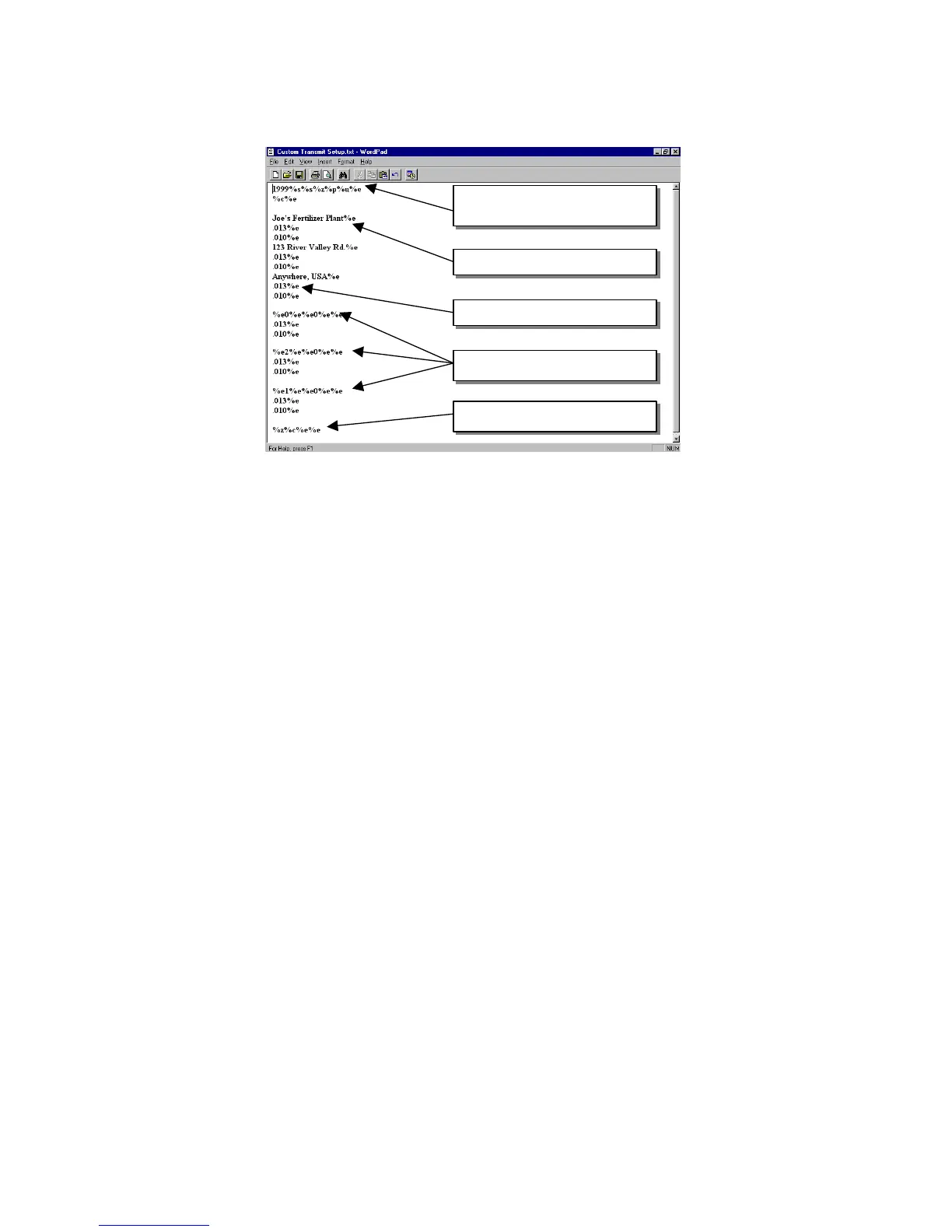
Figure 3-1: Custom Transmit File
Entering ASCII Text
ASCII text is defined as printable characters, including alpha-numerics as well as punctuation and
symbols. See Table 3-2 for a complete listing of ASCII characters. ASCII text can be entered
directly into a custom transmit with a %e (enter command). For example, Joe's Fertilizer Plant%e.
Entering ASCII Control Codes
Some ASCII characters are known as control codes, non-printable characters that instruct a
printing device to perform certain functions. For example, a carriage return <CR> forces a printer
to move the print head to the left-most position of the current line. A line feed <LF> forces the
print head to move down one line. Enter control codes with a decimal point, a 3-digit ASCII code,
and a %e. For example, .013%e.
Access Setup and Clear Old Custom
Transmit
ASCII Text
ASCII Control Codes
Gross, Tare and Net Parameters
Exit Setup and Save Changes



 To Next Page