www.gtec-power.de 37
3. Control and LCD display Panel
3.1 Introduction
This chapter introduces the functions and operator instructions of the operator control and display
panel in detail, and provides LCD display information, detailed menu information, prompt window
information and UPS alarm information.
3.2 LCD Screen
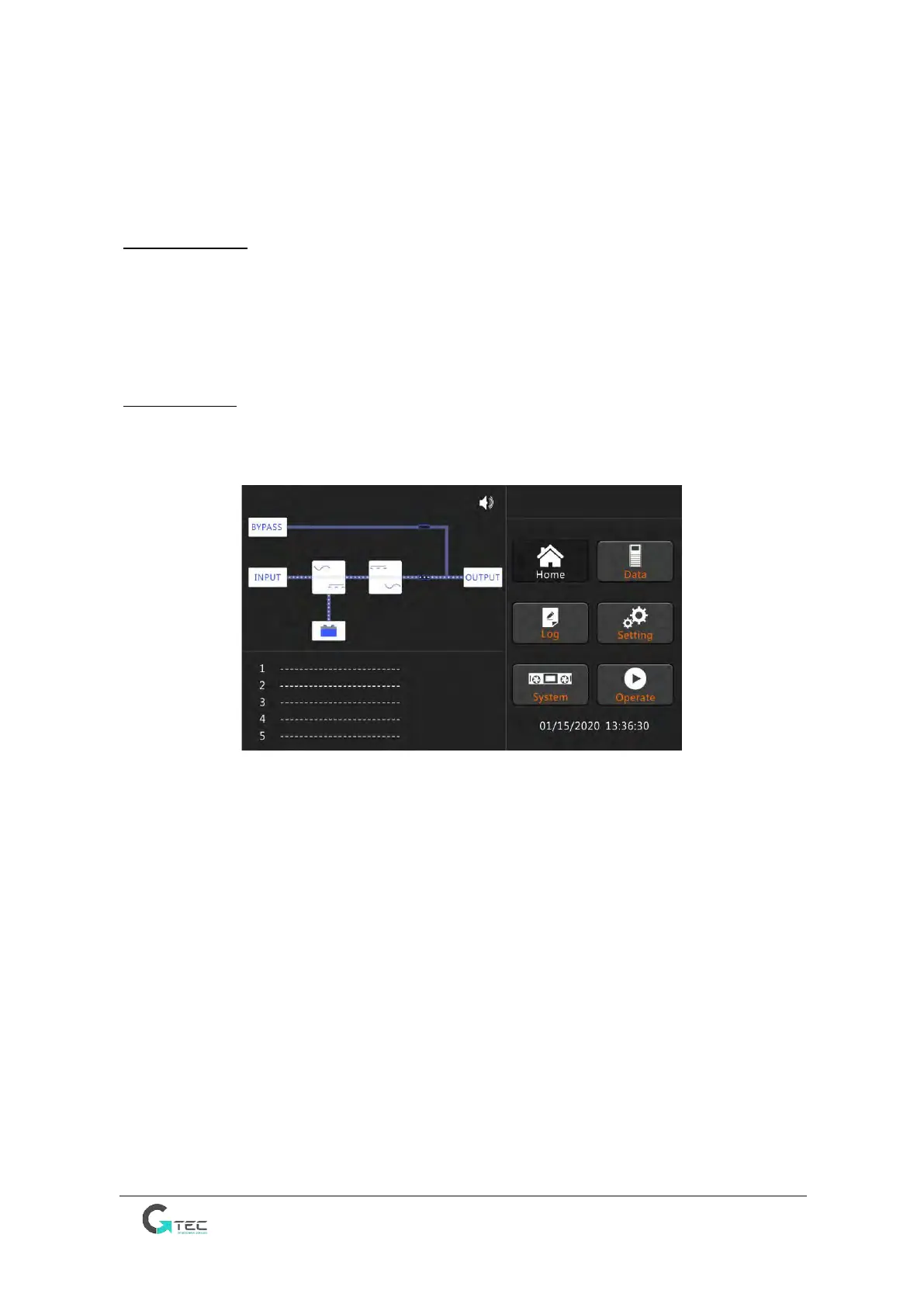
After the monitoring system starts, the system enters the home page, following the welcome
window. The home page is shown in Figure 3-1.
Fig.3-1 Home page
Home page consists of Status bar, warning information and main menu.
• Status bar
Status bar contains the model of the product, capacity, operational mode and the time of the
system.
• Warning Information
Display the warning information of the cabinet.
• Main Menu
Main menu includes Cabinet, Data, Setting, Log, Operate and System. Users can operate and
control the UPS, and browse all measured parameters through main menu.



 To Next Page