www.gtec-power.de 44
Figure 3-5 Submenu Interface of System Page
3.3.5 Operate
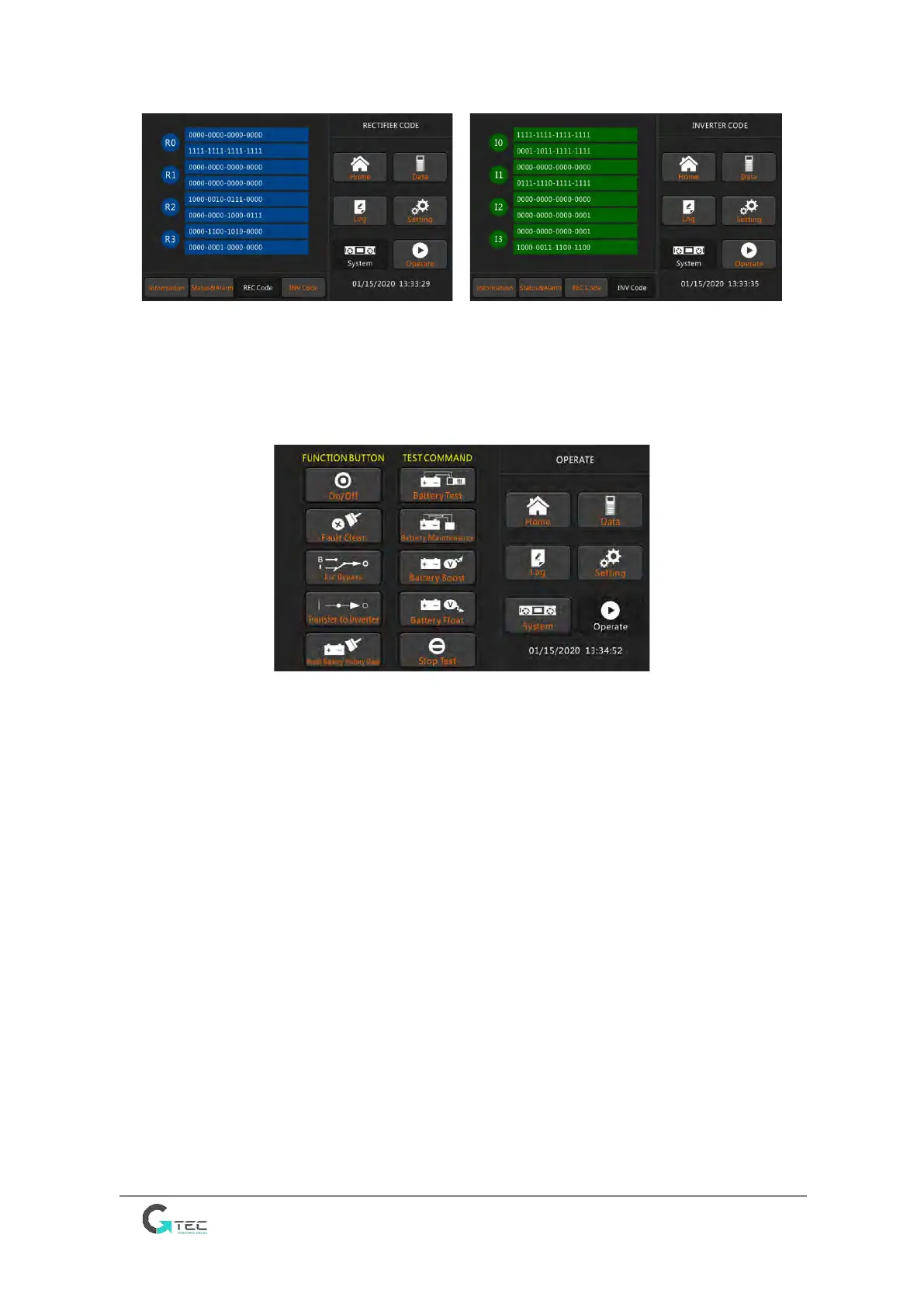
Touch the “Operate” icon, the system enters the page of “Operate”, as it is shown in Figure
3-6.
Figure 3-6 Operate Page
The “Operate” menu includes FUNCTION BUTTON and TEST COMMAND. The contents are
described in details below.
FUNCTION BUTTON
• On/Off Manual turn ON/OFF UPS
• Fault Clear Clear the faults.
• Transfer to Bypass / Esc Bypass Transfer to bypass mode and back to normal
• Transfer to Inverter Transfer the automatic bypass mode to Inverter Mode.
• Reset Battery History Data Reset the battery history data by touching the icon, the history
data includes the times of discharge, days for running and hours of discharging.
TEST COMMAND
• Battery Test The system transfer to the Battery mode to test the condition of the battery.
which requires the normality of the bypass and the battery capacity is no less than 25%.
• Battery Maintenance The system transfers to the Battery mode. This function is used for
maintaining the battery, which requires the normality of the bypass and minimum battery
capacity of 25%.
• Battery Boost The system starts boost charging.
• Battery Float The system starts float charging.
• Stop Test The system stops battery test or battery maintenance.



 To Next Page