www.gtec-power.de 43
Output voltage
Adjustment
Setting the Output Voltage
Bypass Voltage Up
Limited
Up limit working Voltage for Bypass
,
settable: +10%
,
+15%
,
+20%
,
+25%
Bypass Voltage Down
Limited
Down limited working Voltage for Bypass
,
settable: -10%
,
-15%
,
-20%
,
-30%
,
-40%
Permitted working Frequency for Bypass
Settable
:
+/-1Hz
,
+/-3Hz
,
+/-5Hz
Setting the number of 12V battery
Setting battery capacity in Ah
Float Charge
Voltage/Cell
Setting the floating charging Voltage
Boost Charge
Voltage/Cell
Setting the boost charging Voltage
Charge Current Percent
Limit
Charge current (% of the rated power)
Setting the system mode: Single, parallel, Single
ECO, parallel ECO, LBS, parallel LBS
Parallel system UPS number
UPS ID in parallel system
Bypass frequency slew rate
Bypass frequency Synchronization window
System auto start
mode after EOD
UPS start mode after battery EOD (end of
discharging)
Configure the rated
Parameter
Support Tower and Rack LCD display (on Nova UPS
tower only)
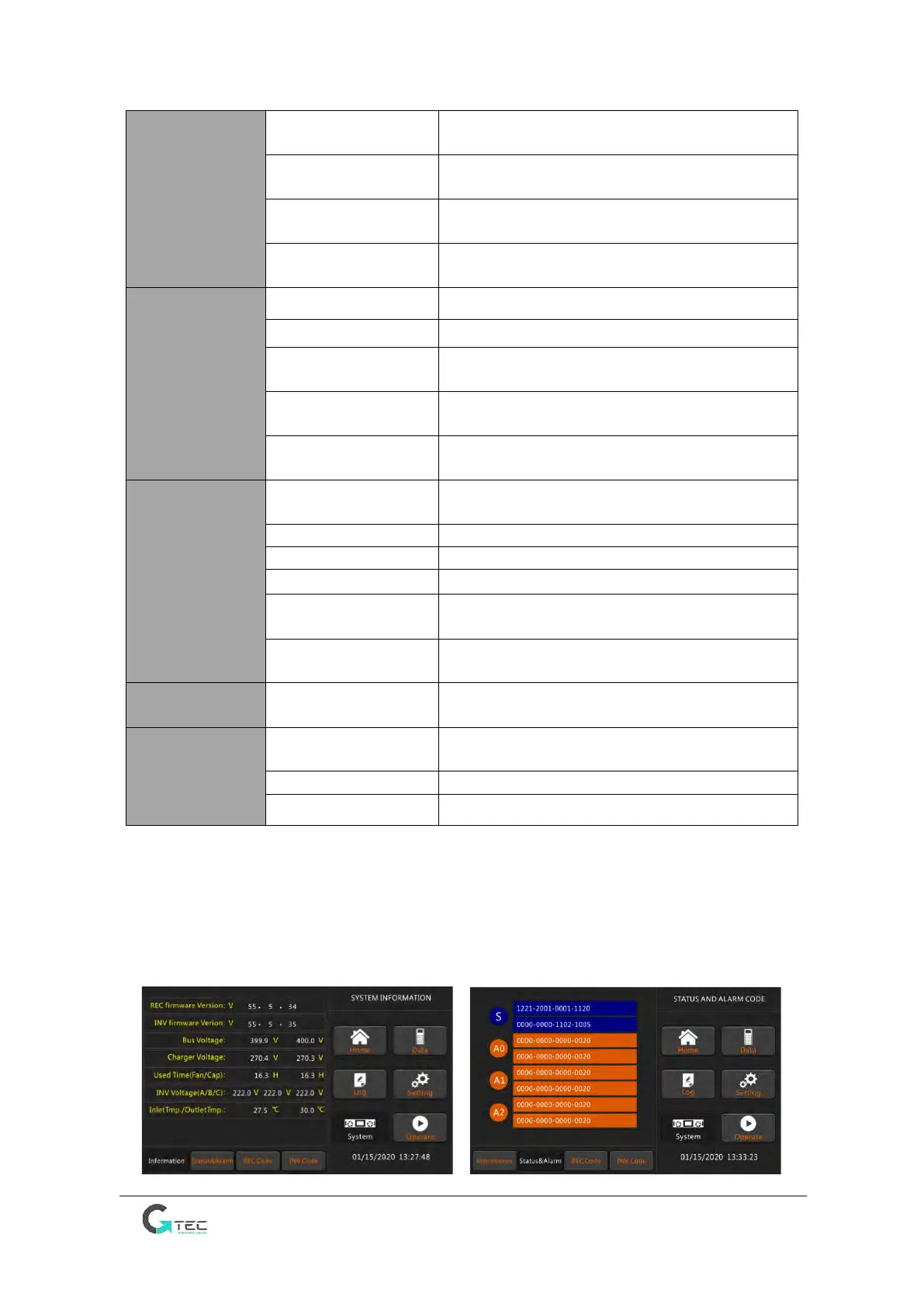
3.3.4 System
System Information Window displays software version, Bus voltage, charger voltage, and so
on, these menus “Status & Alarm”, “REC Code”, and “INV Code” are helpful to maintain the
UPS, as is shown in the following Figure 3-5.



 To Next Page