www.gtec-power.de 42
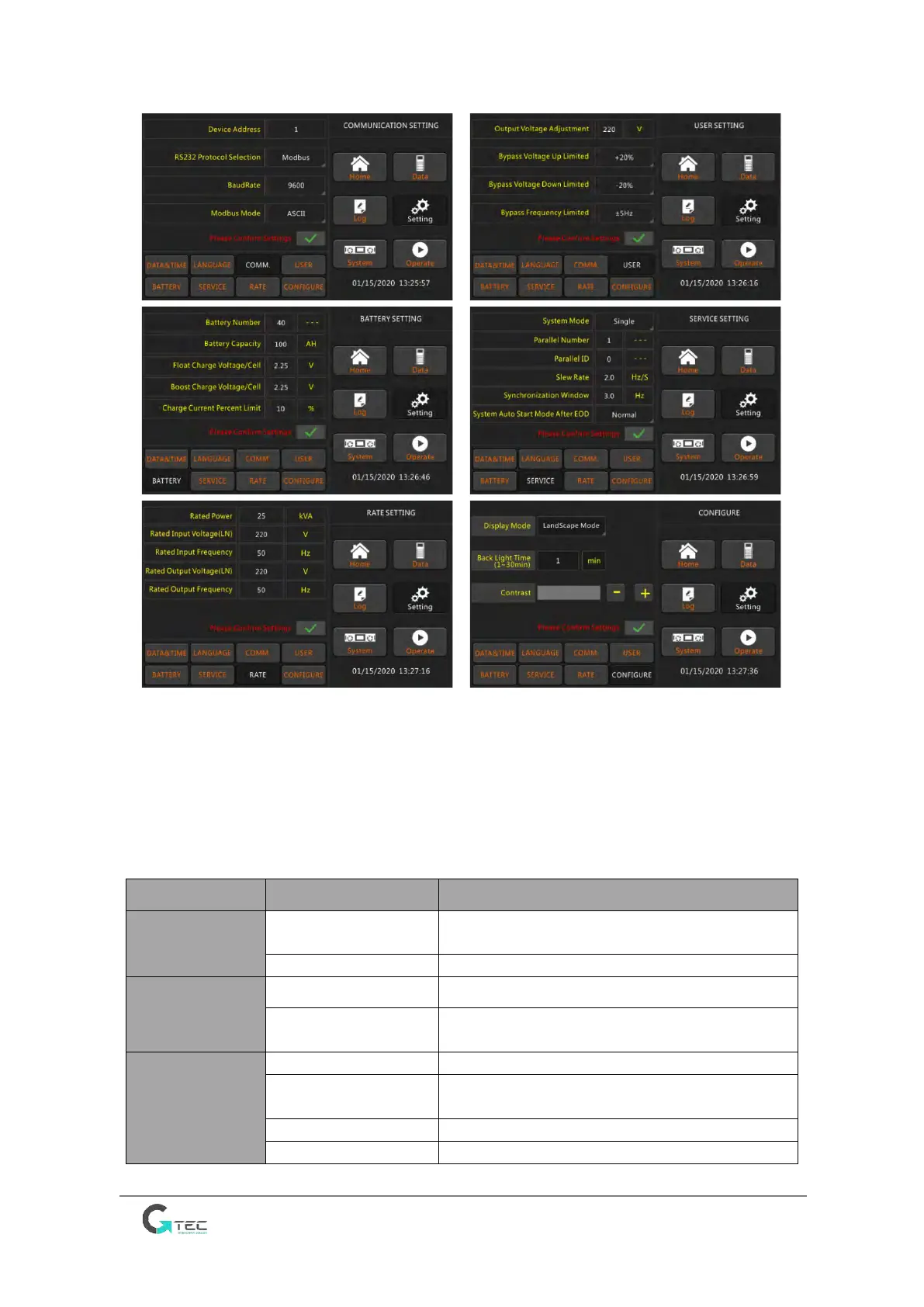
Figure 3-4 Submenu Interface of Setting Page
The submenus are listed on the bottom side of the Setting page. Users can enter each of the setting
interfaces by touching the relevant icon. The submenus are described in details below in Table 3-2.
Table 3-2 Description of each submenu of Setting
Three formats: (a) year/month/day;
(b) month/date/year; (c) date/month/year
The setting taking action immediately after
touching the language icon
Setting the communication address
SNT Protocol, Modbus Protocol, YD/T Protocol and
Dwin
(
For factory use only
)
Modbus setting mode: ASCII or RTU



 To Next Page