www.gtec-power.de 46
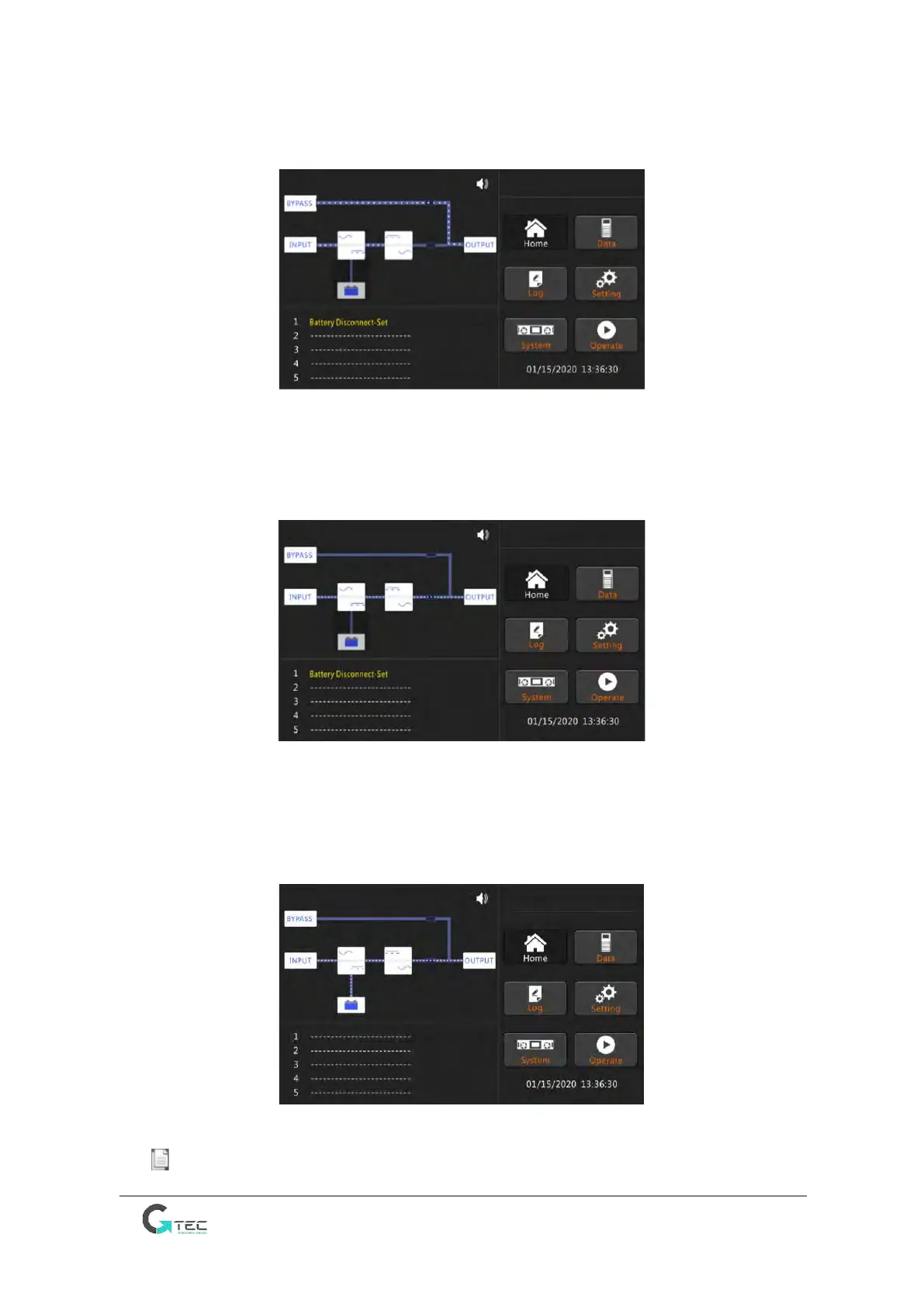
6. After the bypass static switch is on, the inverter starts and the inverter indicator bar flashes, as
shown in Figure 4-3.
Fig.4-3 LCD of inverter starting
7. After about 30S, when the inverter is running normally, the UPS switches from the bypass to
inverter, the bypass indicator bar is off, the load indicator bar flashes, as shown in Figure 4-4.
Fig.4-4 LCD of inverter mode
8. Close the external battery switch, the battery indicator flashes, and then the UPS charges the
battery. The UPS works in normal mode, as shown in Figure 4-5
Fig.4-5 LCD of normal mode
Note Users can browse alarms during the process of the starting up by checking the menu Log.



 To Next Page