www.gtec-power.de 47
4.1.2 Start from Battery
The start from battery is referring to battery cold start. The steps for the start-up are as follows:
1. Confirm the battery is correctly connected; close the battery circuit breakers.
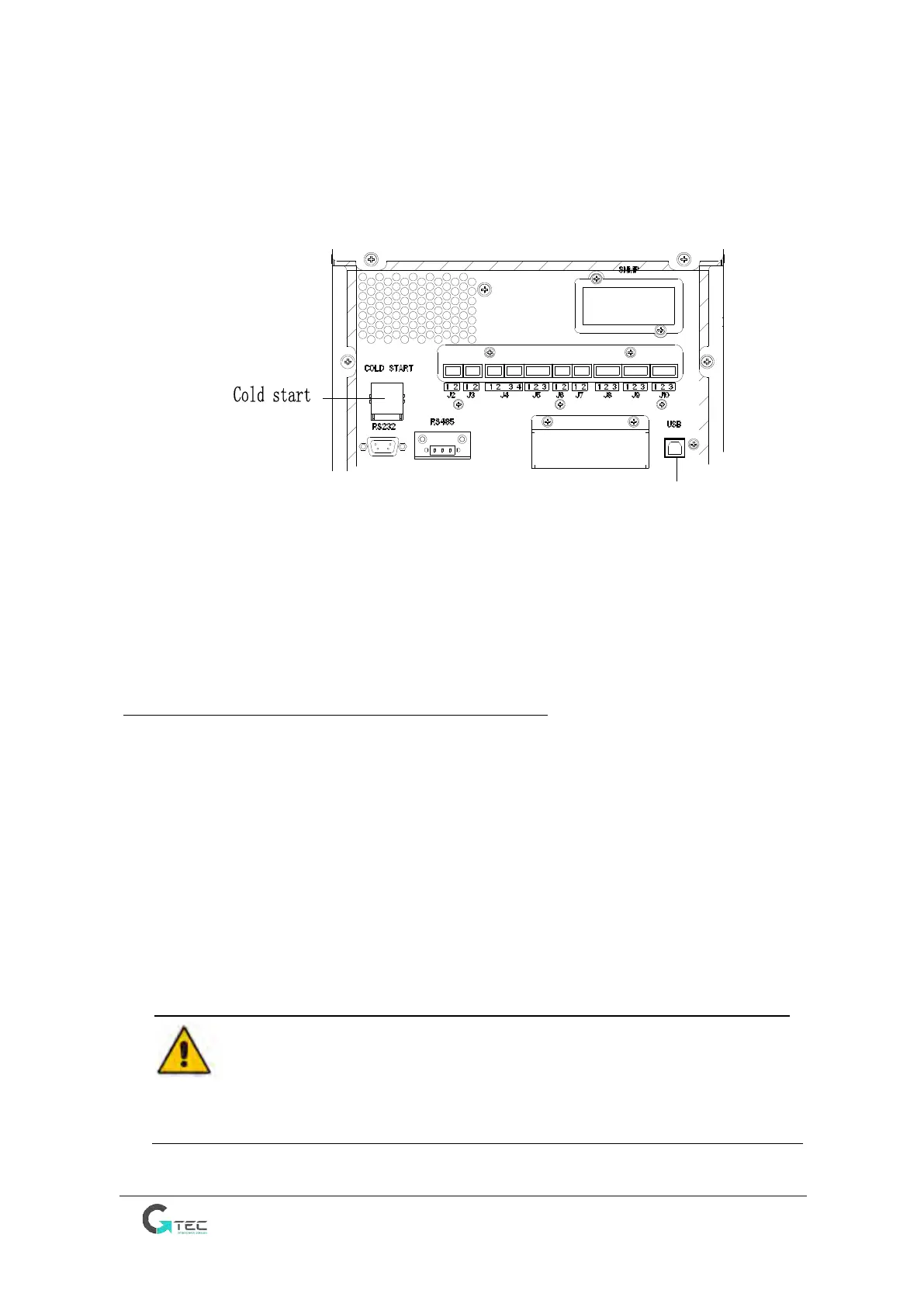
2. Press the red button for the battery cold start, see Fig.4-6.
Fig.4-6 position of the battery cold start button
3. After that, the system is starting up following steps 3 in section 4.1.1 and the system transfers
to battery mode in 30S.
4. Close the output isolation switch or external output isolation switch to supply the load, and
the system is working on battery mode.
4.2 Procedure for Switching between Operation Modes
4.2.1 Switching the UPS into Battery Mode from Normal Mode
The UPS transfers to Battery mode immediately after input circuit breaker disconnects from the
utility. Warning if battery is not OK there is risk to loose/stop the load, to test the battery use
battery test command
4.2.2 Switching the UPS into Bypass Mode from Normal Mode
Follow the path by selecting the icon of “Operate” and then select “Transfer to bypass” to transfer
the system to Bypass Mode.
Warning
Ensure the bypass is normal before transferring to bypass mode. Or there is risk to loose/stop the
load.



 To Next Page