www.gtec-power.de 48
4.2.3 Switching the UPS into Normal Mode from Bypass Mode
Follow the path by selecting the icon of “Operate” and then “Transfer to inverter”, the system
transfer to Normal Mode
Note
Normally, the system will transfer to the Normal mode automatically. This function is used when
the frequency of the bypass is over track or after the manual command transfer to bypass.
4.2.4 Switching the UPS into Maintenance Bypass Mode from Normal Mode
The following procedures can transfer the load from the inverter output to the maintenance
bypass, which is used for maintaining the UPS.
Transfer the UPS into Bypass mode following section 4.2.2.
Remove the cover of maintenance bypass breaker.
Turn on the maintenance bypass breaker. And the load is powered through maintenance bypass
and static bypass.
One by one turn off the battery breaker, input breaker, bypass input breaker and output breaker.
The load is powered through maintenance bypass.
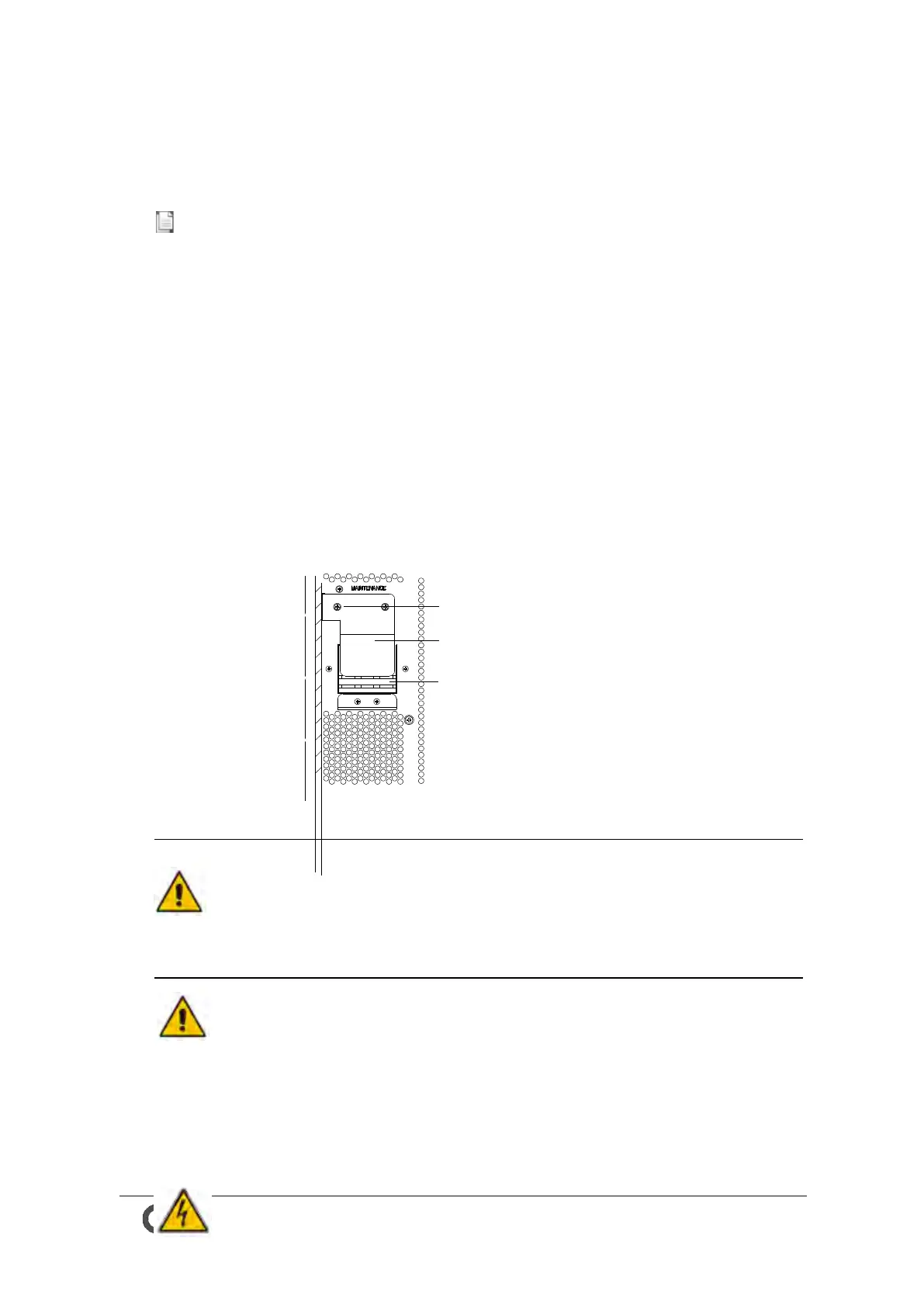
Protective cover Maintenance swi tch
Maintenance switch
Screw for protective cover
Fig.4-7 the cover of maintenance bypass breaker
Warning
Once the cover on the maintenance bypass breaker is removed, the system will transfer to bypass
mode automatically.
Warning
Before making this operation, confirm the messages on LCD display to be sure that bypass supply
is regular and the inverter is synchronous with it, so as not to risk a short interruption in powering
the load.



 To Next Page