www.gtec-power.de 49
Danger
Even with the LCD turned off, the terminals of input and output may be still energized.
Wait for 10 minutes to let the DC bus capacitor fully discharge before removing the cover.
4.2.5 Switching the UPS into Normal Mode from Maintenance Bypass Mode
These following procedures can transfer the load from the Maintenance Bypass mode to inverter
output.
After finish of maintenance. One by one turn on the output breaker, bypass input breaker, input
breaker and battery breaker.
After 30S, the bypass indicator trace flashes and the load is powered through maintenance bypass
breaker and static bypass.
Turn off the maintenance bypass breaker,and then the load is powered through static bypass.
The rectifier starts followed by the inverter.
After 60S, the system transfers to Normal mode.
Warning
The system will stay on bypass mode until the cover of maintenance bypass breaker is fixed.
4.3 Battery Maintenance
If the battery is not discharged for a long time, it is necessary to test the condition of the battery.
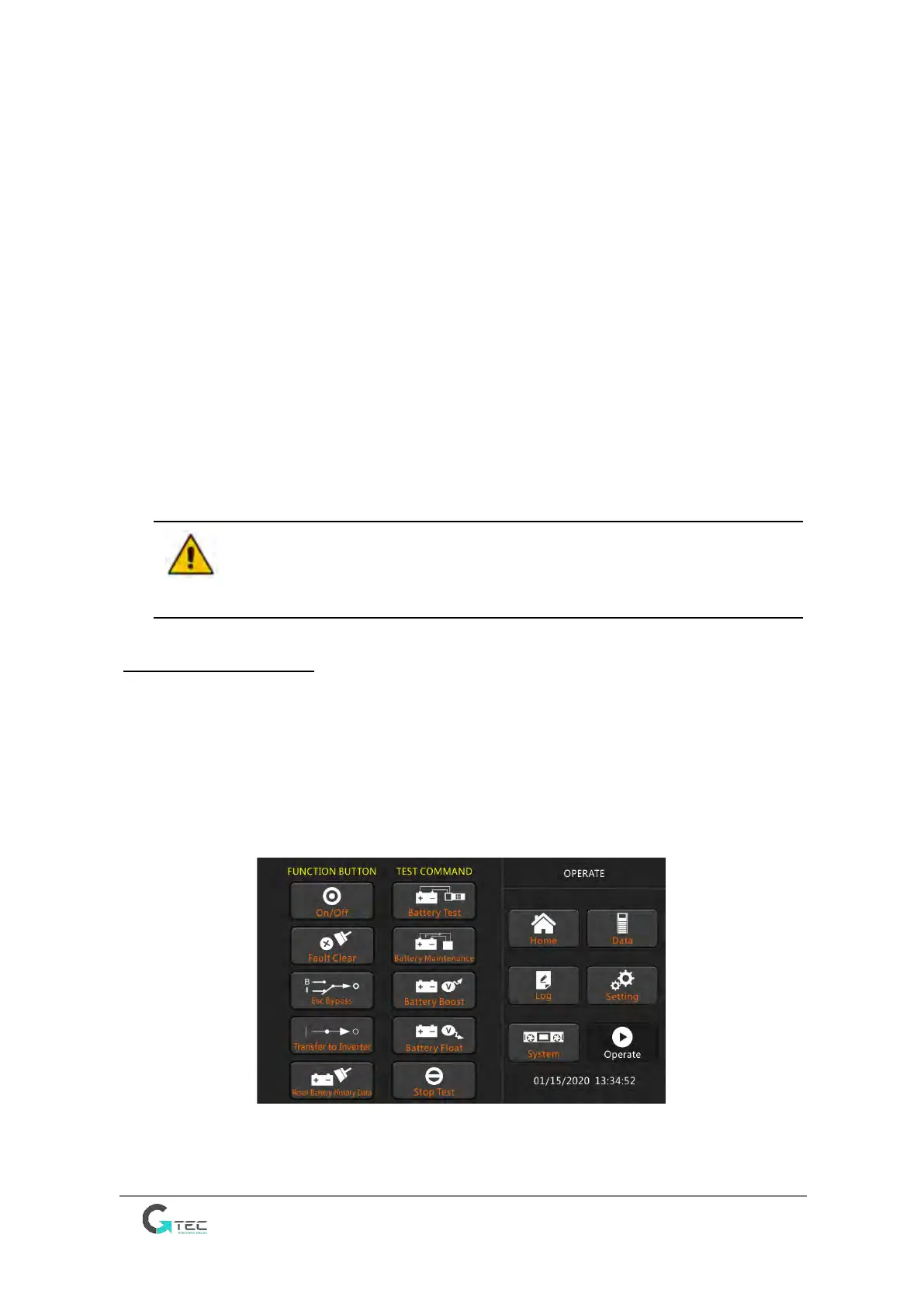
Enter the menu “Operate”, as is shown in Fig.5-8 and select the icon “Battery maintenance”,the
system transfers into the Battery mode for discharging. The system will discharge the batteries
until the alarm of “Battery low voltage” is given Users can stop the discharging by the “Stop Test”
icon.
With the icon of “Battery test”, batteries will be discharged for about 30 seconds, and then re-
transfer to normal mode.
Fig.4-8 Battery maintenance



 To Next Page