18
Remote Control (Cont.)
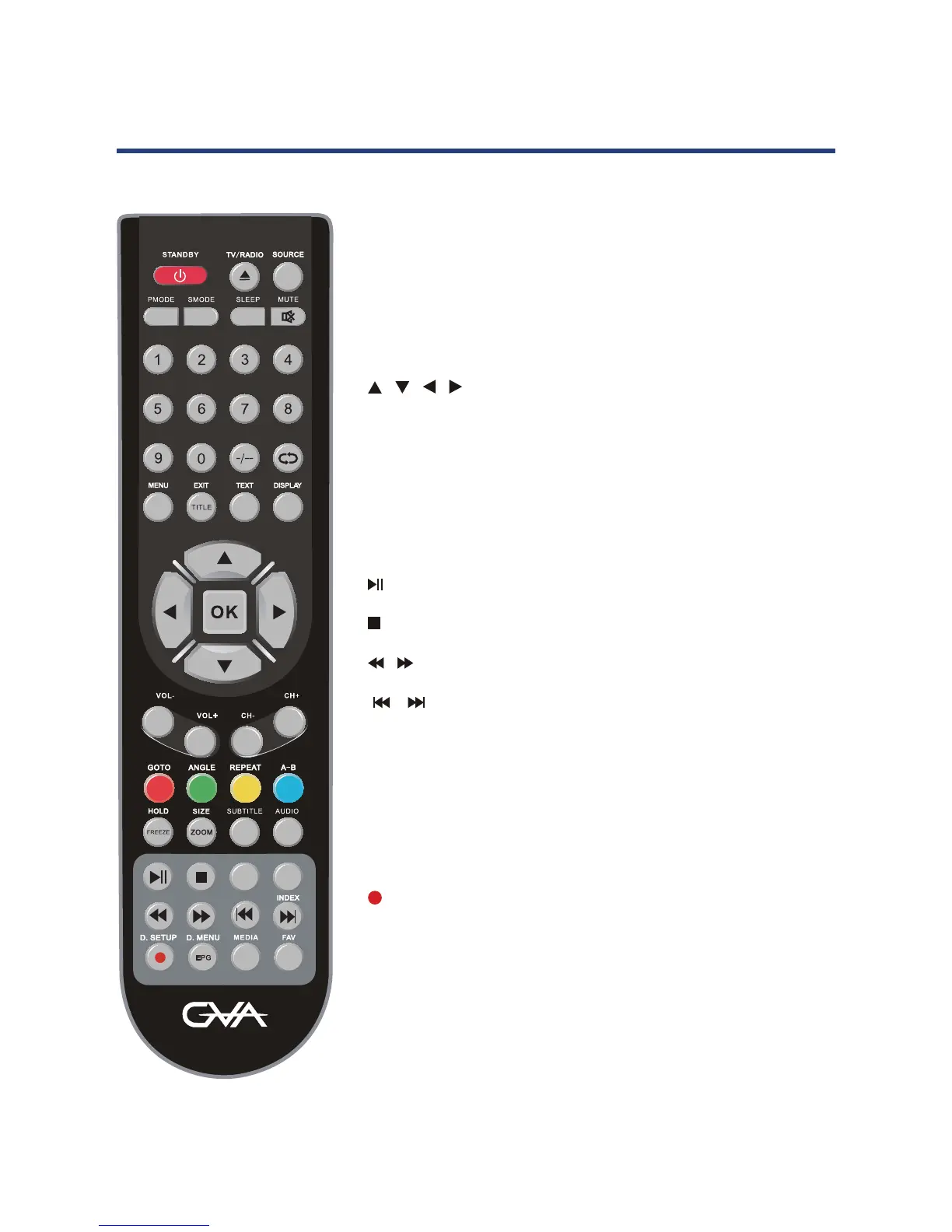
Remote control instruction in DTV mode
NUMBER BUTTONS: Press 0-9 to select a channel.
FAV: Press to display your favourite channel list.
MENU: Brings up the main DTV menu to the screen.
DISPLAY: Press display the source and channel’s information.
/ / / /OK : Allows you to move, select and setup the
OSD option.
CH+/-: Channel up/down.
COLOUR BUTTONS: Used in a few sub-menus.
SUBTITLE: To display subtitle.
: PLAY/PAUSE in TIMESHIFT and MEDIA mode.
: Stop in MEDIA mode or exit the REC mode.
/ : Fast reverse and forward key in MEDIA mode.
/ : Jump to previous and next track in MEDIA mode.
SIZE: Change the picture format.
EPG: Lanuches the EPG ( Electronic Program Guide).
MEDIA: Press to select MEDIA mode.
TV/Radio: Select TV or Radio modes.
(REC): Record the program in DTV mode.
STANDBY:
SOURCE: Press to cycle through the input source.
PMODE: Select picture mode.
SMODE: Select sound mode.
AUDIO:
SLEEP: Sets the TV sleep time.
MUTE: Press to mute the sound. Press again or press
0-9: TV channel number select.
: Return to the previous channel viewed.
FAV: Display your favourite channel list.
MENU: Brings up the main menu to the screen.
EXIT: Press to close the on-screen display.
DISPLAY: Press to display the source and channel’s
information.
/ / / /OK : Allows you to move, select and setup
the OSD options.
VOL+/-: Volume up/down.
CH+/-: Channel up/down.
16
Remote Control
Remote control instruction TV mode
-/-- : Press this button to enter a program number
for multiple program channel such as 2-1,etc.



 To Next Page