39
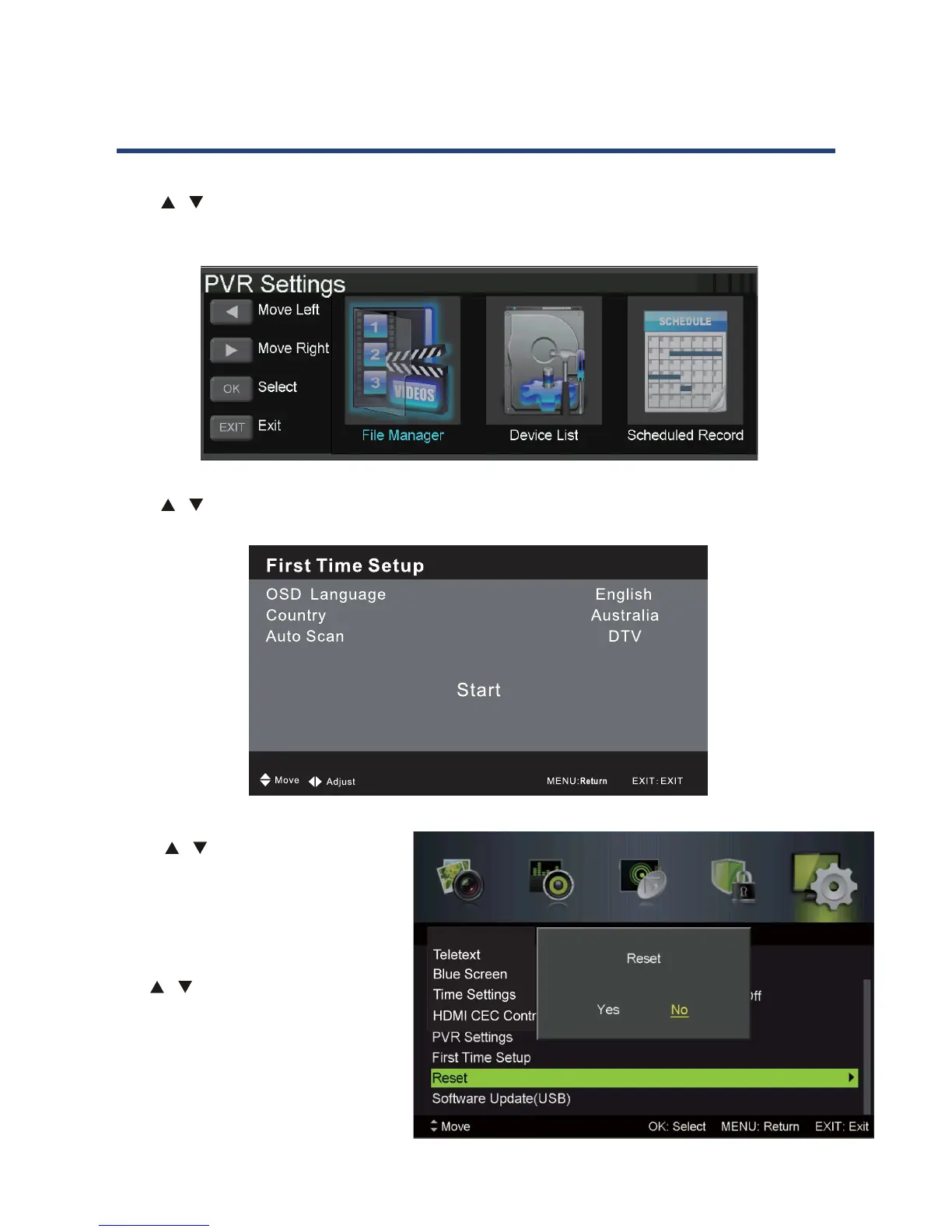
PVR Setting
Press / button to select PVR SETTING, then press Ok button to enter submenu. It will
check the USB.
38
PVR Setting
Press / button to select PVR SETTING, then press OK button to enter submenu. It will
check the USB.
First Time Setup
Press / button to select First Time Setup, then press OK button to enter. (Default
Password is 0000).
Reset
Press / button to select Reset, then press OK button to enter.
Select “Yes” if you are sure to reset.
PVR and Timeshift Operation
First Time Setup
Press / button to select First Time Setup, then press Ok button to enter. (Default
Password is 0000).
38
PVR Setting
Press / button to select PVR SETTING, then press OK button to enter submenu. It will
check the USB.
First Time Setup
Press / button to select First Time Setup, then press OK button to enter. (Default
Password is 0000).
Reset
Press / button to select Reset, then press OK button to enter.
Select “Yes” if you are sure to reset.
PVR and Timeshift Operation
Reset
Press / button to select Reset,
then press Ok button to enter.
Select “Yes” if you are sure to reset.
Software Update (USB)
Use / the button to select this
option, then press OK button to
update software using USB.
PVR and Timeshift Operation
38
PVR Setting
Press / button to select PVR SETTING, then press OK button to enter submenu. It will
check the USB.
First Time Setup
Press / button to select First Time Setup, then press OK button to enter. (Default
Password is 0000).
Reset
Press / button to select Reset, then press OK button to enter.
Select “Yes” if you are sure to reset.
PVR and Timeshift Operation



 To Next Page