22
Basic Operation (Cont.)
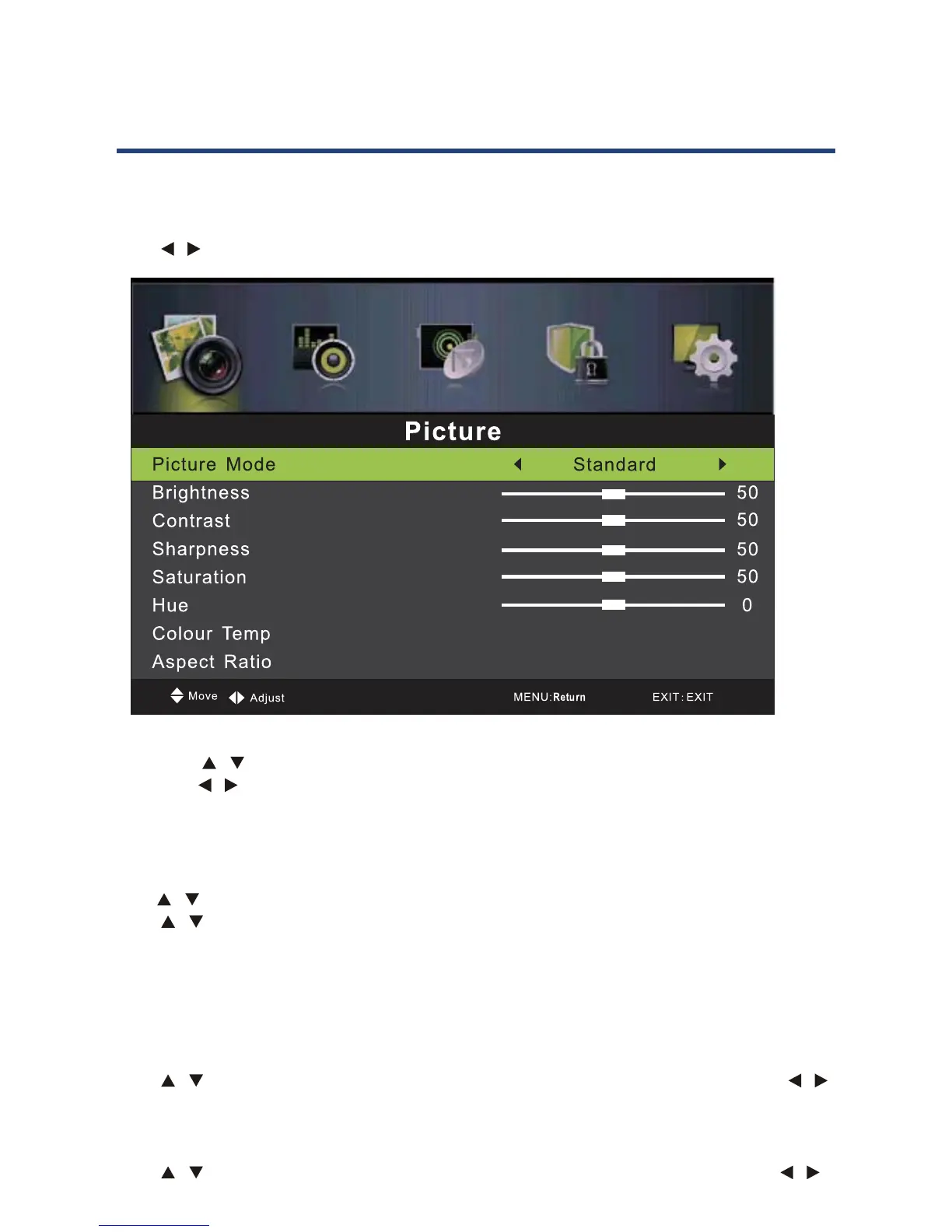
Picture Menu
Press MENU button to display the main menu.
Press / button to select PICTURE in the main menu, it will highlight the first operation.
1. Press / button to select the option that you want to adjust in the PICTURE menu.
2. Press / button to adjust.
3. After finishing your adjustment, press MENU button to return back to the previous
menu.
Picture Mode
Press / button to select Picture Mode, then press OK button to enter sub-menu.
Press / button to select. (Available Picture mode: Dynamic, Standard, Mild, Personal).
You can change the value of contrast, brightness, color and sharpness when the picture is
in Personal mode. TIPS: You can press PMODE button on the remote control to change the
Picture Mode directly.
Brightness
Press / button to select Brightness, then press OK button to enter sub-menu. Press /
button to adjust.
Contrast
Press / button to select Contrast, then press OK button to enter sub-menu. Press /
button to adjust.
22
Basic Operation (Cont.)
Picture Menu
Press MENU button to display the main menu.
Press / button to select PICTURE in the main menu, it will highligh
ration
1. Press
/ button to select the option that you want to adjust in the PICTURE menu.
2. Press
/ button to adjust.
3. Aft
your adjustment, Press MENU button to return back to the previous
menu.
Picture Mode
Press / button to select Picture Mode, then press OK button to enter sub-menu.
Press
/ button to select. (Available Picture mode: Dynamic, Standard,Mild,Personal).
You can change the value of contrast, brightness, color and sharpness when the picture is
in Personal mode. TIPS: You can press PMODE button on the remote control to change the
Picture Mode directly.
Brightness
Press / button to select Brightness,then press OK button to enter sub-menu. Press /
button to adjust.
Contrast
Press / button to select Contrast,then press OK button to enter sub-menu. Press /
button to adjust.



 To Next Page