28
Basic Operation (Cont.)
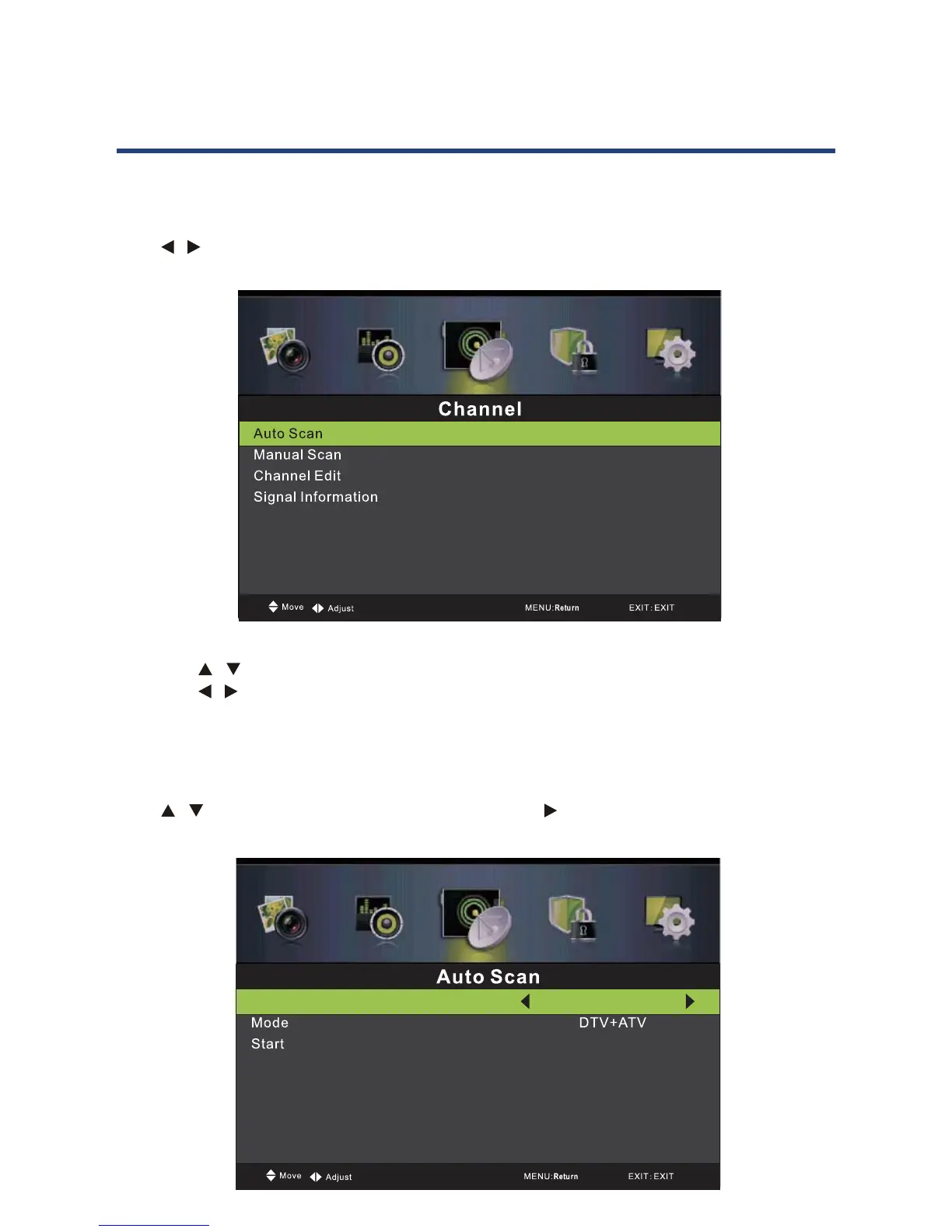
Channel Menu
Press MENU button to display the main menu.
Press / button to select CHANNEL in the main menu, it will highlight the rst option.
28
Basic Operation (Cont.)
Channel Menu
Press MENU button to display the main menu.
Press /
1. Press / button to select the option that you want to adjust in the CHANNEL menu.
2. Press
/ button to adjust.
3.
Auto Scan
Press / button to select Auto Scan, then press Enter / button to enter submenu. (The
default password is 0000)
Australia
1. Press / button to select the option that you want to adjust in the CHANNEL menu.
2. Press / button to adjust.
3. After nishing your adjustment, press MENU button to return back to the previous
menu.
Auto Scan
Press / button to select Auto Scan, then press Ok / button to enter submenu. (The
default password is 0000)
28
Basic Operation (Cont.)
Channel Menu
Press MENU button to display the main menu.
Press /
1. Press / button to select the option that you want to adjust in the CHANNEL menu.
2. Press
/ button to adjust.
3.
Auto Scan
Press / button to select Auto Scan, then press Enter / button to enter submenu. (The
default password is 0000)



 To Next Page