12
Basic Installation
Power Cord Connection
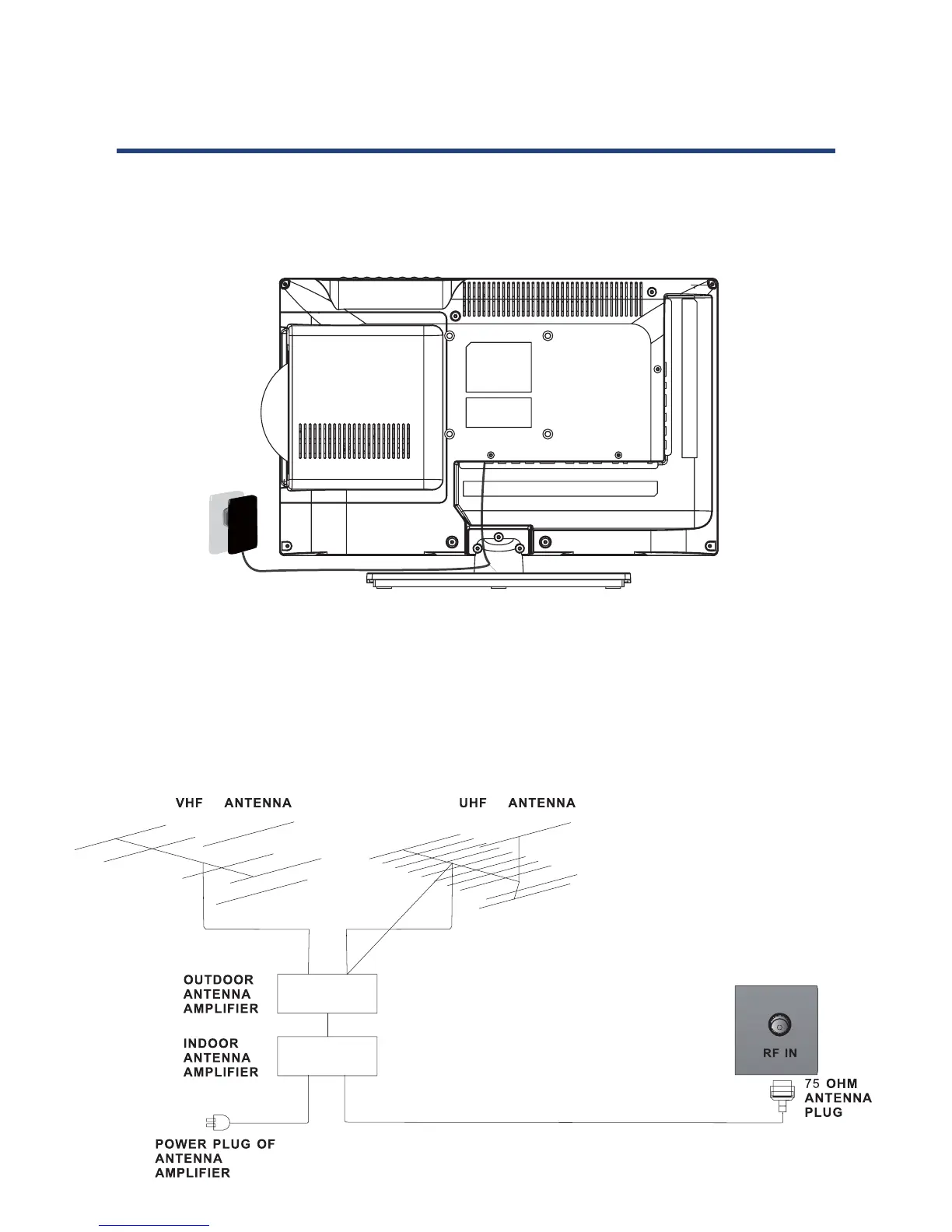
- Connect the power cord correctly as shown.
- Press the STANDBY switch of your LED TV to switch the unit on. The power indicator on the
front panel lights up in green.
12
Basic Installation
Power Cord Connection
- Connect the power cord and power adaptor correctly as shown.
- Press the STANDBY switch of your LED TV to switch the unit on. The power indicator on the
front panel lights up in green or blue.
Antennas Connection
To ensure good picture and sound, a TV antenna system needs to be installed. The antenna
system as shown can be sourced from TV equipment shops, which will provide service for
correct installation and connections. After installation, insert the 75-OHM antenna plug into
the antenna socket as shown.
Antennas Connection
To ensure good picture and sound, TV antenna system needs to be installed. The antenna
system as shown can be sourced from TV equipment shops, which will provide service for
correct installation and connections. After installation, insert the 75-OHM antenna plug into
the antenna socket as shown.
12
Basic Installation
Power Cord Connection
- Connect the power cord and power adaptor correctly as shown.
- Press the STANDBY switch of your LED TV to switch the unit on. The power indicator on the
front panel lights up in green or blue.
Antennas Connection
To ensure good picture and sound, a TV antenna system needs to be installed. The antenna
system as shown can be sourced from TV equipment shops, which will provide service for
correct installation and connections. After installation, insert the 75-OHM antenna plug into
the antenna socket as shown.



 To Next Page