36
Basic Operation (Cont.)
Setup Menu
Press MENU button to display the main menu.
Press / button to select SETUP in the main menu, it will highlight the rst option.
36
Basic Operation (Cont.)
Setup Menu
Press MENU button to display the main menu.
Press
/
OSD Language
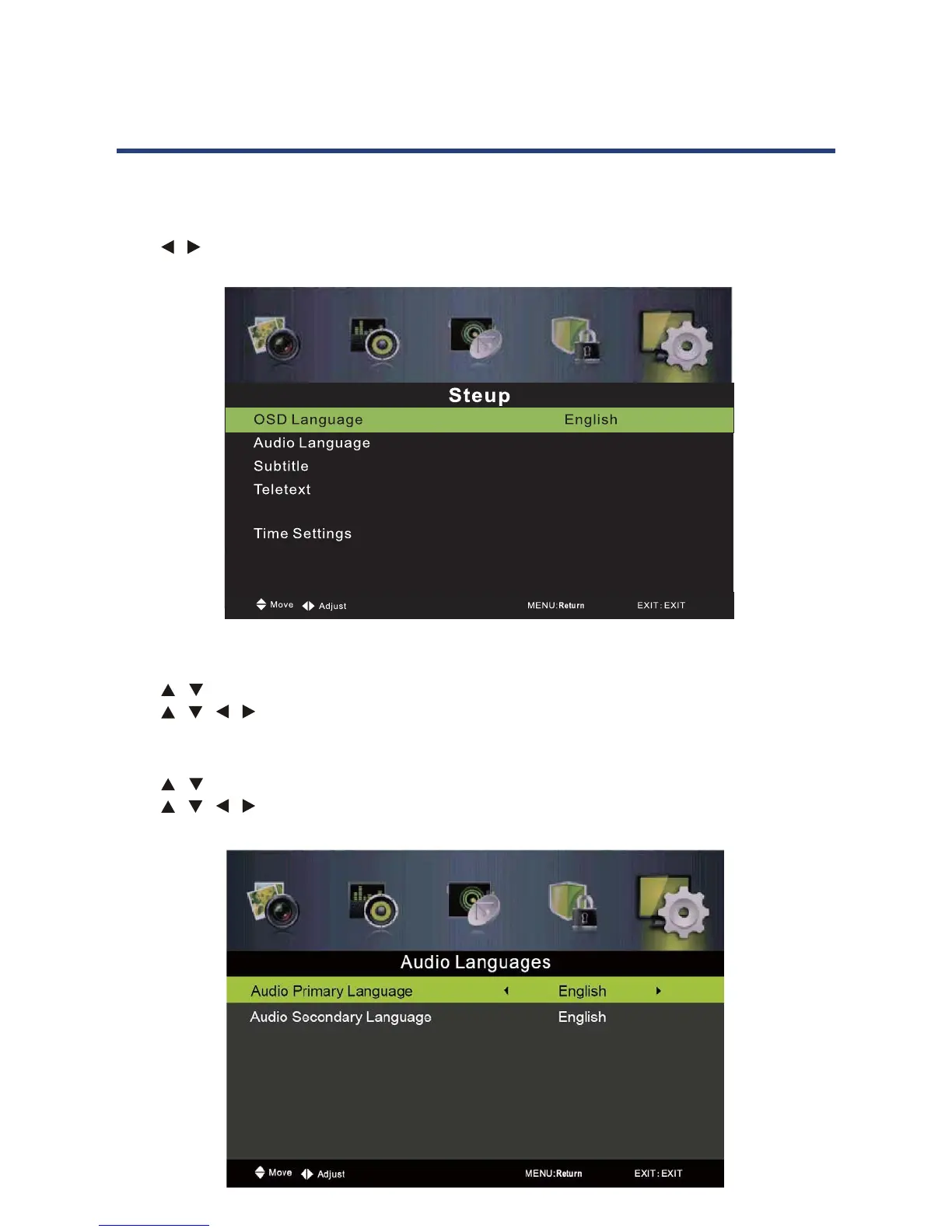
Press / button to select OSD Language, then press OK button to enter submenu.
Press
/ / / button to select OSD language.
Auto Language
Press / button to select Auto Language, then press Enter button to enter submenu.
Press
/ / / button to select the Audio Primary Language and Audio Secondary
Language.
Blue Screen Off
HDMI CEC Control
PVR Settings
OSD Language
Press / button to select OSD Language, then press OK button to enter submenu.
Press / / / button to select OSD language.
Auto Language
Press / button to select Auto Language, then press Ok button to enter submenu.
Press / / / button to select the Audio Primary Language and Audio Secondary
Language.
36
Basic Operation (Cont.)
Setup Menu
Press MENU button to display the main menu.
Press /
OSD Language
Press / button to select OSD Language, then press OK button to enter submenu.
Press
/ / / button to select OSD language.
Auto Language
Press / button to select Auto Language, then press Enter button to enter submenu.
Press
/ / / button to select the Audio Primary Language and Audio Secondary
Language.
Blue Screen Off
HDMI CEC Control
PVR Settings



 To Next Page