33
Basic Operation (Cont.)
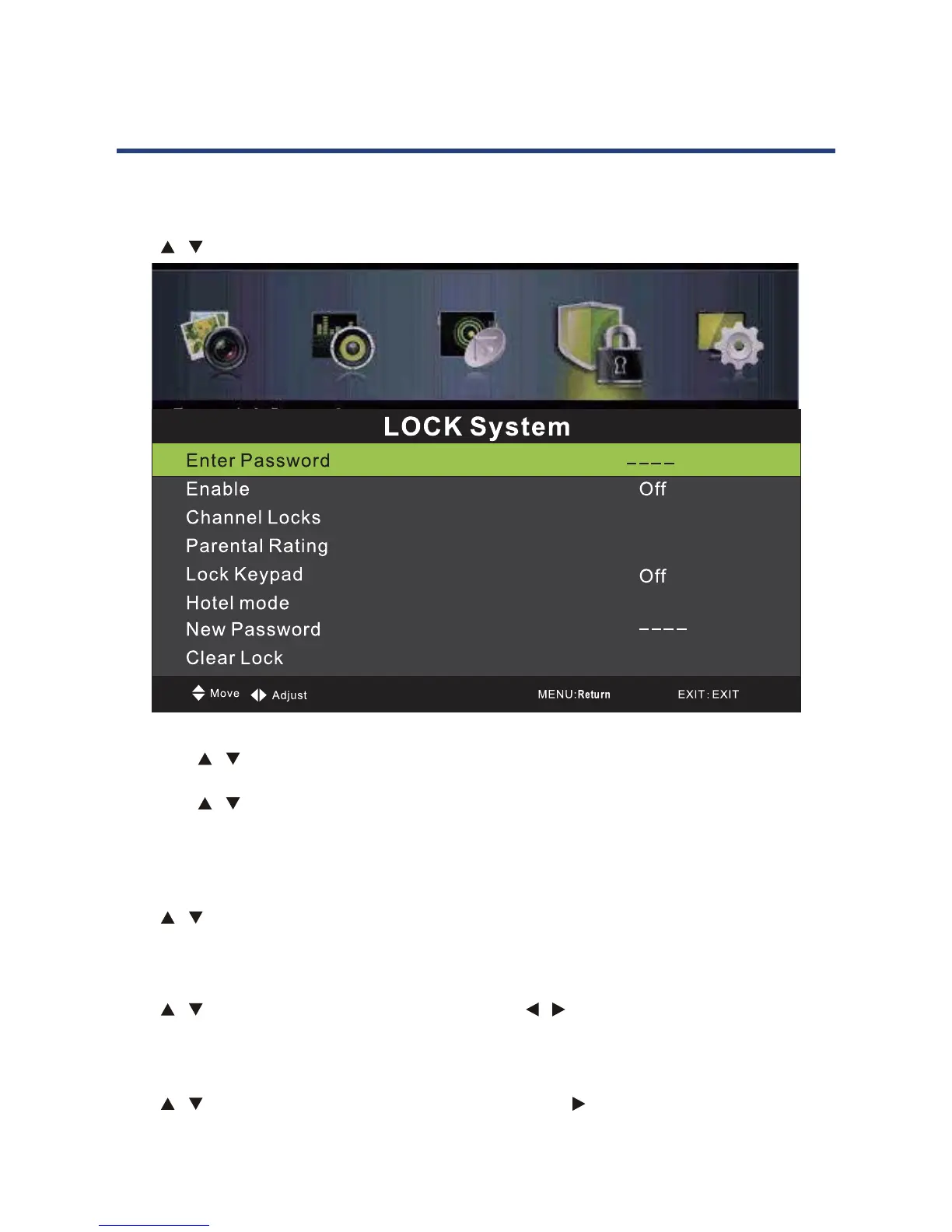
Lock Menu
Press MENU button to display the main menu.
Press / button to select LOCK in the main menu, it will highlight the first option.
33
Basic Operation (Cont.)
Lock Menu
Press MENU button to display the main menu.
Press / button to select LOCK in the main men, it will highligh
1. Press / button to select the option that you want to adjust in the LOCK menu.
(Default Password:0000)
2. Press
/ button to adjust.
3. Aft
your adjustment, Press MENU button to return back to the previous
menu.
Enter Password
Press / button to select Enter Password, then press OK button to make the following 4
options valid. (Default password is ‘0000’.)
Enable
Press / button to select Enable,then press Press / button to select On or O . Channel
Locks,Parental Rating and Lock Keypad are available when Enable is On
Channel Locks
Press / button to select Channel Locks, then press OK / button to enter submenu.
1. Press / button to select the option that you want to adjust in the LOCK menu.
(Default Password: 0000)
2. Press / button to adjust.
3. After finishing your adjustment, press MENU button to return back to the previous
menu.
Enter Password
Press / button to select Enter Password, then press OK button to make the following 4
options valid. (Default password is ‘0000’.)
Enable
Press / button to select Enable, then press Press / button to select On or Off.
Channel Locks, Parental Rating and Lock Keypad are available when Enable is On.
Channel Locks
Press / button to select Channel Locks, then press Ok / button to enter submenu.



 To Next Page