38
Basic Operation (Cont.)
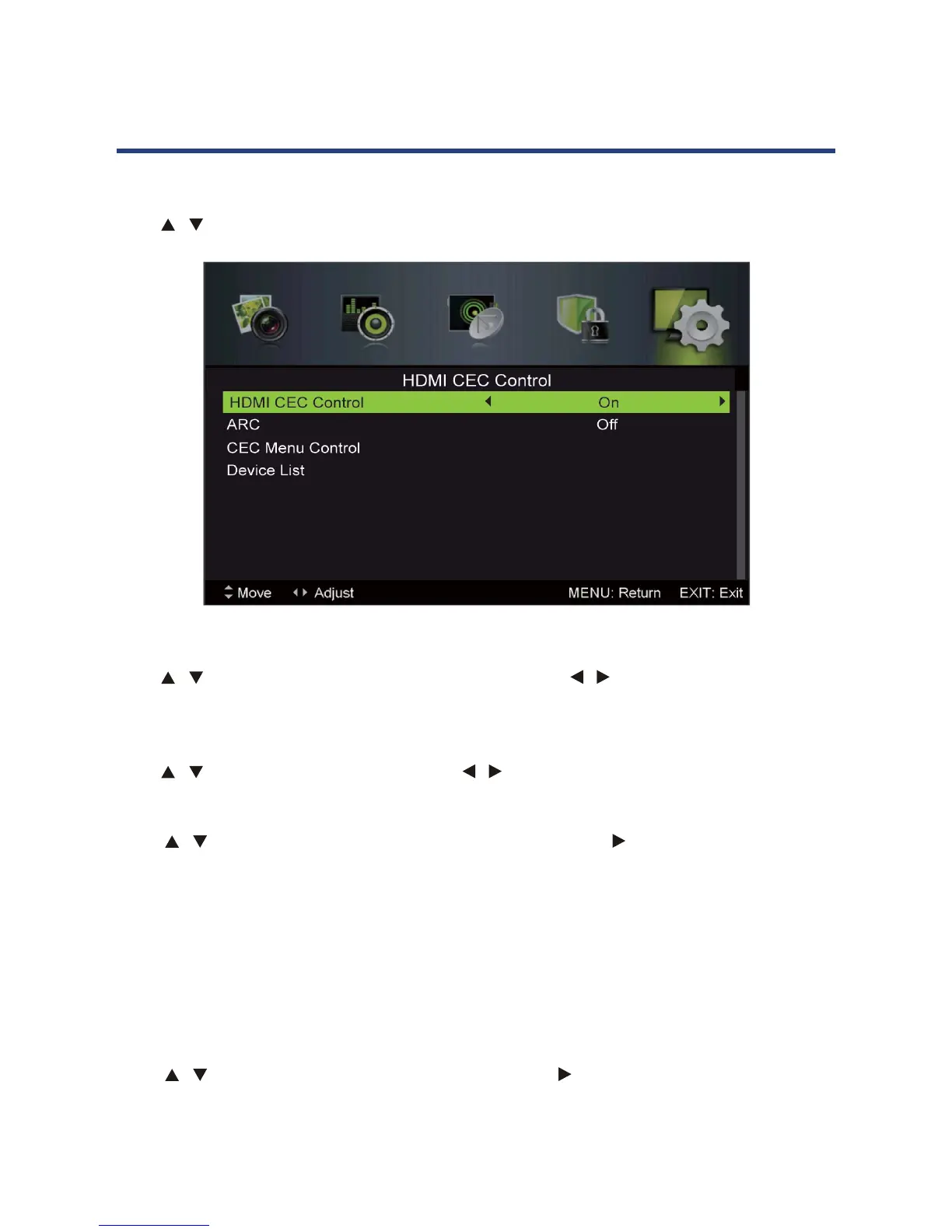
HDMI CEC Control
Press / button to select HDMI CEC Control, then press OK button to enter submenu.
37
HDMI CEC Control
HDMI CEC Control
Press / button to select HDMI CEC Control, then press OK button to enter submenu.
ARC(Audio Return Channel)
CEC Menu Control
Device List
P
This menu show all the CEC device name which connected with TV, users can refresh the
CEC devise list access this menu, or choose a CEC device.
ress / button to select
Device List
, then press OK / button to enter submenu.
Pr
Home menu
When selecting this,TV will show the Home menu of connected CEC equipment .
Option
When selecting this,TV will show the Option menu of connected CEC equipment .
Content
When selecting this,TV will show the Disc menu of connected CEC equipment .
ess
/ button to select
CEC Menu Control
, then press OK / button to enter submenu.
Basic Operation (Cont.)
Press / button to select ARC , then press
/
Press / button to select HDMI CEC Control , then p button to select ON to
make the following 3 options valid.
ress
/
HDMI CEC Control
Press / button to select HDMI CEC Control, then press / button to select ON to make
the following 3 options valid.
ARC (Audio Return Channel)
Press / button to select ARC, then press / button to select On or O.
CEC Menu Control
Press / button to select CEC Menu Control, then press OK / button to enter submenu.
Home Menu
When selecting this, TV will show the Home Menu of connected CEC equipment.
Option
When selecting this, TV will show the Option menu of connected CEC equipment.
Content
When selecting this, TV will show the Disc menu of connected CEC equipment.
Device List
Press / button to select Device List, then press OK / button to enter submenu. This
menu shows all the CEC devices that’s connected with the TV. Users can refresh the CEC
device list by access this menu, or choose a CEC device from the list.



 To Next Page