35
Basic Operation (Cont.)
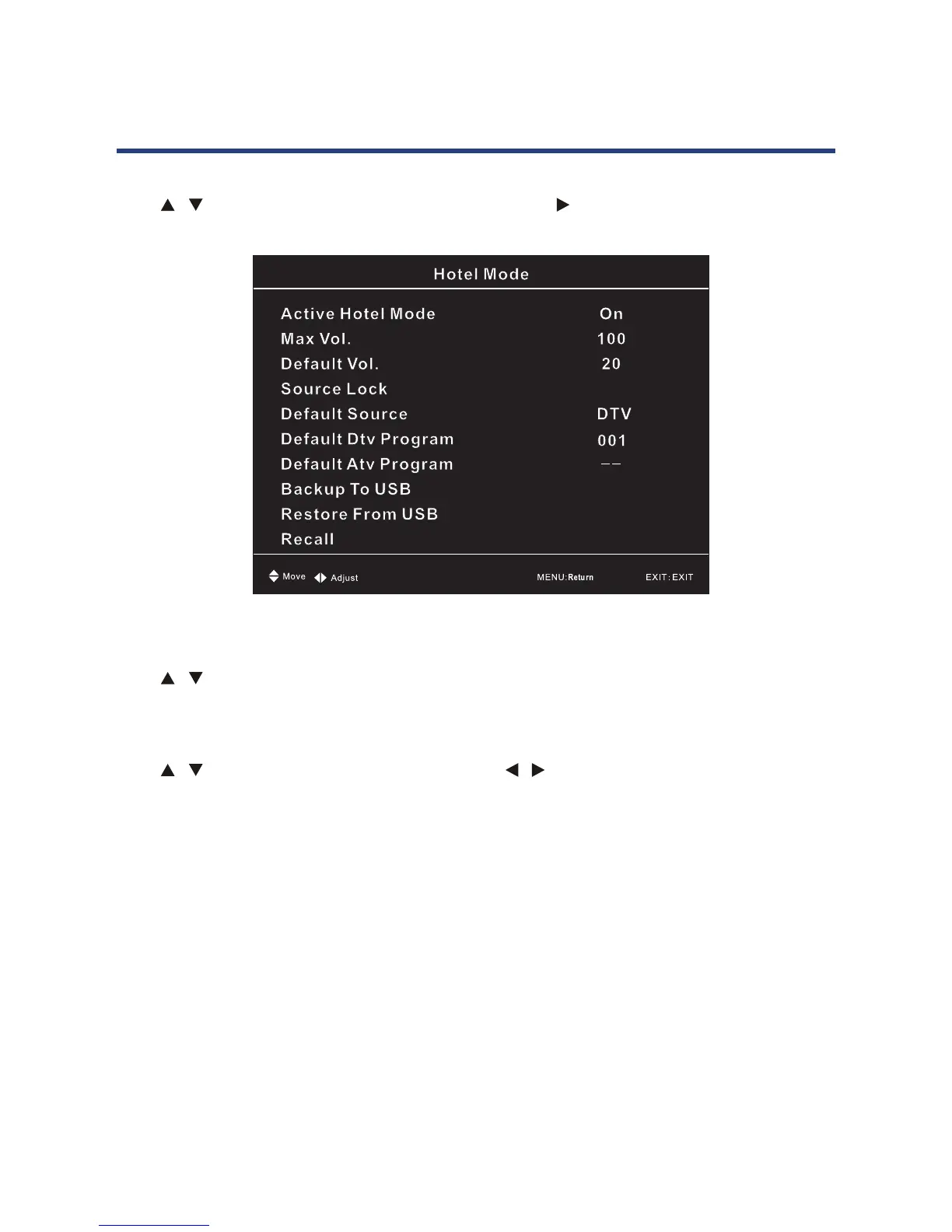
Hotel Mode
Press / button to select Hotel Mode, then press Ok / button to enter submenu.
35
Basic Operation (Cont.)
Hotel Mode
Press / button to select Hotel Mode, then press OK /
button to enter submenu.
New Password
Press / button to select New Password, then enter a 4 digit number you want to set as
password. Repeat 4 digital number to c
rm new password.
Clear Lock
Press / button to select Clear Lock, then press / button to select.
NOTE: The default password is “0000” (Administrator password is“4711”).
New Password
Press / button to select New Password, then enter a 4 digit number you want to set as
password. Repeat 4 digit number to confirm new password.
Clear Lock
Press / button to select Clear Lock, then press / button to select.
NOTE: The default password is “0000” (Administrator password is “4711”).



 To Next Page