50
DVD Function (Cont.)
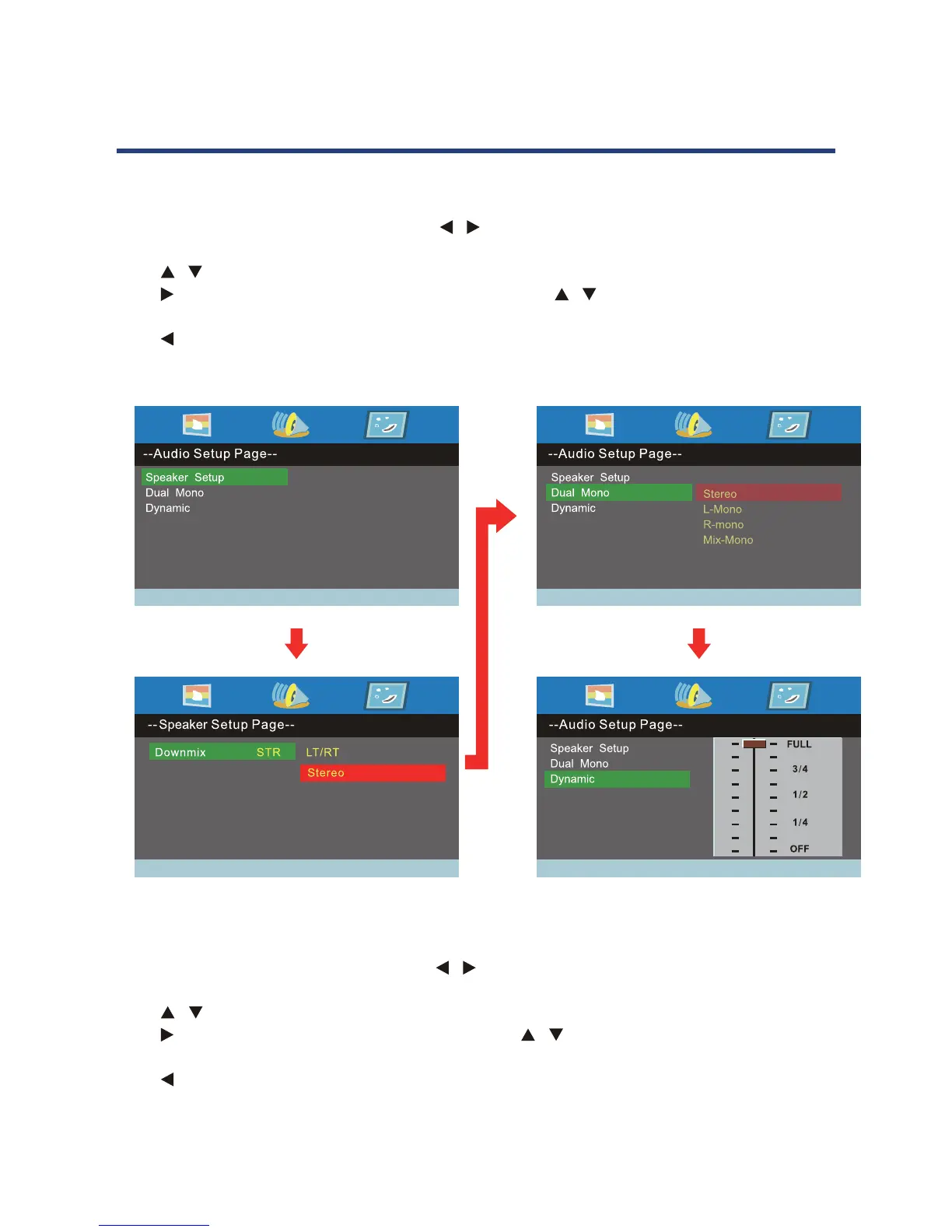
Audio Setup Page
Press the D.SETUP button and then press / to display the audio menu page when in DVD
mode.
Press / button to move the highlighted to select the following option.
Press button to enter the following menu and use the / button to select a menu item.
Press the OK button to conrm.
Press button to go back to the previous menu level.
Press the D.SETUP to exit the DVD setup menu.
Preference Page
Press the D.SETUP button and then press / button to display the preference page when in DVD
mode.
Press / button to move the highlight to select the following option.
Press button to enter the following menu and use / button to select a menu item.
Press the OK button to conrm.
Press button to go back to the previous menu level.
Press the D.SETUP to exit the DVD setup menu.



 To Next Page