EasyManua.ls Logo

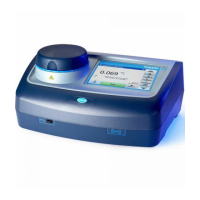
Hach TU5200 - User Manual

Hach TU5200
40 pages
Print Icon
To Next Page IconTo Next Page
Loading...
DOC342.53.80489
TU5200
03/2017, Edition 3
User Manual

Other manuals for Hach TU5200

Questions and Answers

  • J
    jjimenezSep 9, 2025
    What to do if the standard is not stable on Hach TU5200 Laboratory Equipment?
    • C
      Clinton VillarrealSep 9, 2025
      If the standard is not stable, use the correct calibration standards. Invert the standard until no bubbles or large particles show.
  • B
    Beverly WatkinsSep 7, 2025
    How to fix 'The self-check stopped. Clean the vial compartment' error on Hach Laboratory Equipment?
    • J
      janetlandrySep 7, 2025
      If the self-check stops and prompts you to clean the vial compartment, set the power to off, clean the vial compartment, and then set the power to on. If the self-check is still unsuccessful, contact technical support.
  • V
    vrichardsAug 22, 2025
    How to fix the calibration range exceeded error on Hach TU5200 Laboratory Equipment?
    • J
      jenniferlindseyAug 22, 2025
      If the calibration range is exceeded, it means the measured turbidity is higher than the instrument's calibration range. Select a calibration curve that covers the full measurement range.
  • J
    Justin SharpSep 5, 2025
    Why is the standard value too high on my Hach TU5200?
    • A
      Adrian JohnsonSep 5, 2025
      A standard value that is too high may indicate that the wrong calibration standard is in the vial compartment. Ensure that the standard hasn't expired and put the correct calibration standard in the vial compartment.
  • G
    grimeserinSep 4, 2025
    Why is the standard value too low on my Hach TU5200?
    • H
      hansenandreaSep 4, 2025
      A standard value that is too low may indicate that the wrong calibration standard is in the vial compartment. Ensure that the standard hasn't expired, place the correct calibration standard in the vial compartment, and make sure to invert the standard.
  • S
    Samantha CochranSep 2, 2025
    What does it mean when the measured value is out of nominal value range on Hach TU5200?
    • K
      Kyle GreeneSep 3, 2025
      This means the measured value is not within the expected range for the standard you are using. For example, the 10 NTU standard should measure between 5 to 15 NTU, and the < 0.1 NTU glass verification rod should measure between 0 to 0.1 NTU. Use the correct standard, ensure it hasn't expired, and measure it again.
  • M
    Marissa GutierrezSep 1, 2025
    What to do if the Hach TU5200 Laboratory Equipment self-check stopped with a hardware error?
    • P
      paige21Sep 1, 2025
      If the self-check stops due to a hardware error, turn the power off, wait 20 seconds, and then turn it back on. If the self-check is still unsuccessful, record the error number and contact technical support.
  • R
    raymondfloresAug 31, 2025
    What to do if I get a hardware error or instrument error on my Hach TU5200 Laboratory Equipment?
    • J
      Julie DanielAug 31, 2025
      If you encounter a hardware or instrument error, power off the device, wait 20 seconds, and then power it back on. If the problem persists, contact technical support.
  • R
    Robert WilliamsonAug 30, 2025
    What to do if network authentication failed on Hach TU5200 Laboratory Equipment?
    • T
      twrightAug 30, 2025
      If network authentication fails, ensure that you enter the correct username and password. Also, verify that the network settings are configured correctly.
  • E
    Emily HowellAug 28, 2025
    What to do if the self-check stopped and says to close the lid on my Hach Laboratory Equipment?
    • T
      Tyler GoodwinAug 28, 2025
      If the self-check stops and prompts you to close the lid, simply close the lid and push the 'Close' button.

Summary

Specifications

General information

Safety information

Crucial safety warnings and hazard information for operating the instrument.

Class 1 laser product

Detailed information and warnings regarding the Class 1 laser classification.

RFID module

Safety information for RFID modules

Specific safety precautions related to the instrument's RFID module.

Installation

Installation guidelines

Recommended practices for placing and setting up the instrument.

User interface and navigation

Startup

Operation

Configuration

Settings and parameter adjustments for instrument operation.

Configure the measurement settings

Adjusting parameters like reading mode, units, and data logging.

Measurement

Procedures for taking and recording sample measurements.

Measure the sample

The process of initiating and completing a sample measurement.

Compare process and laboratory measurements

Comparing measurements from different sources or instruments.

Show the recorded data

Calibration

Calibrate the instrument

Step-by-step guide to perform the instrument calibration process.

Verification

Do a calibration verification

Executing the steps to verify the instrument's calibration.

Maintenance

Troubleshooting

Hach TU5200 Specifications

General IconGeneral
BrandHach
ModelTU5200
CategoryLaboratory Equipment
LanguageEnglish

Related product manuals