Operation
Status LEDs
7 Operation
7.1 Status LEDs
The device has two LEDs providing information on the status of the device.
LED Description
CPU LED (13)
White lit constantly:
Indicates that the device is switched on
Flashing red:
Indicates that a pre-alarm has been triggered
ALARM LED (17)
Red lit constantly:
Indicates that tripping has occurred
7.2 Buttons
The device has three buttons for navigating through the various screens and programming the device.
Buttons Function
T
Short: Change the display or setting Long (> 3s): Test the relay
R
Short: Change the display or setting Long (> 3s): Carry out a reset
Short: Confirm selection Long (> 3s): Return to the previous step
7.3 Display
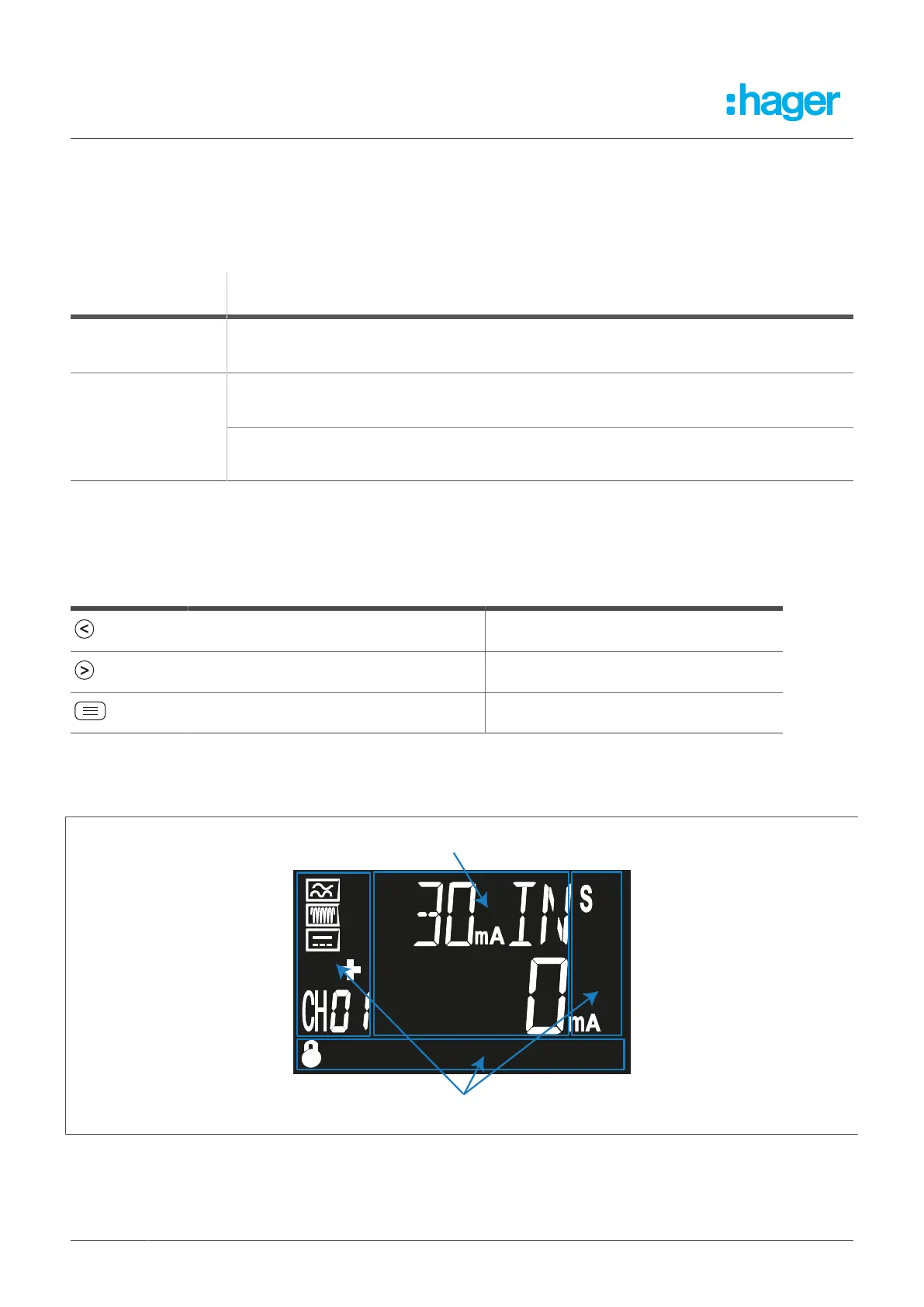
The device has an LCD. This LCD is divided into two areas.
Data area: Shows all measured values.
Status and units: Shows the status, units and device information.
16 Fehlerstromschutz-Relais



 To Next Page