Operation
Display
7.3.3 Relay
The relay has output relays (terminal 1 and terminal 3), which trip when a certain channel is affected.
7.3.4 Digital input
The device has a digital input (terminal 21 and terminal 22). This is required to perform a trip.
7.3.5 Start screen
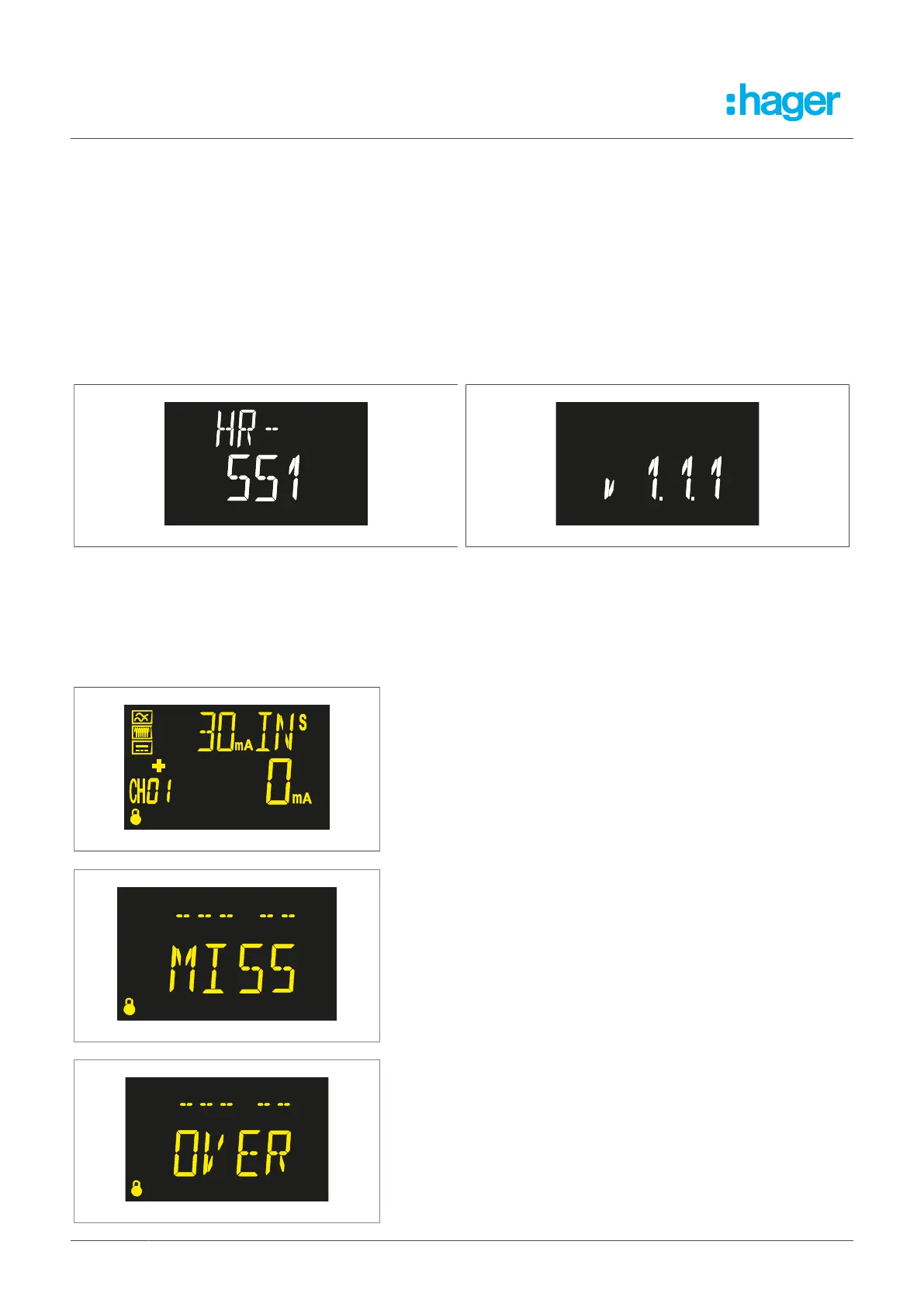
The start screen appears after the device has been switched on and the initialisation phase has
elapsed. The start screen shows the version of the relay.
Fig. 17: Start screen Fig. 18: Start screen – Version information
7.3.6 Problems or changes in the installation
If problems arise at the end of a start operation, the following messages may appear on screen:
Change in the installation
l
Open the set-up menu to save the new installation.
The relay cannot find the toroidal transformer
l
Open the set-up menu to save the new installation.
The relay has detected more toroidal transformers than permitted
l
Check the installation.
18 Fehlerstromschutz-Relais



 To Next Page