13
E. File changing method in AUTO mode
CAUTION
Be sure to insert the control card into the card slot
before changing.
File initial setting
File 1 File 2 File 3
Mode INSTALL INSTALL INSTALL
Step 1 Setting temperature 200 200 200
timer time 30 30 30
Step 2 Setting temperature 250 250 250
timer time 30 30 30
Step 3 Setting temperature 300 300 300
timer time 30 30 30
Example: When file 2 is changed as follows:
File 2
Mode REMOVE
Step 1 Setting temperature 250
timer time 25
Step 2 Setting temperature 250
timer time 30
Step 3 Setting temperature 320
timer time 25
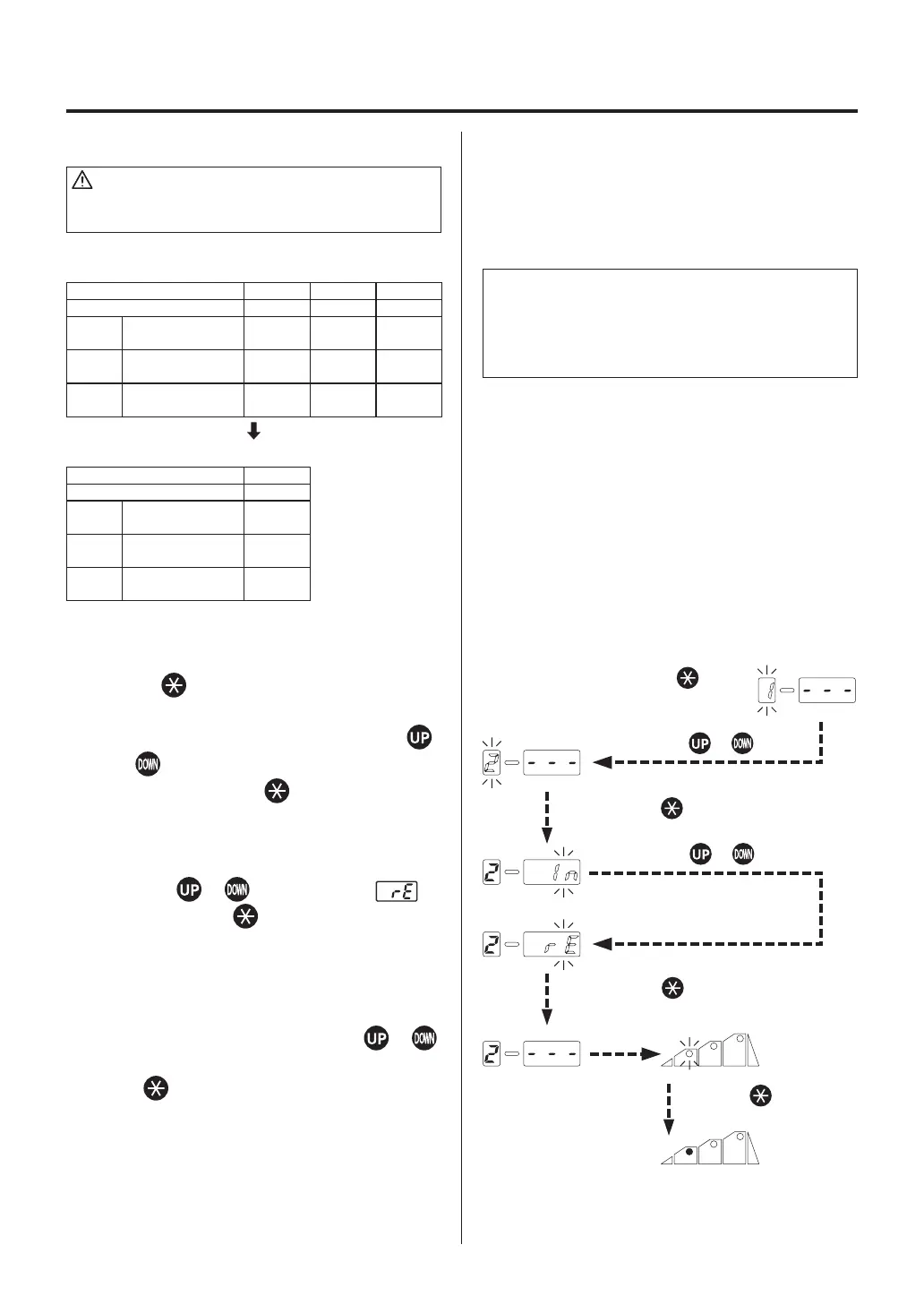
1. If the button is pressed for 1 second
or more, the file number display section
flashes. Select the file number using the
or button. If your desired file number is
displayed, press the button. The mode
will be shifted to
the INSTALL or REMOVE
selection mode
.
2. Use the
or button to display .
Then, press the button to select and shift
to
the step selection mode
.
3. Select your desired step using the
or
button. Display your desired step and press
the button to select. After that, the mode
will be shifted to
temperature setting mode
in step 1
.
6. OPERATION
Press the or button.
Press the button.
Press and hold the button
for more than 1 second.
NOTE:
The temperature setting range:
100°C - 450°C (200°F - 840°F).
The time setting range:
0 sec. - 300 sec. (0 min. - 5 min.)
●
Attempt to enter a value outside the setting
range will cause the display to begin flashing the
HUNDREDS digit again. Reenter a correct value.
●
Both the display temperature and the
temperature setting are the temperature at the
sensor. (Even with the same temperature setting,
the temperature of the hot air differs depending
on the nozzle size.)
●
If the time setting is set to 0 sec., the step can be
cancelled.
Press the or button.
Press the button.
Press the button.















 To Next Page