12
●Parameter entering mode
1. Turn off the power switch.
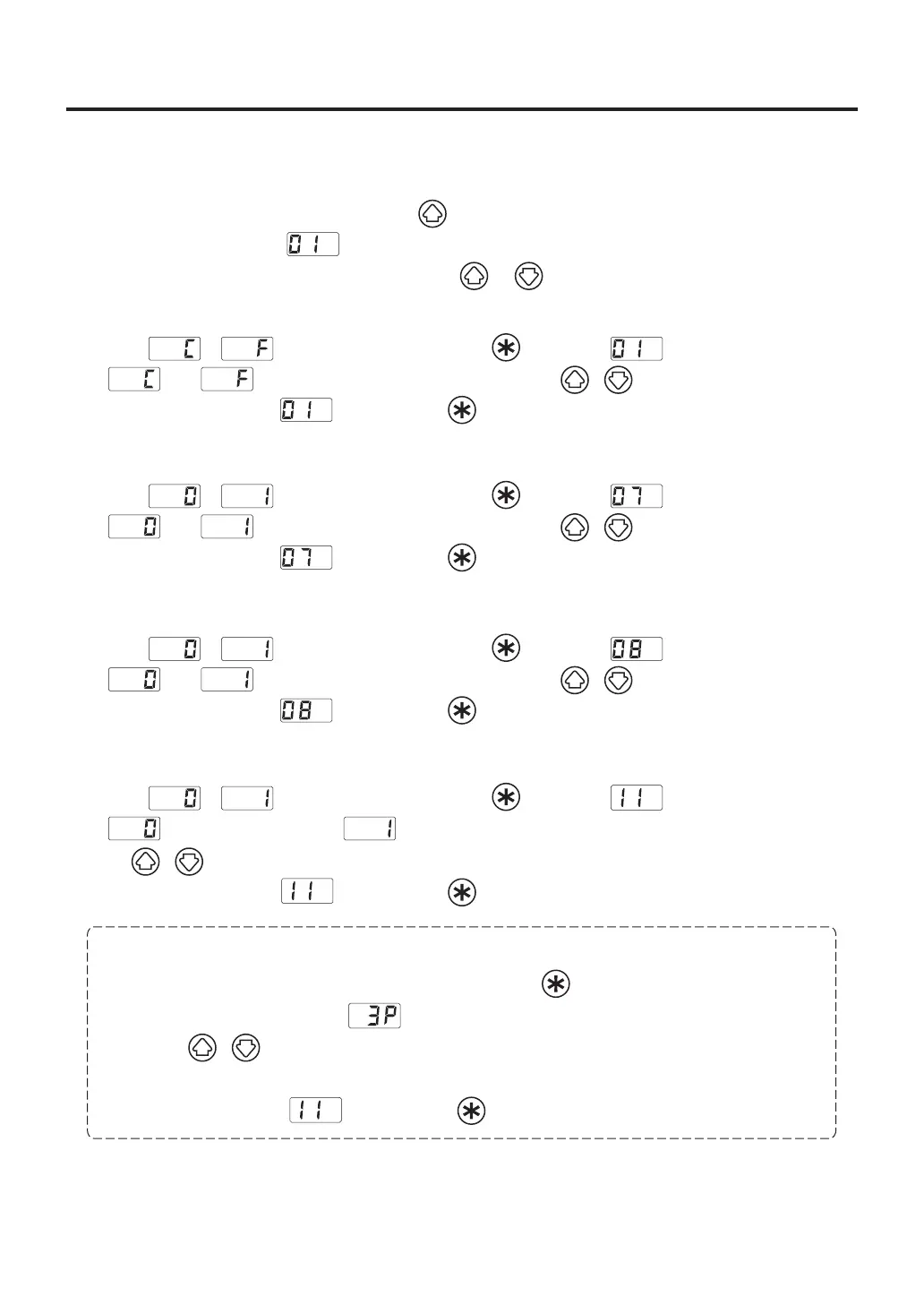
2. Turn on the power switch while pressing the button.
3. When the display shows , the station is in parameter entering mode.
4. You can switch the parameter No. by pressing the or .
A. ℃ or ℉ temperature display selection
1. Either or will be displayed if you press the button when is displayed.
2. and will be switched alternately If you press the ( ) button.
3. The display will return to if you press the button after selecting.
B. Auto sleep ON/OFF setting
1. Either or will be displayed if you press the button when is displayed.
2. and will be switched alternately If you press the ( ) button.
3. The display will return to if you press the button after selecting.
C. Auto shutoff ON/OFF setting
1. Either or will be displayed if you press the button when is displayed.
2. and will be switched alternately If you press the ( ) button.
3. The display will return to if you press the button after selecting.
D. Setting mode selection
1. Either or will be displayed if you press the button when is displayed.
2. (The normal mode) and (The preset mode) will be switched alternately, if you press
the ( ) button.
3. The display will return to if you press the button after selecting.*
* If you select the preset mode, the display will move to the preset selection screen.
4.The number of active preset will be displayed If you press the button at 3.
(Example : If the number is three, is displayed.)
5. Press the ( ) button to change the value and select the number of active preset you required.
The unit will accept values from 2 through 5.
6. The display will return to if you press the button after selecting.















 To Next Page