7
* Timer function
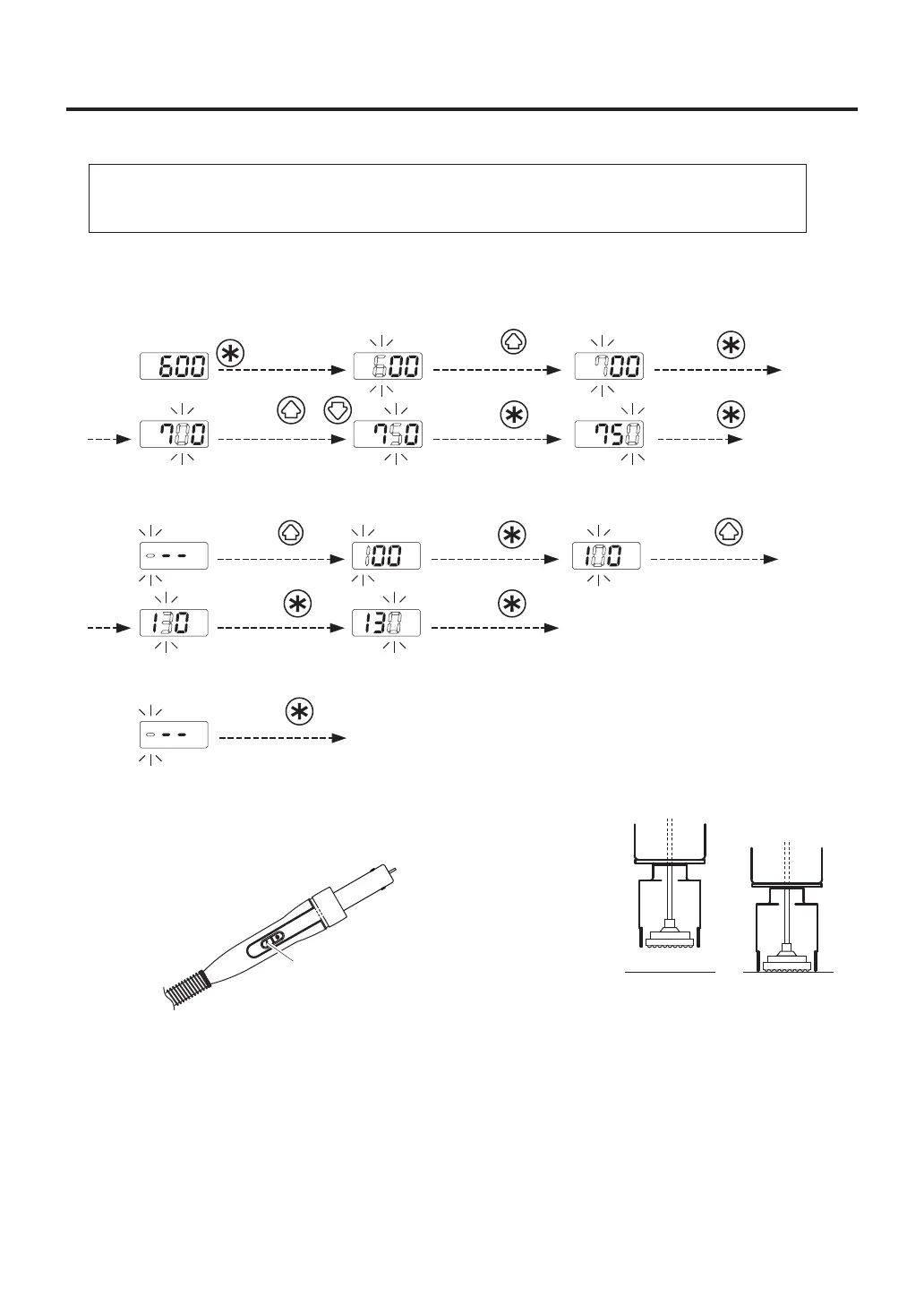
In this product, setting the timer allows you to control the time during which hot air is blown.
Either of the following two modes is selectable by parameter setting: Open Timing in which count is
started from the time when temperature reaches the set temperature and Closed Timing in which count is
started upon start. The timer setting range is 001 to 999 seconds.
(When not using the timer function, select “---”. When set in the timer setting “000” , don't work. )
Each of the set values is displayed for
one second, and each change is finalized.
Press the
button twice.
Press the
button.
Press the
button.
Press the
button.
Press the
button 3 times.
* When you want to leave the timer "ーーー".
Press the
button once.
Finished
※Vacuum Function
Press the V (Vacuum) button on the handpiece. The vacuum
pump turns ON and the part is held by suction.
P.W.B. P.W.B.
V button
Setting the
Timer
Press the or
button 5 times.
Press the
button once.
Press the
button.
Press the
button.
Press the
button.
Press and hold the
button for more
than one second.
Example : When the set temperature is 300°C and the timer setting is ---.
● Setting/Changing the Temperature and Timer
NOTE:
After accepting the value for the ones digit for temperature, you will have the option to set the timer
starting over with the hundreds digit.
The factory default : "Temperature 600℉" "Timer ーーー(No setting)"
1. Setting the Temperature (from 600℉ to 750℉)
2. Setting the Timer (from --- to 130sec)















 To Next Page