14
F. Auto shutoff time setting
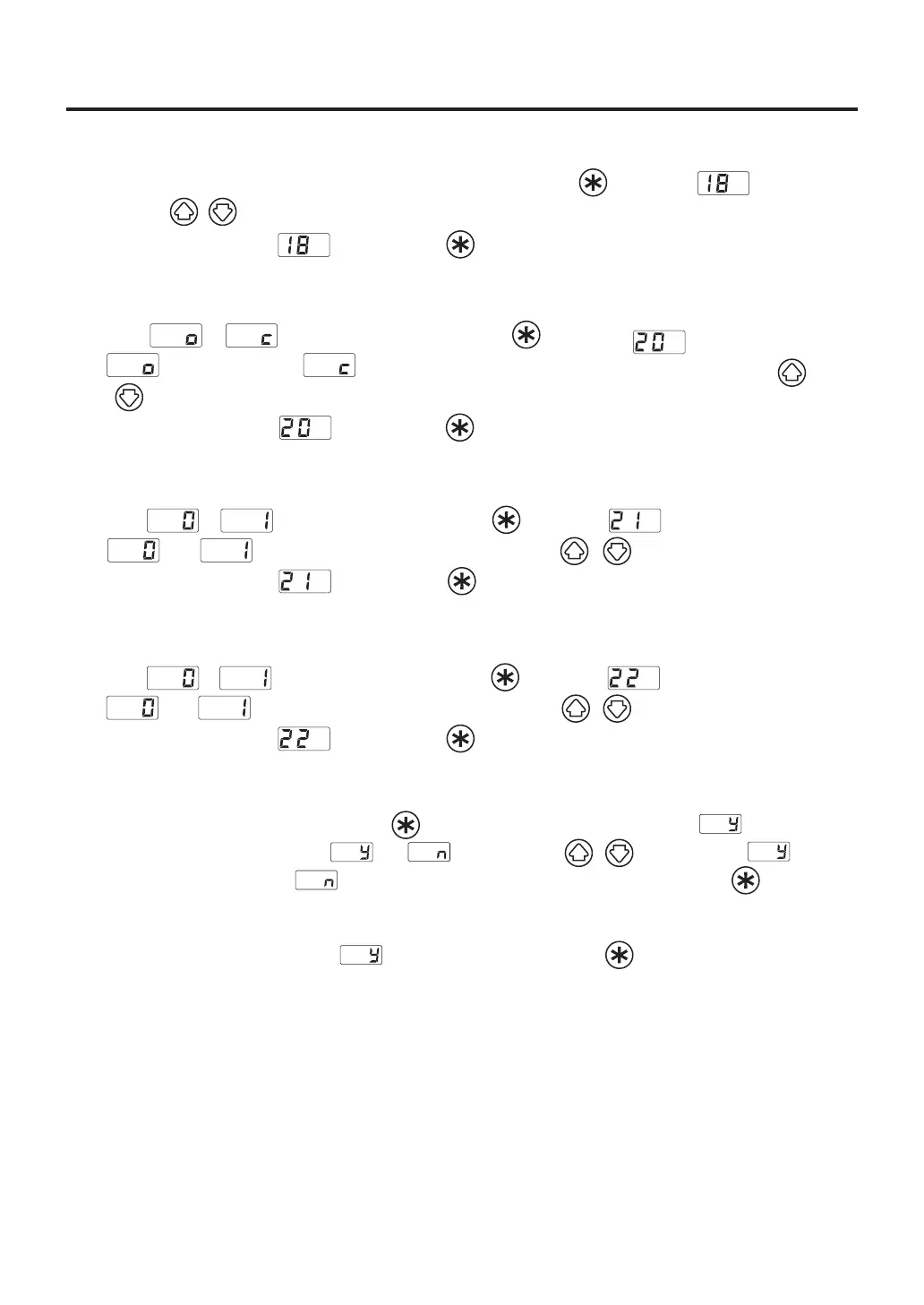
1. Auto shutoff time (30 minutes early) will be displayed if you press the button when is displayed.
2.
Press the ( ) button, you can change to the desired value. Thevaluesyoucanenteris30to60(minutes).
3. The display will return to if you press the button after selecting.
G. Timer mode selection
1. Either or will be displayed if you press the button when is displayed.
2. (OpenTiming) and (ClosedTiming) will be switched alternately If you press the
( ) button.
3. The display will return to if you press the button after selecting.
H. Forcedcoolingbypass
1. Either or will be displayed if you press the button when is displayed.
2. and will be switched alternately If you press the ( ) button.
3. The display will return to if you press the button after selecting.
I. ChainPresetsetting
1. Either or will be displayed if you press the button when is displayed.
2. and will be switched alternately If you press the ( ) button.
3. The display will return to if you press the button after selecting.
After changing parameters, press and hold the button down for at least two seconds until is displayed.
At this time, you can switch between and by pressing the ( ) button. Select if you
are finished making changes or if you need to go back and make more changes. Press the button to
confirm you selection.
Changes will not be completed until is displayed and you press the button.
Please note that no changes will be made if you turn off the power while making changes.















 To Next Page