7.PARAMETERSETTING
Setting AUTO SHUTOFF
AUTO−SHUTOFF SET
NOW:30min
<OFF> <30m><60m>
Setting PASSWORD LOCK
PASSWORD LOCK
<ON> <OFF>
PASSWORD input screen (When ON is selected)
PASSWORD
A
■■
<↑> <↓> <OK>
AUTO SHUTOFF
The time to automatically turn off the soldering station can be set up. Electricity is stopped automatically
when the solder iron is not used for the set period of time. SHUTOFF function is canceled by pressing one
of the 3 buttons.
PASSWORD LOCK
The setting can be changed so that a password input is required every time a parameter is changed or a
count is reset. A 3-letter password comprising of letters A to Z is set up.
When the SHUT OFF time is set, the power
supply stops when the soldering iron is not
used for the set period of time even though
the soldering iron is not placed on the stand.
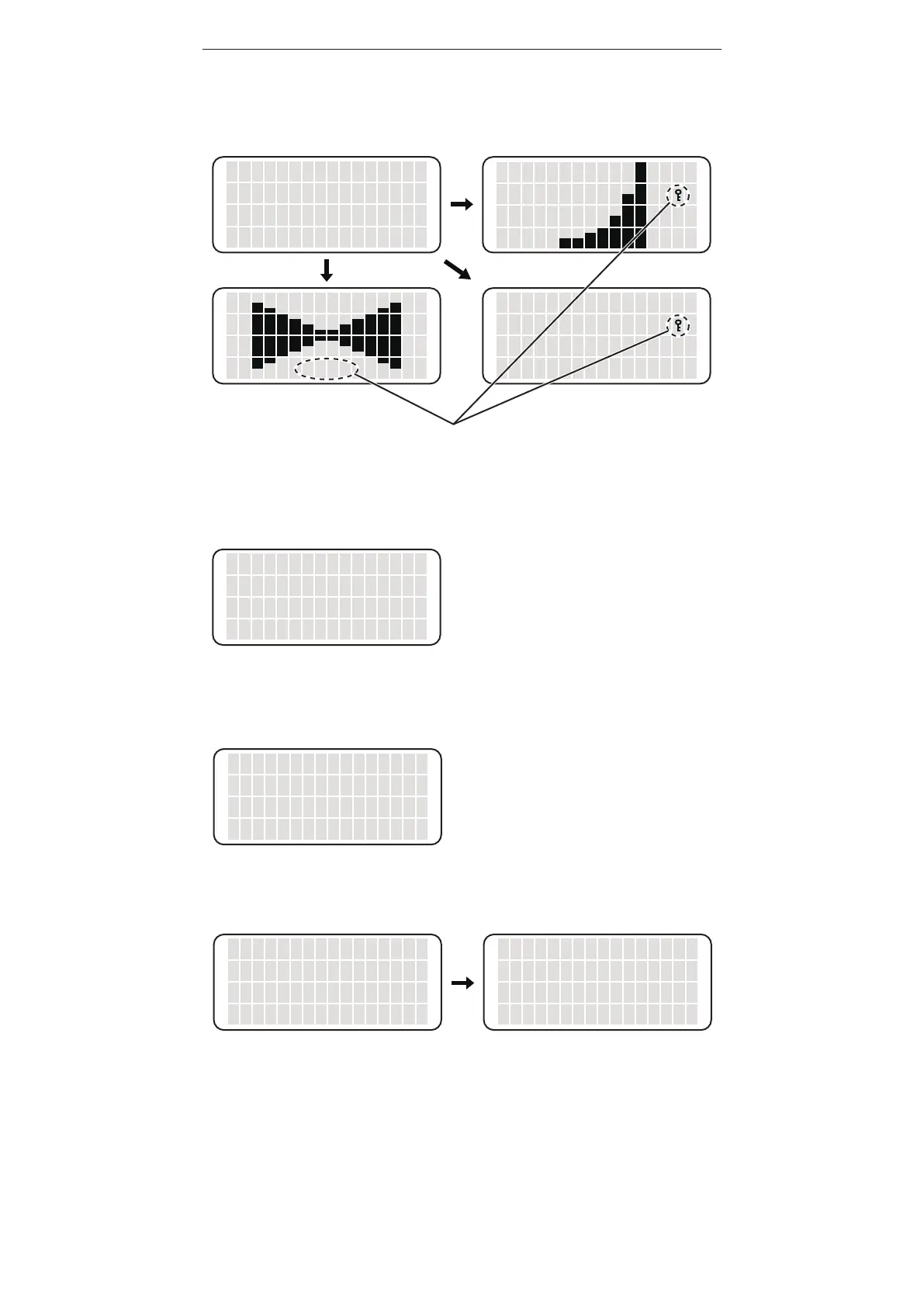
DISPLAY
The fashion in which the output graph is displayed can be changed.
NORMAL: Histogram (rolling bar graph), EXPAND: Horizontal expanding graph, OFF: No display
AUTO SLEEP
The automatic sleep period can be set up. Sleep function is canceled by removing the solder iron from the
holder or pressing one of the 3 buttons.
Setting AUTO SLEEP
AUTO SLEEP SET
01min
<↑> <↓> <OK>
In the AUTO SLEEP mode, you can set the sleep
time between 01 to 29 minutes. When 00 is set,
the sleep function is OFF
When OFF is selected
When NORMAL is selected
When EXPAND is selected
N
N
N
LOCK
DISPLAY screen
NORMAL
EXPAND
OFF
<↑> <↓> <OK>
▲
Displayed when password lock is set















 To Next Page