■ Making Changes to Settings
ENTER
Hold down the button
for at least one second.
CAUTION
If no buttons are pressed for at least one minute during the process of changing settings of the unit,
the system will exit and return to operating mode and display the current temperature.
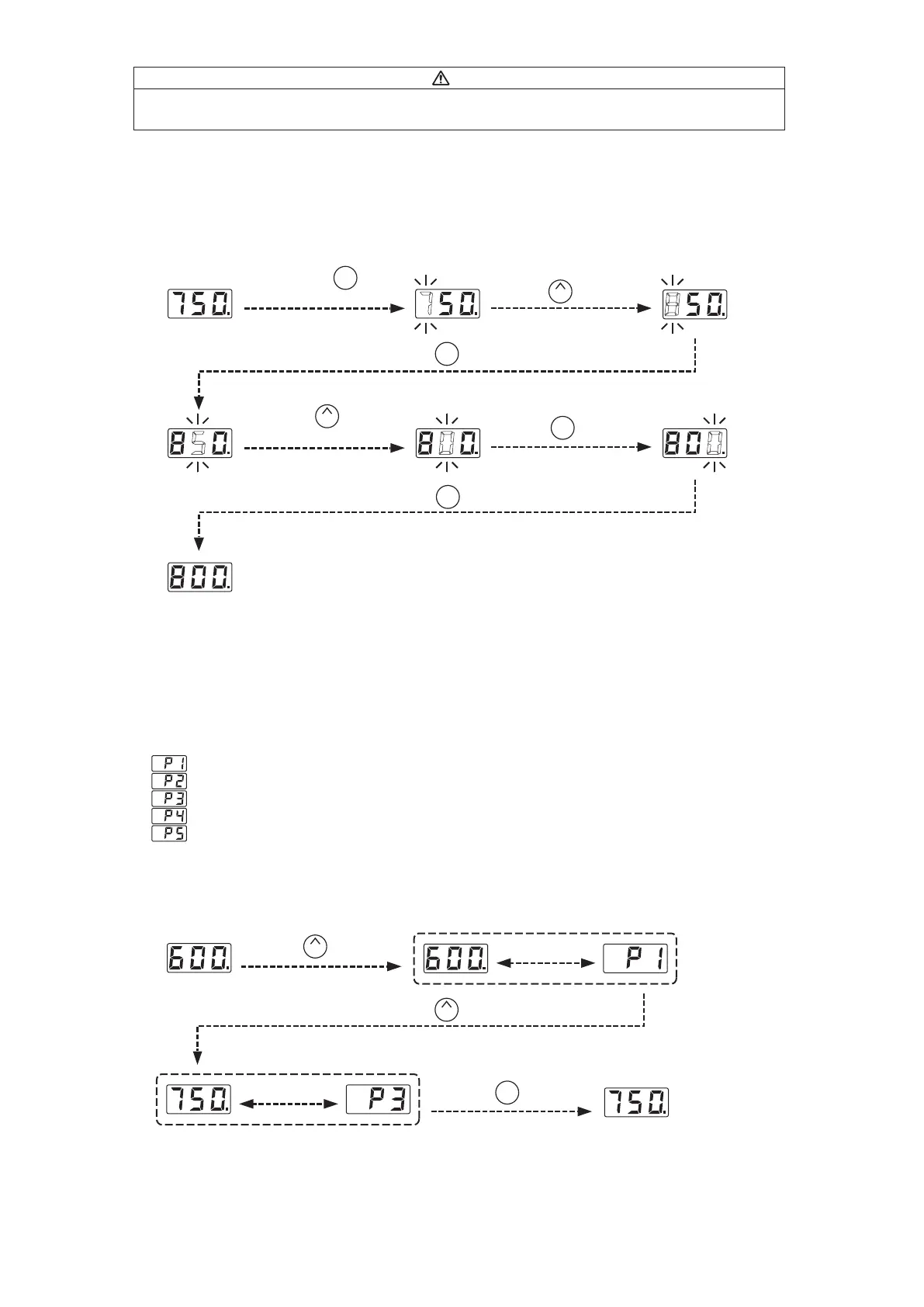
● Changing the set temperature
There are two ways to change the setting temperature : normal mode or preset mode.
The temperature setting range is from 400 to 899℉. (from 200 to 480℃)
By default, the temperature is set to 750℉. (399℃)
● The normal mode
Example : Changing from 750℉ to 800℉
The desired temperature is saved to the system memory.
Heater control will begin after the new set temperature is displayed.
UP
Press the button once.
ENTER
Press the button once.
UP
Press the button
five times.
ENTER
Press the button once.
ENTER
Press the button once.
● The preset mode
The FX-888D has a preset mode that will allow the unit to store up to 5 preset temperatures you can change
between instead of using the above normal mode.
Initial preset temperatures
The initial number of active presets is set to 5 at the factory.
The default selected preset is set to P3 at the factory.
Example : Changing preset temperature from preset No.1(600℃) to No.3(750℃).
UP
Press the button once.
UP
Press the button twice.
ENTER
Press the button once.
*Preset
selection
screen
Be displayed
alternately.
Be displayed
alternately.
Heater control will begin with new preset temperature.
The procedure for making changes to the preset temperatures is the same as changing the set temperature
in normal mode.
: 600℉ (316℃)
: 700℉ (371℃)
: 750℉ (399℃)
: 800℉ (427℃)
: 850℉ (454℃)















 To Next Page