5. OPERATION
CAUTION
CAUTION
● Performing the temperature adjustment
When replacing the iron, heater or tip, a temperature adjustment may be required.
Use Adjustment Mode to perform the temperature adjustment.
• Enter the observed value in the adjustment mode after the tip temperature stabilizes.
• The maximum single adjustment that can be made is ±270℉ (150℃) relative to the set temperature.
If a larger adjustment is needed, make the first adjustment at the maximum value of 270℉ (150℃),
then repeat the adjustment process.
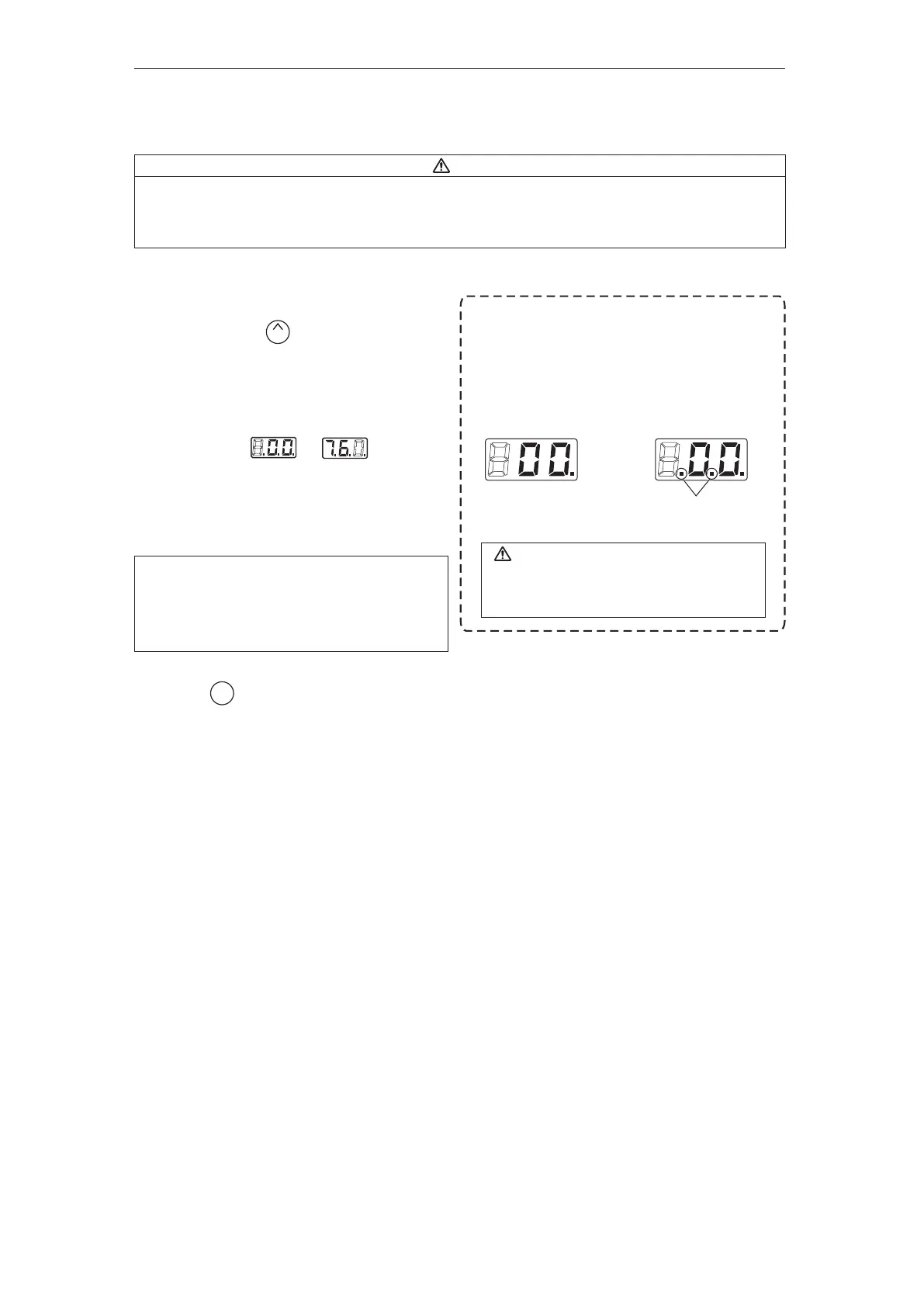
* How to distinguish between
Temperature Setting Mode and Adjustment Mode.
The display differs in the temperature setting
and the adjustment mode.
In the Temperature
Setting Mode
In the Adjustment Mode
Identification lamps are on
in the adjustment mode.
Please be sure to confirm the status of the
identification lamps so that you do not enter
a value in the wrong mode.
Example : If the measured temperature is 760℉,
and the set temperature is 800℉.
1. Press and hold the button down
for at least two seconds.
● The hundreds digits in the display will begin
to flash when shifting to the adjustment mode.
It indicates that you can enter the value.
2. Changing from to
● The procedure for changing the value in
adjustment mode is the same as setting
the temperature in normal mode.
Please refer to Section 5 - OPERATION.
3. Press the button to exit the setting
after changing the values.
● The tip temperature will be adjusted accordingly.
UP
ENTER
NOTE :
During adjustment mode, the hundreds digit will
accept values from 0 through 6 if the temperature
is set to display in ℃, or the values 0 through 9
if the temperature is set to display in ℉.















 To Next Page