5. OPERATION
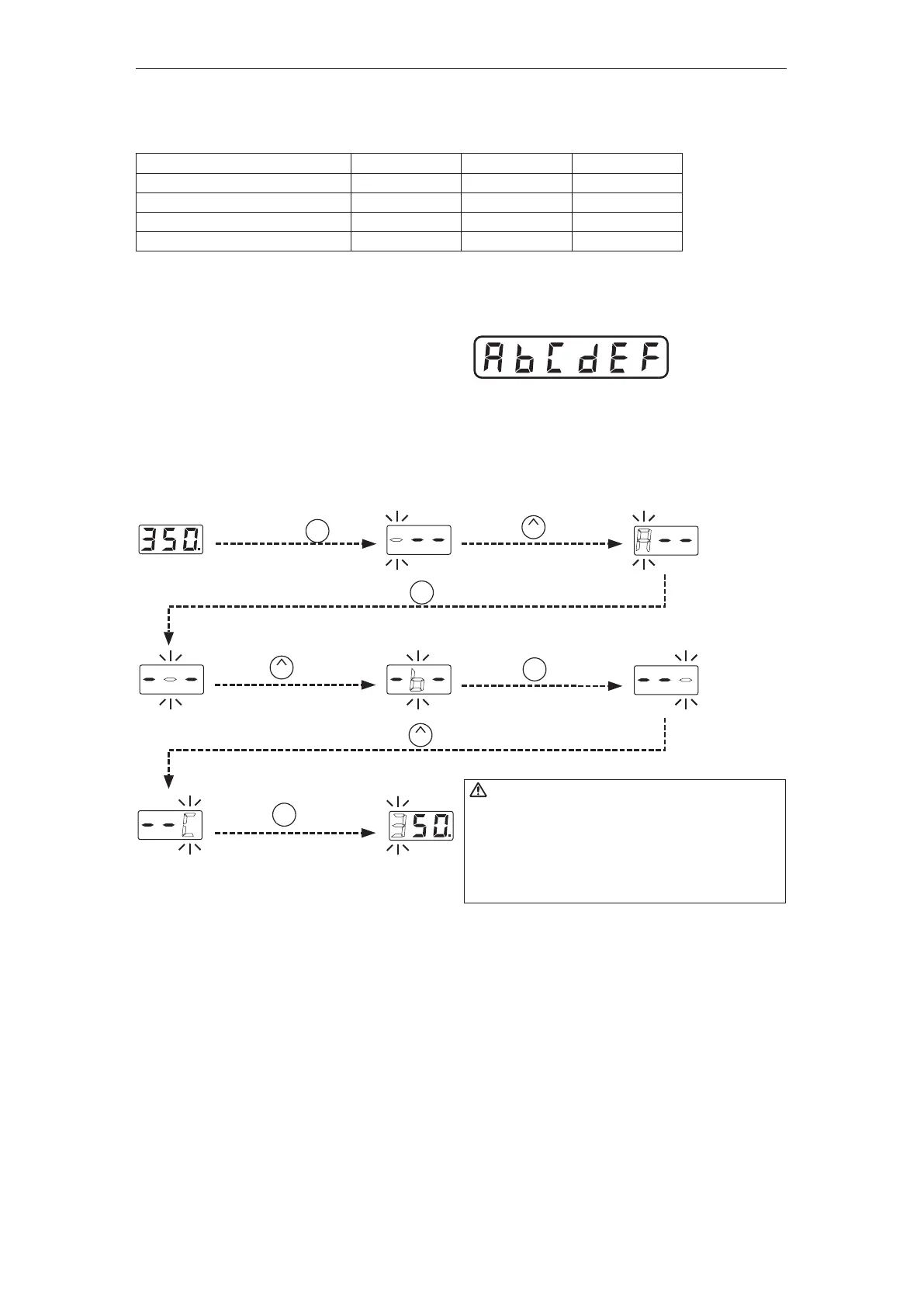
● Restriction on setting changes (Password function)
It is possible to restrict certain setting changes to the unit.
There are three choices for the password setting. (The factory default is "0 : Open")
○ : You can make changes without entering a password.
△ : You can choose whether or not a password is needed to make changes.
×: A password is required to make changes.
Select and input three letters for password
from six letters on the right.
The letters
for password
ENTER
Hold down the button
for at least two seconds.
UP
Press the button once.
ENTER
Press the button once.
UP
Press the button twice.
ENTER
Press the button once.
UP
Press the button three times.
ENTER
Press the button once.
CAUTION
・If the password you entered is incorrect,
the display will show three dashes for you
to re-enter the password.
・If you enter the password incorrectly twice in a row,
the display will return to the previous screen.
The unit will move to the change setting screen for each mode after entering the password.
Please change the setting for each mode according to the procedure.
(In the above example, please refer to the procedure for setting the temperature
in normal mode [Section 5 - OPERATION].)
0 : Open
○
○
○
○
1 : Partial
×
△
△
△
2 : Restricted
×
×
×
×
Move to the parameter setting mode
Move to the temperature setting mode
Move to the preset selection mode
Move to the adjust mode
Example:The procedure for changing the set temperature when the unit is restricted by a password.
(Password is "AbC")















 To Next Page